認証パーミッションは、アクティベーションの作成およびアクティベーションの編集ダイアログで利用できるアクションに影響します。これらの設定へのアクセス方法については、TD Consoleを使用したポリシーベースのAudience Studioパーミッションの設定を参照してください。
| パーミッション | Audience Studioでのアクティベーション |
|---|---|
| 認証: フル ソース: フルまたはなし | ユーザーはアクティベーションを作成、コピー、編集、実行、削除できます。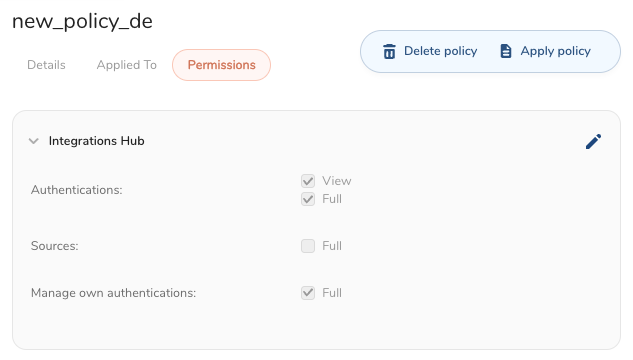 |
| 認証: 表示 ソース: フルまたはなし | ユーザーはすべての認証を表示できます。ユーザーは認証を作成、更新、削除できません。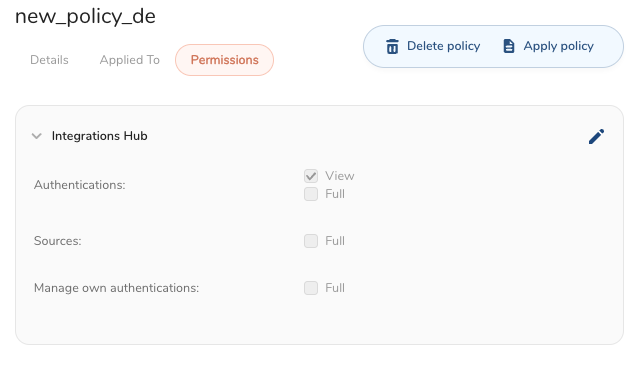 |
| 認証: 制限付き ソース: フルまたはなし | 自分の認証を管理: ユーザーは、このユーザーが作成したすべての認証を表示、使用、編集、削除できます。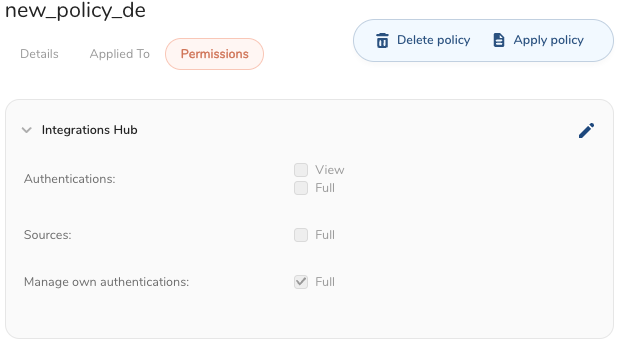 特定の認証の表示を許可: ユーザーは、ドロップダウンボックスで指定された選択された認証を表示および使用できます。 特定の認証の表示を許可: ユーザーは、ドロップダウンボックスで指定された選択された認証を表示および使用できます。 |
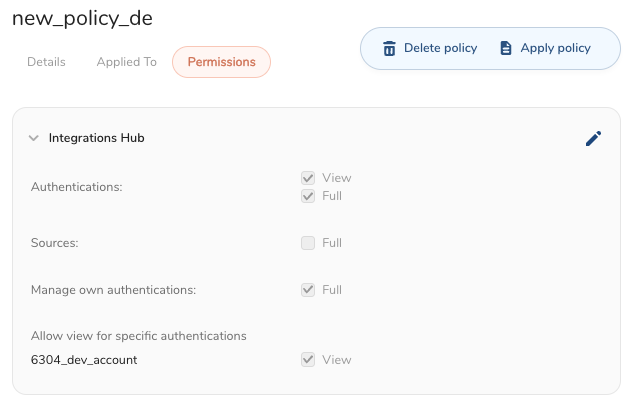 | |
| 認証: なし ソース: フルまたはなし | ユーザーはアクティベーションを作成できず、エラーメッセージが表示されます。 |
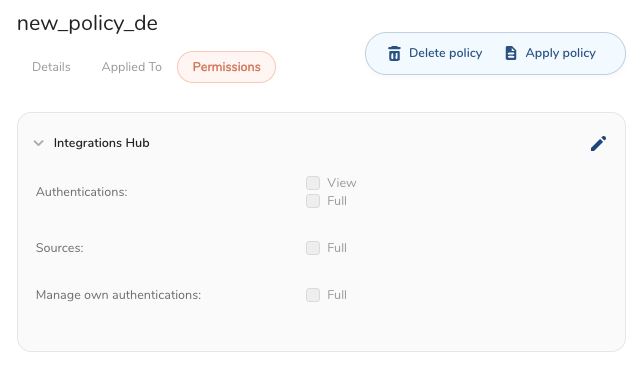
ユーザーは、そのフォルダーに対する完全な制御権限を持っている場合でも、アクティベーションの編集ウィンドウのドロップダウンメニューで認証にアクセスできません。
ユーザーのアクティベーションへのアクセスは、マスターセグメントの所有者の認証パーミッションと、ユーザー自身の認証アクセスの組み合わせに依存します。例えば、マスターセグメントの所有者が認証パーミッションを持っていない場合、完全な認証パーミッションを持つユーザーであっても、そのマスターセグメントのアクティベーションを作成、編集、実行、削除することはできません。
| Action | Owner + User Permissions | User Access |
|---|---|---|
Create Activation | Owner - Authentication: View or Full User - Authentication: View | User can create activations. |
Create Activation | Owner - Authentication: Manage Own Authentication User - Authentication: View | User can create activations for which they have received access. |
| Create Activation |
| User can create activations for which they have received access. |
| Create Activation |
| UI prevents user from creating activation if Owner authentication permissions is none. |
Create Activation |
Known issue: UI allows the user to view the activation in the right-side panel after receiving the Cannot Create Activation error message. | Neither can view existing or create an activation and receives an error message. |
| View Activation |
| Authentication icon is displayed |
| View Activation |
| Authentication icon is hidden |
| Edit Activation |
| Authentication fields are displayed |
| Edit Activation |
| Authentication fields are hidden, but a user can modify activation names and descriptions |
| Delete Activation |
| Can delete an activation |
Run Activation |
Users cannot run it if they cannot see it, so "Owner - Auth:View " is needed for UI. | Can trigger the run, but it will fail with a 403 error |
| Run Activation |
| Can run it successfully |