The merge event combines all decision point paths to create a single journey path.
After you insert a merge into your journey, you cannot reorder the merge.
- Open a journey.
- Drag the merge icon to the journey canvas.
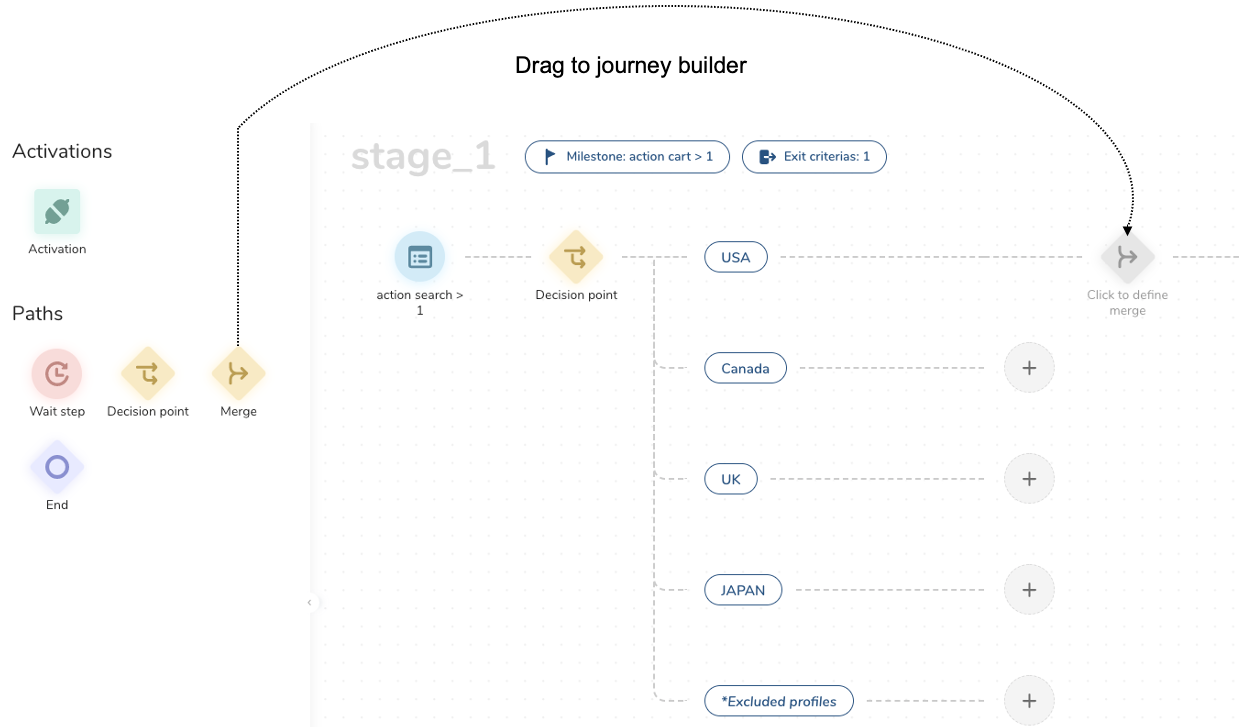
- Select Click to define the merge.
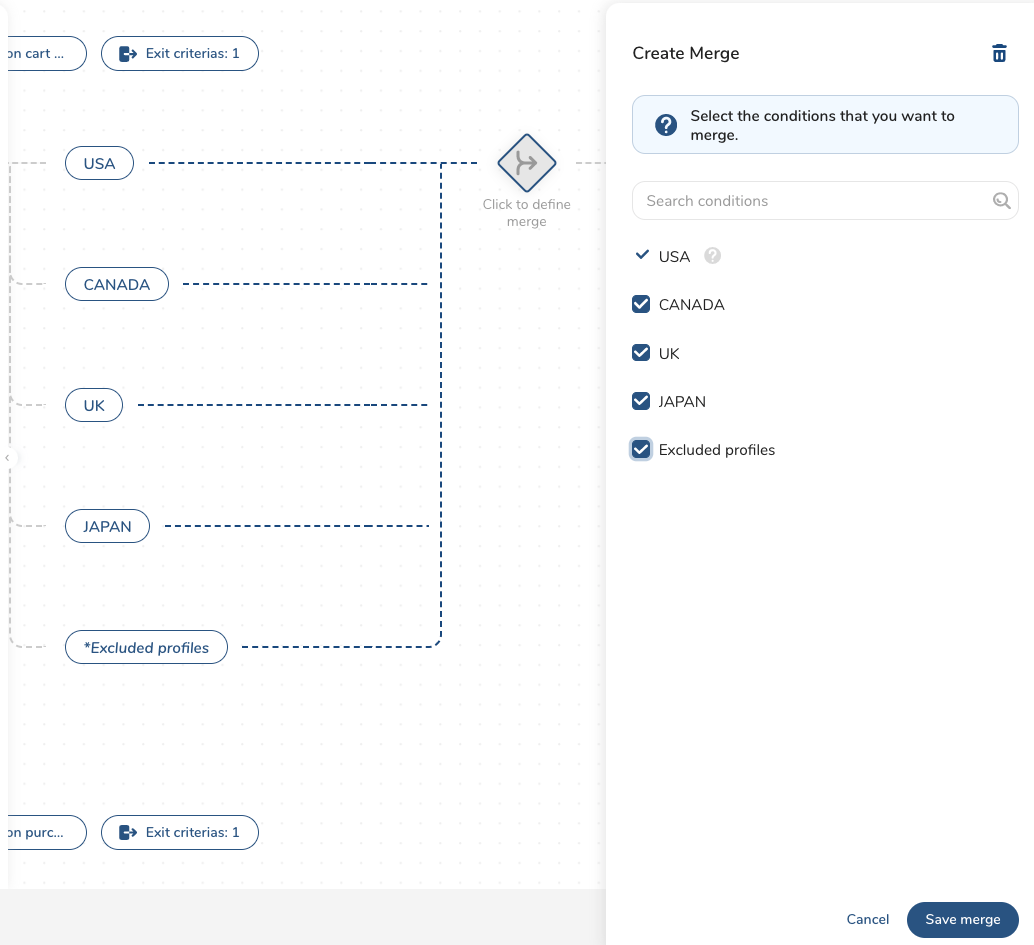
For this example, we want to merge all profiles from all five paths into a single path. By default, the top priority condition is automatically selected for the merge.
- Select the remaining four conditions (optionally, reorder the conditions) and select Save merge.
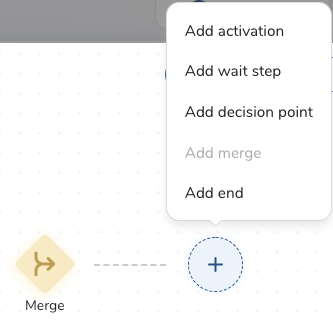
- You can add more events, with the exception of another merge.
- When you are done with stage activities, select Save as draft.
See also Journey FAQs.