When managing journeys, you need to understand how workflows are scheduled.
Three workflows work behind the scenes when you launch a journey:
Parent segment workflow : The parent segment workflow associated with the journey.
Journey workflow : Moves profiles through the journey based on the latest parent segment data.
Journey activation workflow : Fetch profiles that stay at an activation step in the journey at a specific time. A single journey workflow can have many activations workflows based on the number of activations.
When creating a batch journey activation, select the option to run the activation after the parent segment and journey workflow refresh completion to avoid manually determining when each workflow completes.
It's important to understand the workflow session times. Each workflow recognizes its own session time to use as the entry time or the cohort window of the activation. The time when the profile enters the stage (or any steps) is exclusively calculated based on the session time given to the workflow. Treasure Data does not use the execution time of the workflow to activate the list of profiles. Ensuring the correct session time across the journey workflow and activation workflows is the key to successfully executing the journey.
Schedule the parent segment workflow to run daily. Therefore, the journey workflow and journey activation workflows should also run daily.
Multiple executions of parent segment and journey workflow are not expected in a specified session.
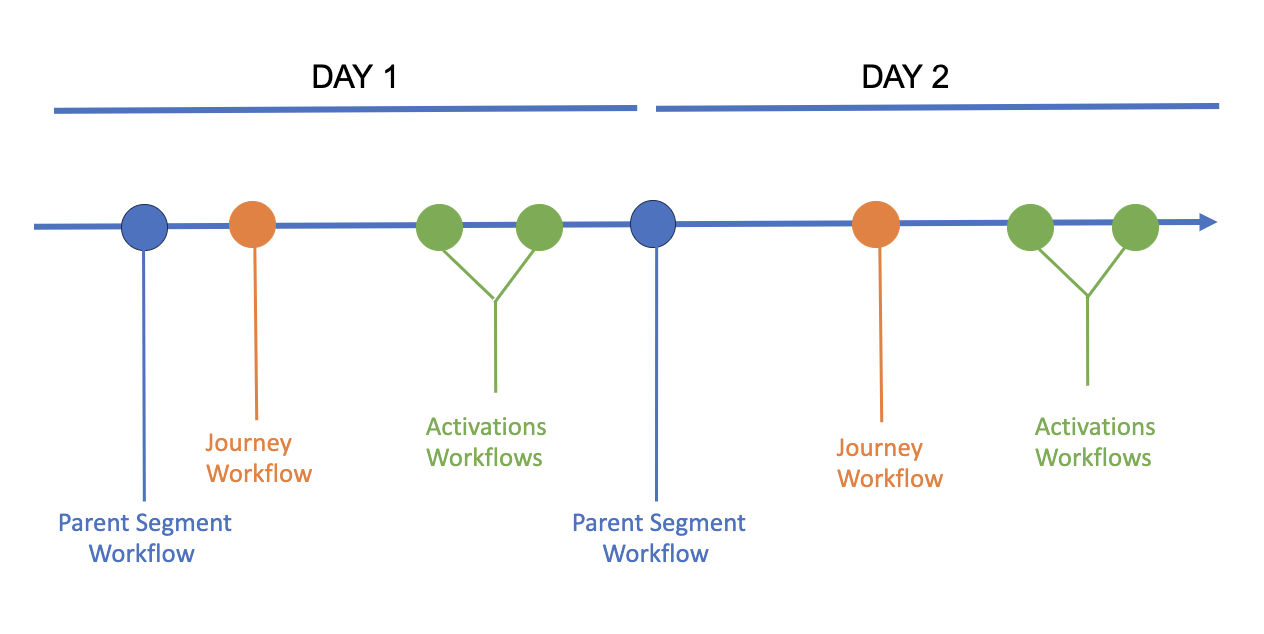
Your workflows should always start with the run of the parent segment workflow, followed by the journey and then activations workflows.
You should avoid having activations that start before the parent segment workflow. The journey fails to obtain the most recent profiles if an activation starts before the parent segment refreshes.
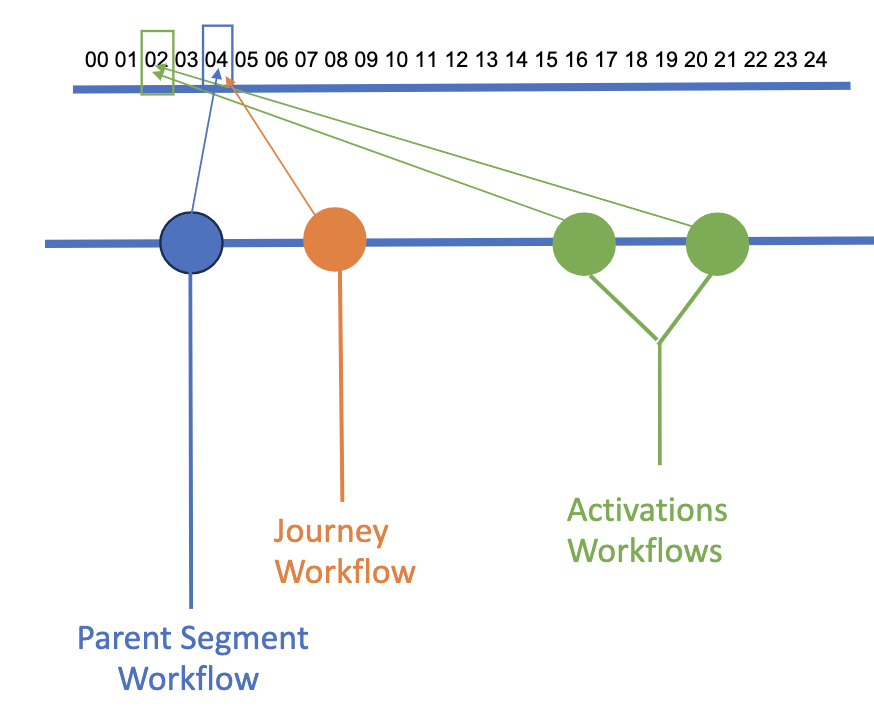
Let's assume you schedule your activations to start at 2:00 each day. However, the parent segment and journey workflows are scheduled to run at 4:00 daily. This means your activations will not have access to the more recent profiles that the parent segment refresh can provide.
If you manually schedule a journey and audience workflow, you must ensure they are set to the proper session time. Treasure Data suggests that you use our default scheduler, which sets the daily session time to 00:00:00 for the day. Alternatively, you can set the session time in the CLI workflow.