The segment editor allows the user to easily add new rules into the editor or reorder rules and rules sets by dragging and dropping.
- Open TD Console.
- Navigate to Audience Studio and select the segment for which you want to create rules.
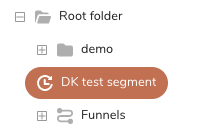
- Select Edit Segment rules.
- The segment editor opens and you can view your existing rules and rule sets. To reorder your rules or rule sets, drag the rule or rule set into the new order.
- Select Save.