Householding is available upon request. For more information, contact your Customer Success Representative.
When you create a householding hierarchy activation, you activate group attributes to downstream systems for campaign personalization. To create a batch segment activation for householding, you must have the following:
- A parent segment that has group hierarchy enabled.
- A batch segment with group attributes and group behaviors.
- Open an existing batch segment.
- Select the ellipses (...) next to Edit segment rules.
- Select Create activation.
- Enter activation details.
- Select Output Mapping.
- Select a group attribute from the drop-down list.
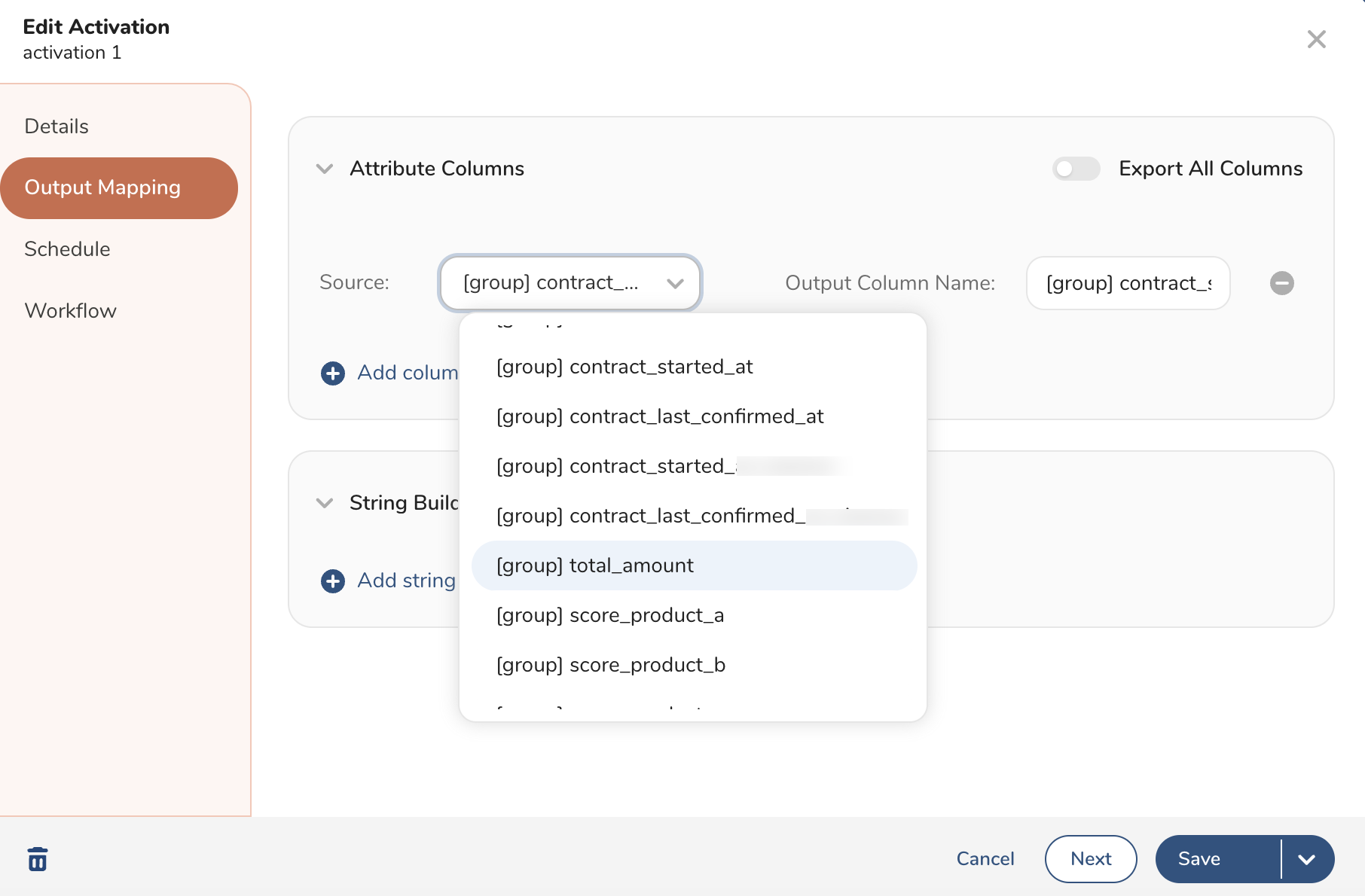
- Keep the default Output Column Name or rename it.
- Select Save or, optionally, set a schedule and a nester workflow.