Householding is available upon request. For more information, contact your Customer Success Representative.
When you create a segment rule with group hierarchy enabled, you can see the number of profiles and households that qualify for the segment.
- You must view or edit segment rules to see qualifying profile householding information. You cannot view this information in the Segment Builder Profile or Segment Overview Profiles tab.
- Due to latency, the qualifying profile householding information displayed in the segment rules tab might not be up-to-date. Check the count in the Segment Editor.
- Open TD Console.
- Navigate to the Audience Studio.
- Select the parent segment with hierarchical grouping enabled, then select a segment.
- Select Edit segment rules.
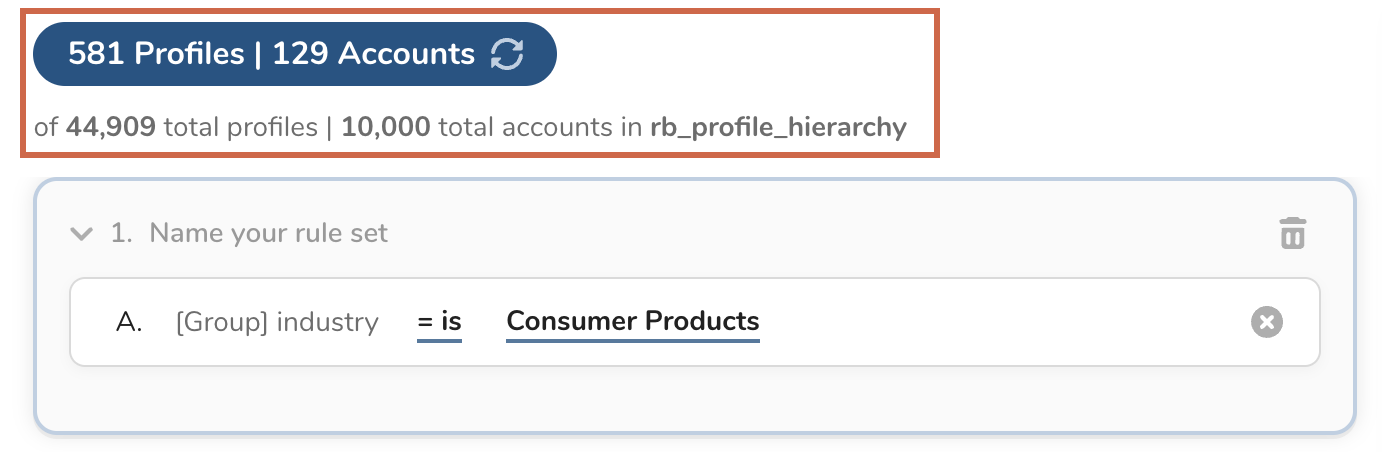
In the previous example, approximately 10% of almost 45,000 profiles qualify for this rule. Let's add another rule to see how the profile information changes.
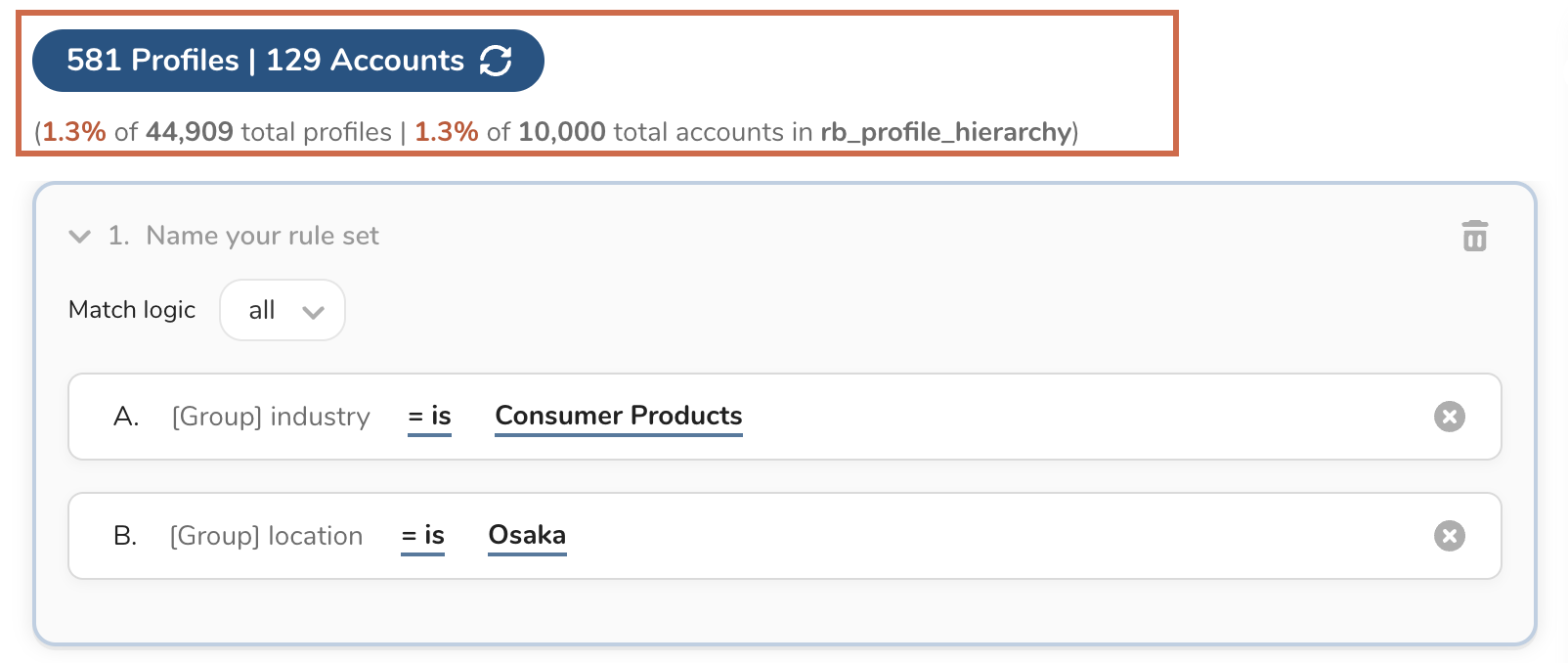
After adding the new rule, select Save and refresh your browser to view the updated qualifying householding information.