Treasure Insights supports the ability to change number formats.
- Open a dashboard or create a new one.
- Identify a widget and select the pencil icon to edit it.
- In the left panel, hover your mouse to display numbers.
- Select 123.
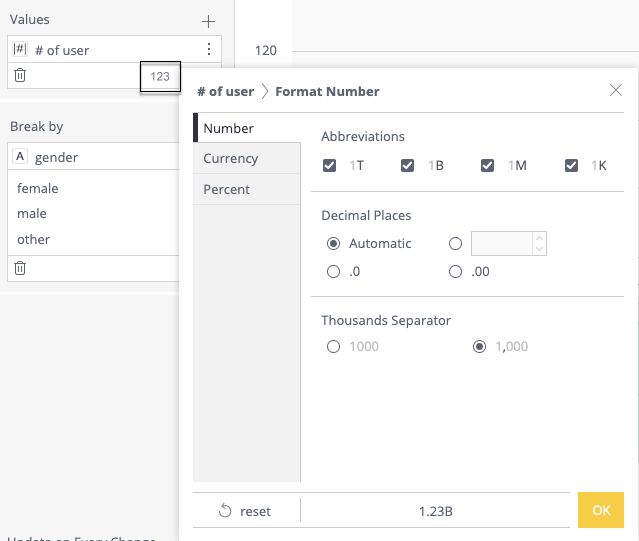
- Select Number , Current , or Percent to format the number.
- Click OK to save your changes.