If widget data includes null values associated with a date, Treasure Insights might display gaps in line and bar charts.
You can replace the missing values with zeros to create a continuous data flow.
- Open a dashboard or create a new one.
- Identify a line or bar chart widget and click the pencil icon to edit it.
- In the left panel, select the vertical ellipses.
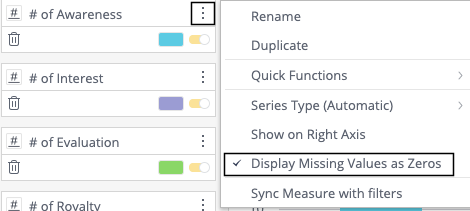
- Select Display Missing Values as Zeros.