After you create a priority group and track its progress, you might want to change the priority of your journeys or add new ones.
- To change, duplicate, and delete priority groups with capping, you must have full access permissions to Journeys and Traffic Control.
- A parent segment must be run before priority group journey selection and capping changes will take effect.
- Open TD Console.
- Navigate to Audience Studio.
- Select a parent segment.
- Select the root folder.
- Select Traffic Control.
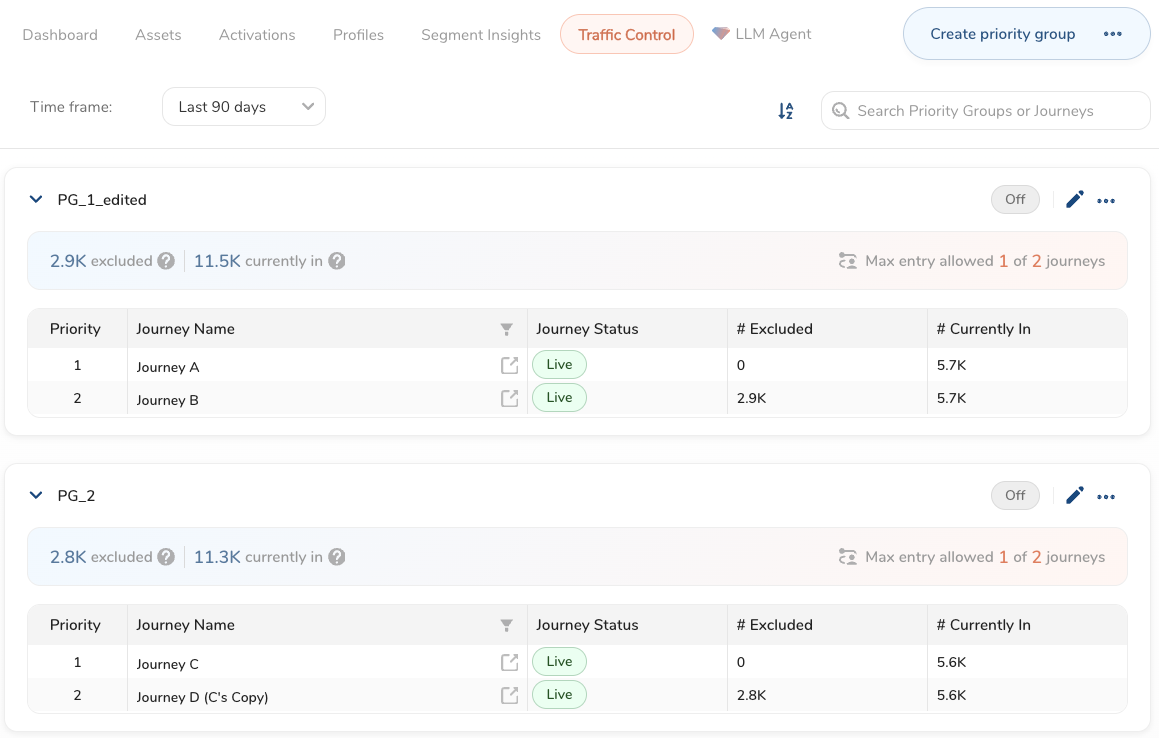
- Select a priority group.
- Choose one of the following:
 : Change priority group name, journeys, and capping values.
 : Turn prioritization on and off, duplicate and delete the priority group.
- Open TD Console.
- Navigate to Audience Studio.
- Select a parent segment.
- Select the root folder.
- Select Traffic Control.
- Select a priority group.

- : Select Duplicate priority group.

- Keep the name of the priority group (Copy) or rename it.
- Select Duplicate. The priority group has prioritization turned off by default.
- Open TD Console.
- Navigate to Audience Studio.
- Select a parent segment.
- Select the root folder.
- Select Traffic Control.
- Select a priority group.
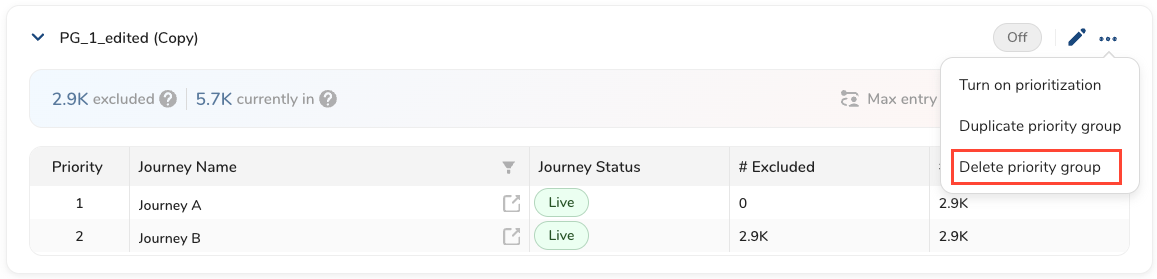
- : Select Delete priority group.
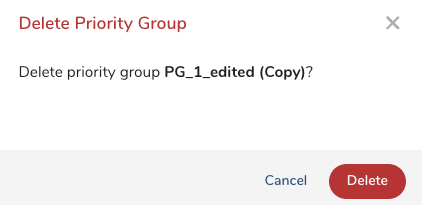
- Select Delete.