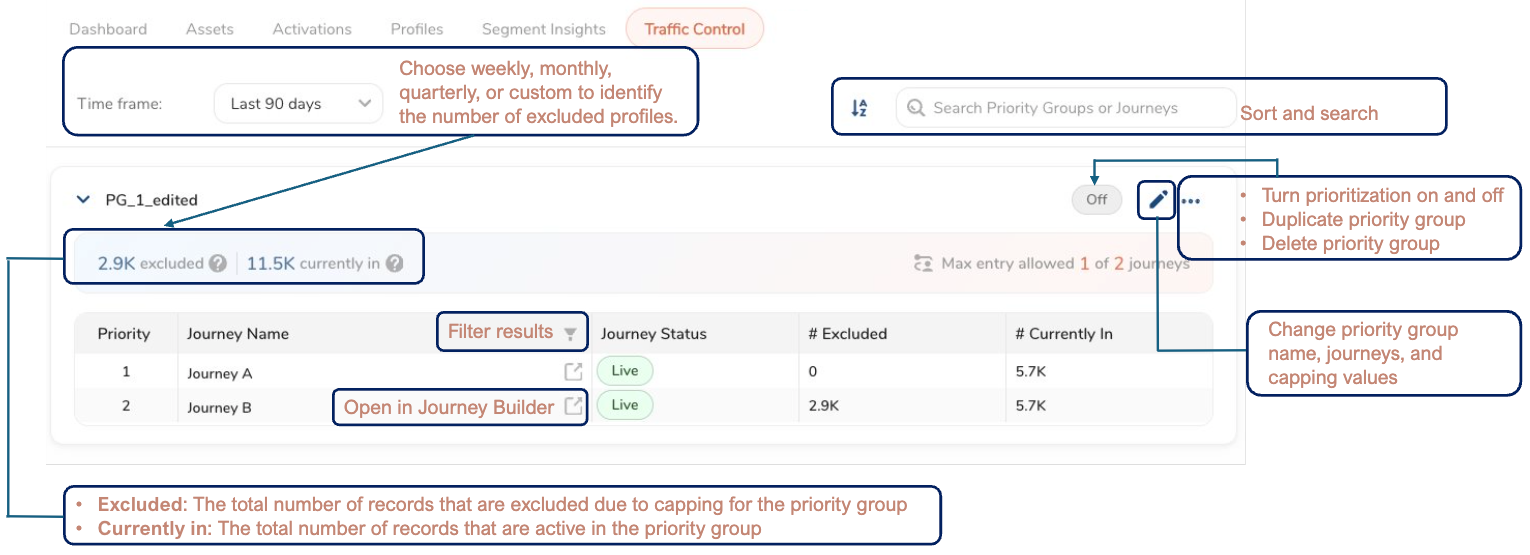
You can quickly check on the status and progress of your priority groups.
- Open TD Console.
- Navigate to Audience Studio.
- Select a parent segment.
- Select the root folder.
- Select Traffic Control.
All priority groups are associated with your parent segment and folder selection. Review the following screen capture to familiarize yourself with the functions available in this view.