After a journey has more than one live version, you can delete a journey version.
- Open TD Console.
- Navigate to the Audience Studio.
- Select a parent segment and then open an existing journey.
- Select the three ellipses in the row of the journey version you want to delete.
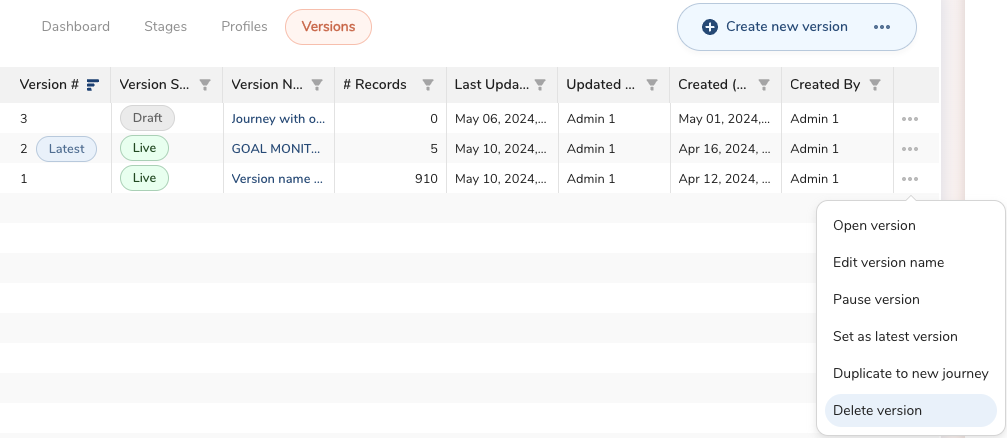
- Profile re-entry : When you delete a batch journey version, profiles in the deleted version are removed from the batch journey. Profiles can re-enter the latest version of the journey, however, which step the profiles were in from the deleted journey will not be remembered if they re-enter the latest batch journey version.
- Latest version deletion : If two versions are live (v1 and v2) and v2 is the latest, if you delete v2, v1 becomes the latest.