You can define whether or not profiles can re-enter a journey.
- Open TD Console.
- Navigate to the Audience Studio.
- Select a parent segment and then select a journey.
You can only define re-entry criteria when a journey is in draft mode.
- Select Open journey.
- Select the pencil icon (
 ) to edit journey details.
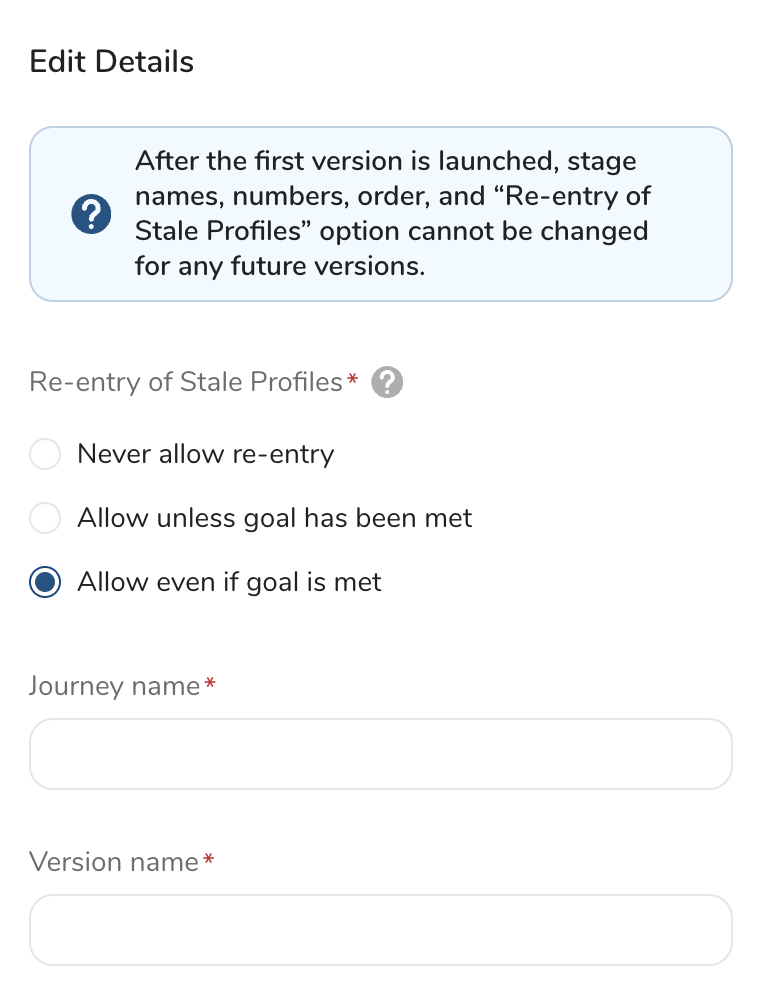
- Choose one of the following:
- Select Never allow re-entry to prevent profiles from re-entering the journey.
- Select Allow unless goal has been met to permit profiles to re-enter the journey.
- Select Allow even if goal is met to permit profiles to always re-enter the journey.
- Select Save details.
Re-entry Behavior
| Profile meets | Never allow re-entry | Allow unless goal has been met | Allow even if goal is met |
|---|---|---|---|
| Exit criteria in current journey (out of journey) | Can't re-enter | Can re-enter journey | Can re-enter journey |
| Goal in current journey (out of journey) | Can't re-enter | Can't re-enter | Can re-enter journey |
| Exit criteria in current or different journey (from select a destination option) | Can't re-enter | Can re-enter journey | Can re-enter journey |
| Goal in a different journey (from select a destination option) | Can't re-enter | Can't re-enter | Can re-enter journey |
| Jump in current or different journey (from select a destination option) | Can't re-enter | Can re-enter journey | Can re-enter journey |