Take care when you delete an Insights model. Not only are you deleting the Insights model, but you are also deleting all of the relationships to all dashboards that the model references.
Users that can edit Insights models and dashboards that are not shared with them can still delete the Insights model.
Navigate to Control Panel >Insights Model.
Select the Insights Model you want to delete.
Select Delete. The following popup displays.
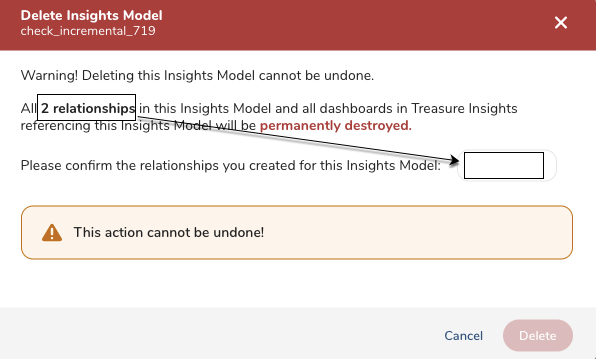
- To confirm your deletion of the Insights model, type the number of relationships in the box and then select Delete.