This feature is in Beta. Contact your Customer Success Representative for more information.
Exit criteria for real-time journey stages support custom exit criteria and stale profiles:
- Stale profiles : Profiles that meet exit criteria move out of the stage or journey. You can also add custom exit criteria with stale profile conditions.
- Custom: Add rules, including key events with filters, real-time attributes, batch attributes and behaviors, and drag-on rules.
You can combine custom exit criteria with stale profiles and vice versa.
This topic includes:
- Each exit criterion supports one destination only.
- You can have a maximum of 20 exits (stale and custom).
- Navigate to Audience Studio.
- Select a Parent Segment.
- Select a real-time journey (in draft stage) or create a new one.
- Select Open Journey.
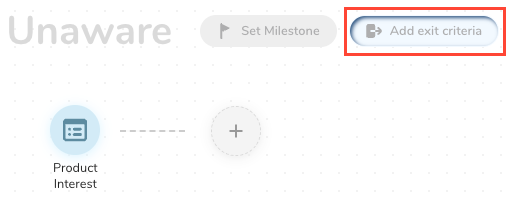
- Select Add exit criteria.
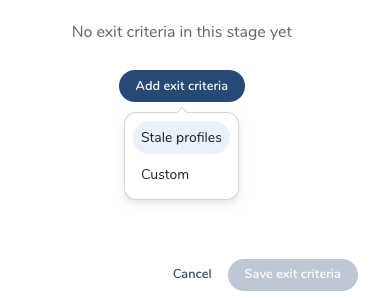
- Select Stale profiles.
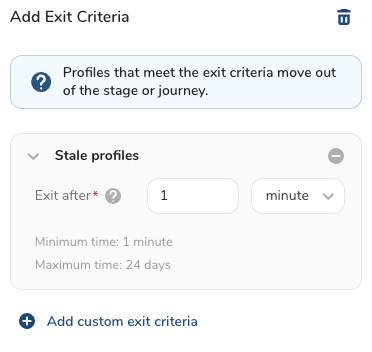
- Add information to indicate how long profiles stay in a stage.
You add a minimum time of one minute and a maximum of 24 days.
- (Optionally) Select Add custom exit criteria.
- Select Save exit criteria.
- To complete your exit criteria, enter a name and identify how to move profiles out of the journey.
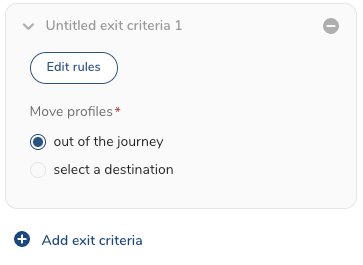
- Choose how to move profiles:
- Out of the journey: Move all profiles out of the journey, ending their progress through any future journeys.
- Select a destination : Select a stage in the drop-down.
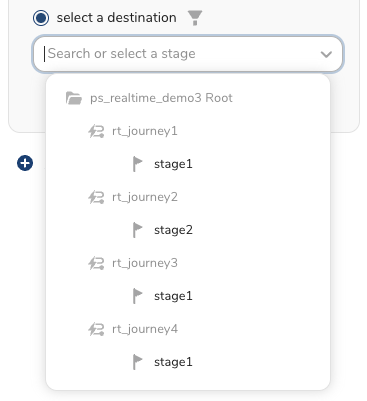
Profiles are discarded if the selected stage is in a draft state.
- Optionally, select Add exit criteria to include additional stale profiles or custom exit criteria.
By creating custom exit criteria for each stage in a real-time journey, you can remove profiles from a stage or journey and move them to other journeys if they meet specific criteria.
- Navigate to Audience Studio.
- Select a Parent Segment.
- Select a real-time journey (in draft stage) or create a new one.
- Select Open Journey.
- Select Add exit criteria.
- Select Add custom exit criteria.
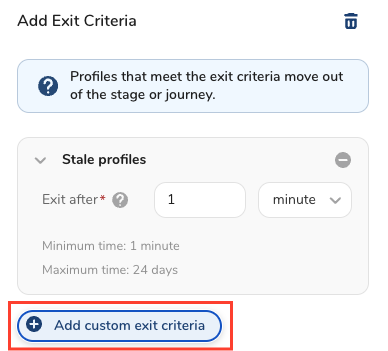
Complete the form with the information for your exit criteria.
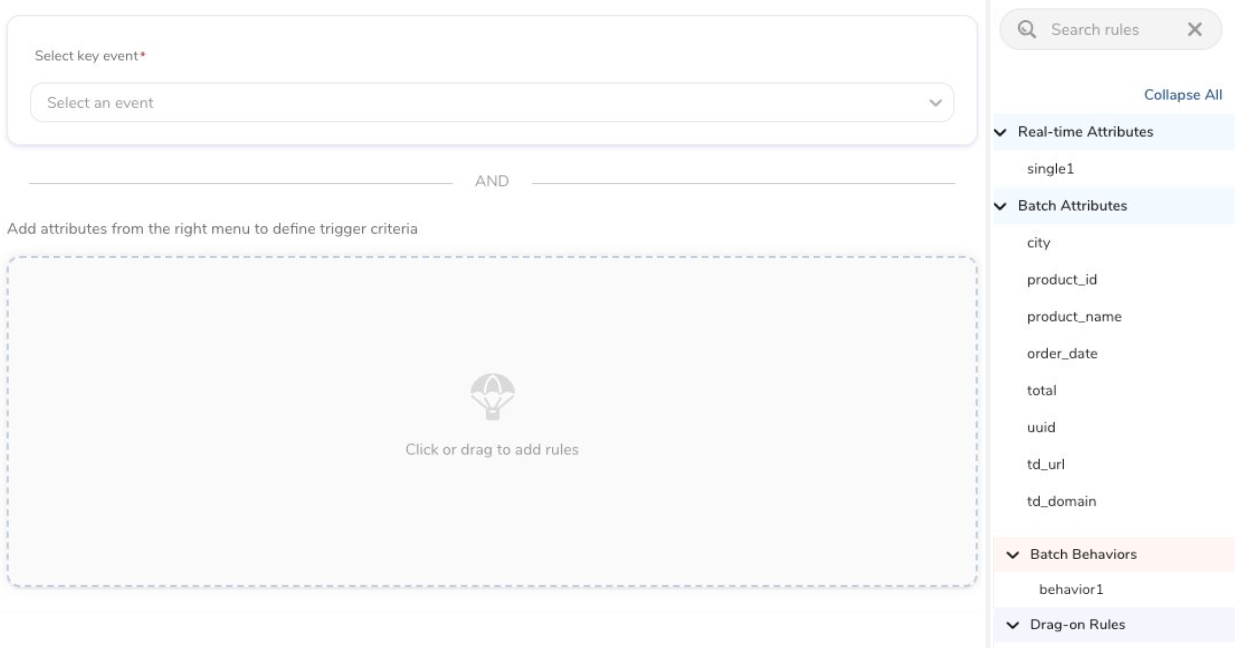
- Select a key event. Optionally, filters can be added to define the key event further.
- Select real-time attributes, batch attributes and behaviors, and drag-on rules to create a rule for your custom exit criteria.
- Select Save exit criteria.
- To complete your exit criteria, enter a name and identify how to move profiles out of the journey.
- Choose how to move profiles:
- Out of the journey: Move all profiles out of the journey, ending their progress through any future journeys.
- Select a destination : Select a stage in the drop-down.
Profiles are discarded if the selected stage is in a draft state.
- Optionally, select Add exit criteria to include additional stale profiles or custom exit criteria.
See also Journey FAQs.