After you create a knowledge base for your AI project, you'll want to do some quick queries to ensure you have the expected data.
This topic includes:
- List Columns Simulation Examples
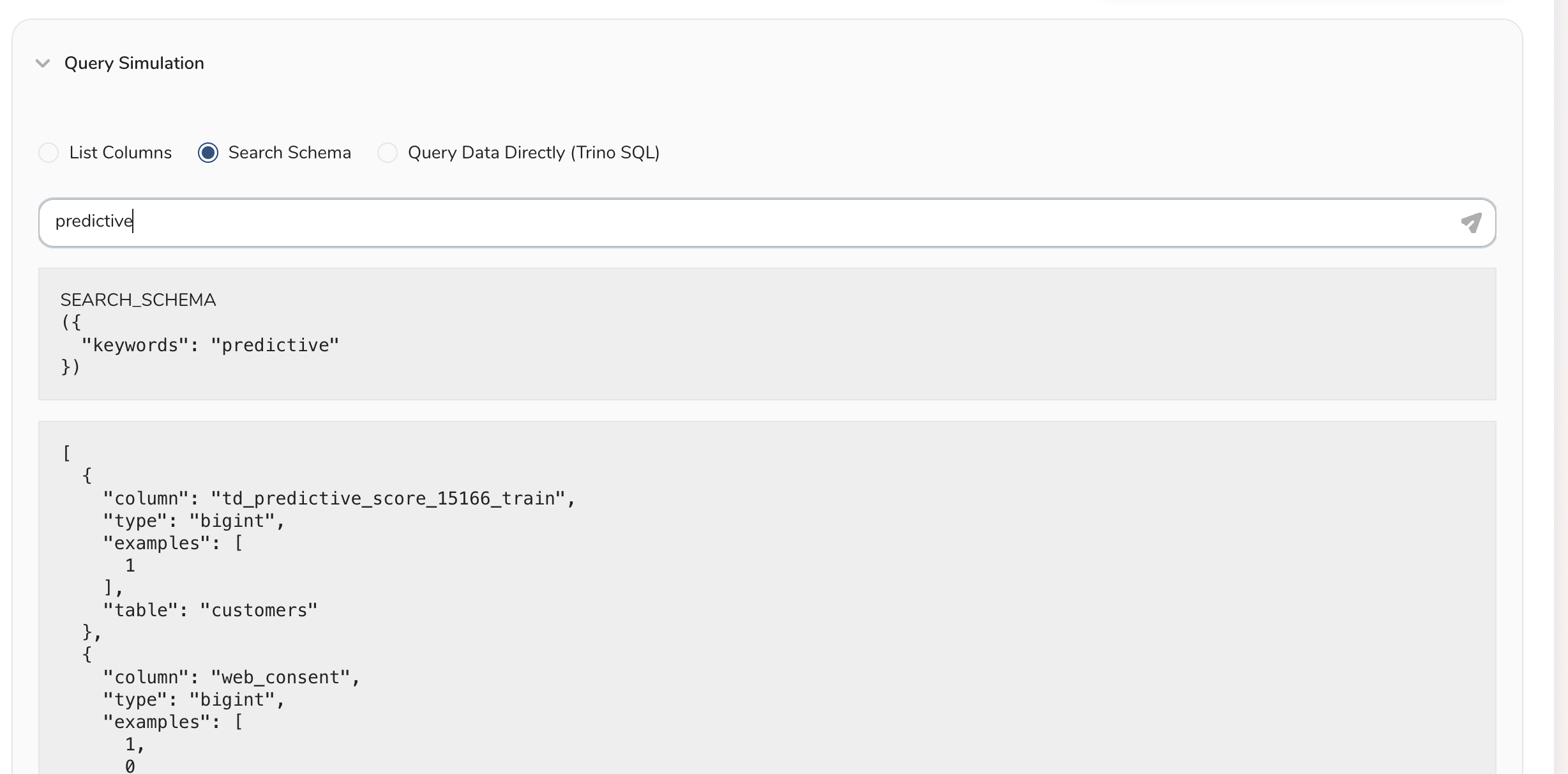
- Search Schema Simulation Examples
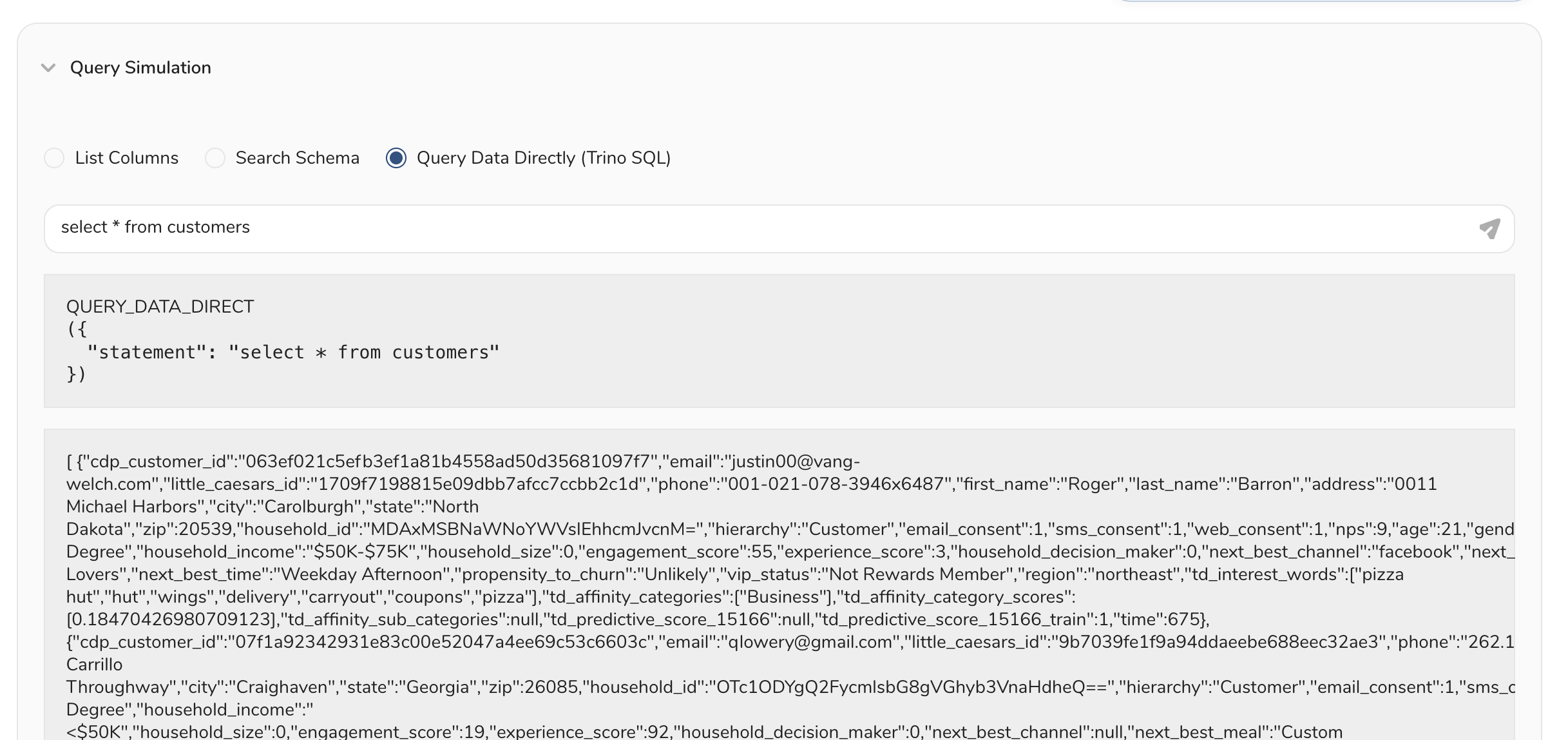
- Query Data Directly Simulation Examples
You can check the setup of your Knowledge Bases by selecting the Details tab

To simulate a Knowledge Base, select the Test tab.
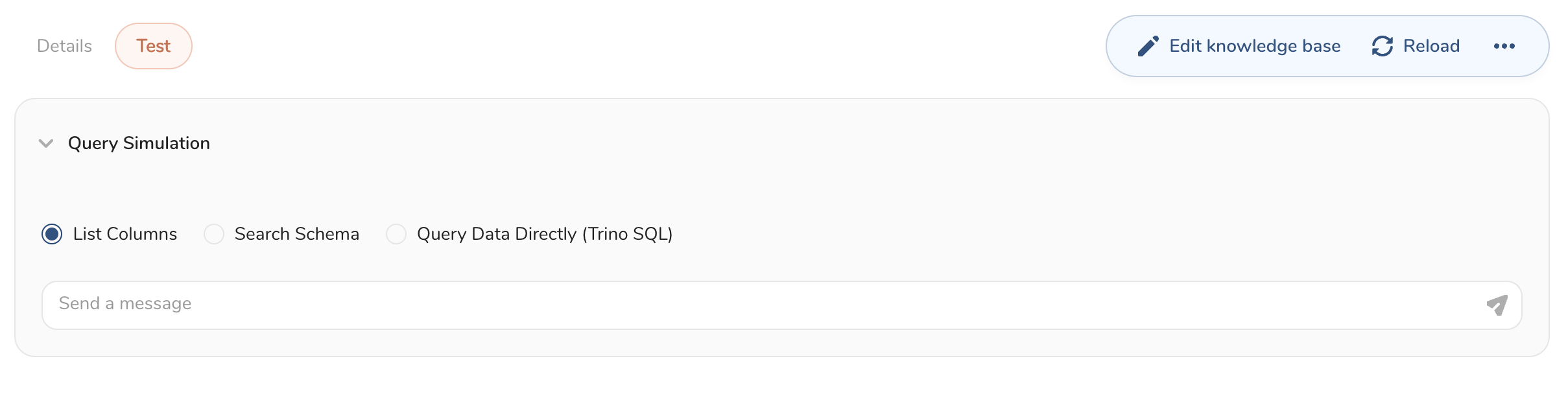
List Columns
Enter table names

Enter keywords to search
Enter a SQL statement to run
Next Step