A user prompt is the method to define the first user input to the agent. When you make your agent available via any integration, you must define a user prompt. A user prompt is a unit that exposes an agent to users.
Open TD Console.
Navigate to AI Agent Foundry.
Select a Project.
Select an Agent.
Move to Test Chat tab.
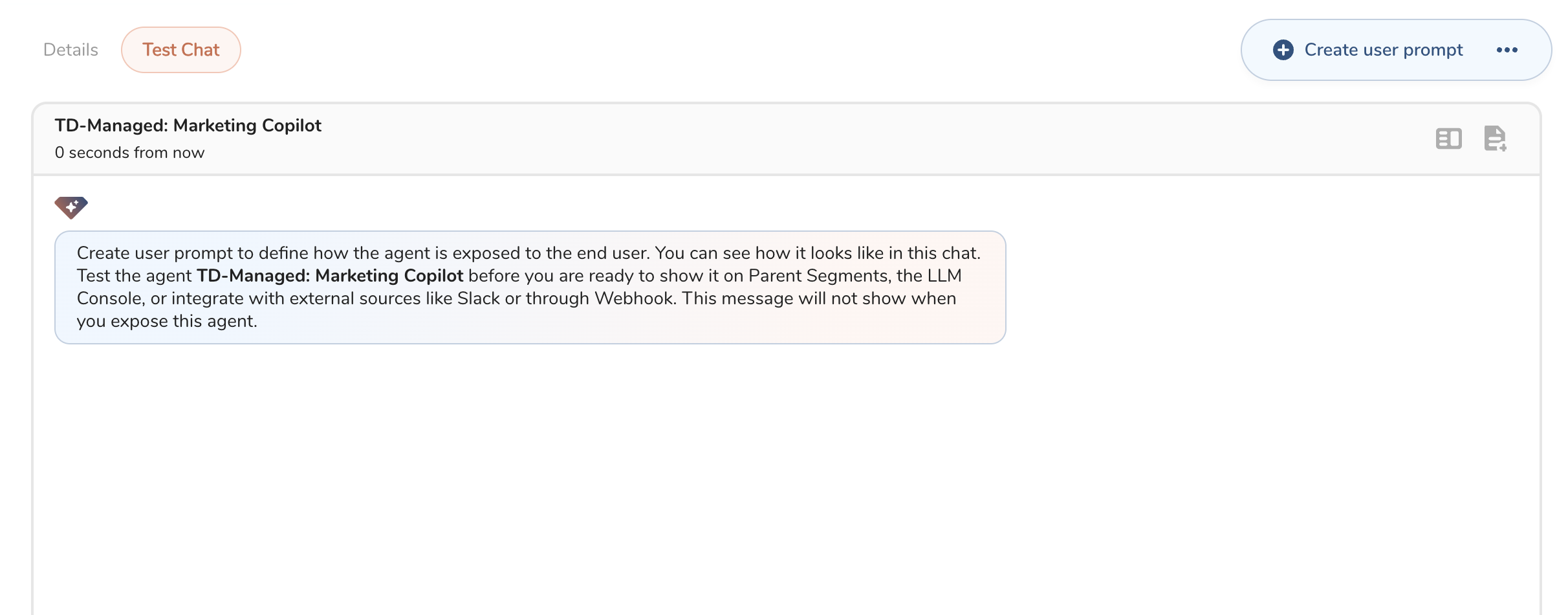 In Test Chat tab, you can validate how your agent works. Click Create user prompt button when you are conficen with your agent
Complete the form.
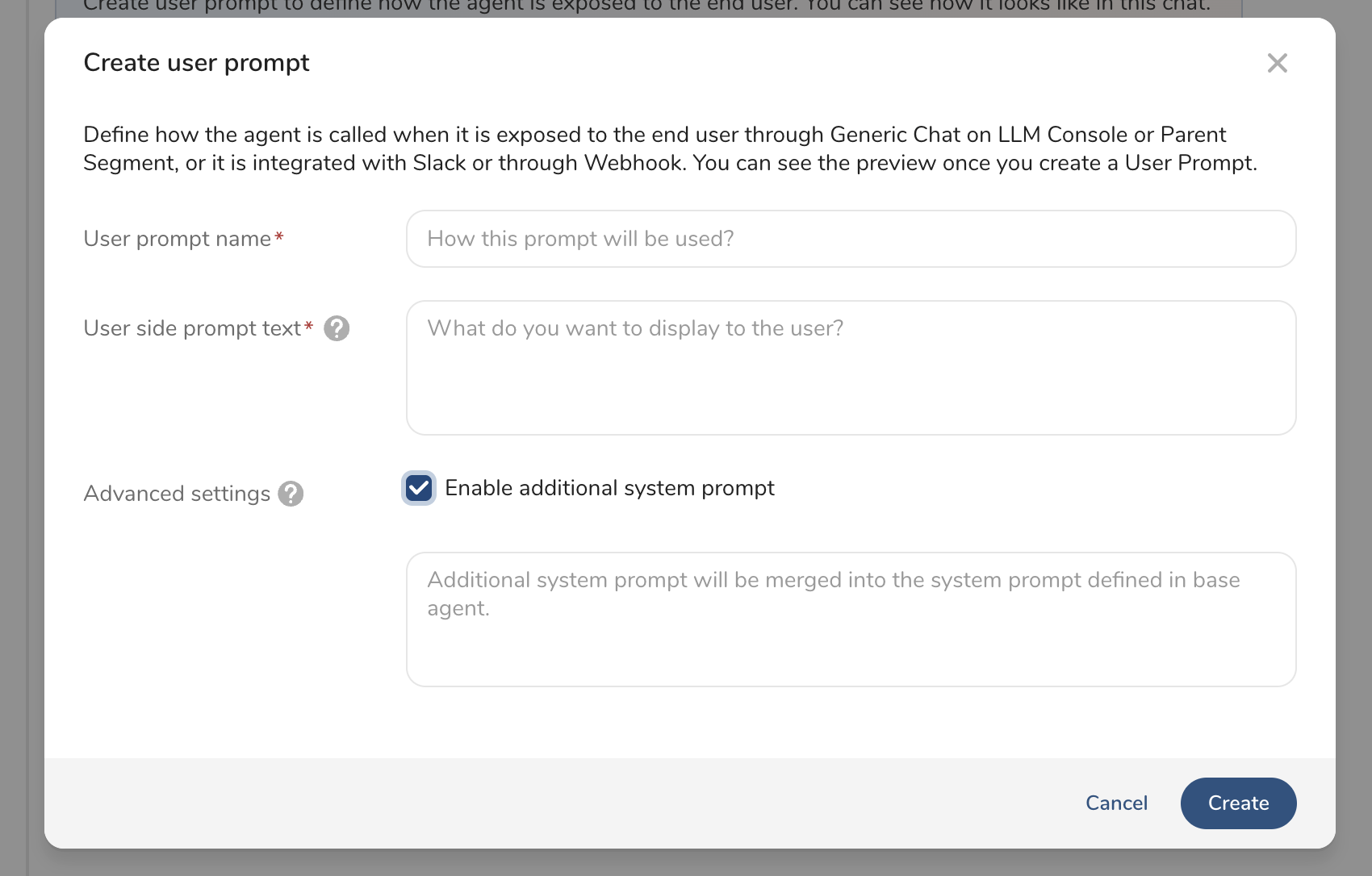
| Field | Description |
|---|---|
| User prompt name | Enter a name for user prompt. |
| User side prompt text | Enter the first input text that starts the conversation. |
| Advanced settings(Additional system prompt) | The system prompt that will concat with the system prompt defined in the agent. |
- Select Create.
Next step is to create an Integration to activate your agent.