This is a summary of new Treasure Data features and improvements introduced in the May 1st, 2019 release. If you have any product feature requests, submit them to feedback.treasuredata.com.
- Announced as Winner: Best Customer Data Platform
- Beta Opportunity: Policies for Greater Data Security
- Presto Utilization Dashboards: Available in Japan and the EU Region
- Beta: Import from Salesforce DMP (Krux)
- Beta Improvement: Facebook Page and Post Insights
- Data Connector Improvement in Beta: SalesForce
- Data Connector: JIRA Revamp—Required Change
- Support for ALTER TABLE - DROP COLUMN
- API Improvement: User Remove
- user/remove
- Treasure Data Console - Deprecations of Previous Versions
Treasure Data was named Best Customer Data Platform at the 2019 Marketing Technology Awards. Our enterprise CDP was recognized for its ability to securely unify all types of data, scalability and use of advanced machine learning for fast, actionable insights that help transform and drive growth for some of the most successful businesses in the world. For more information, see the press release.
Increase your level of control and security by using Treasure Data's Policies feature. Policies make it easier to manage user access to features and data. Policies combine permissions together. You can configure multiple policies and assign one or more policies to one or more users.
Contact your Customer Success representative at support@treasuredata.com to participate in the beta.
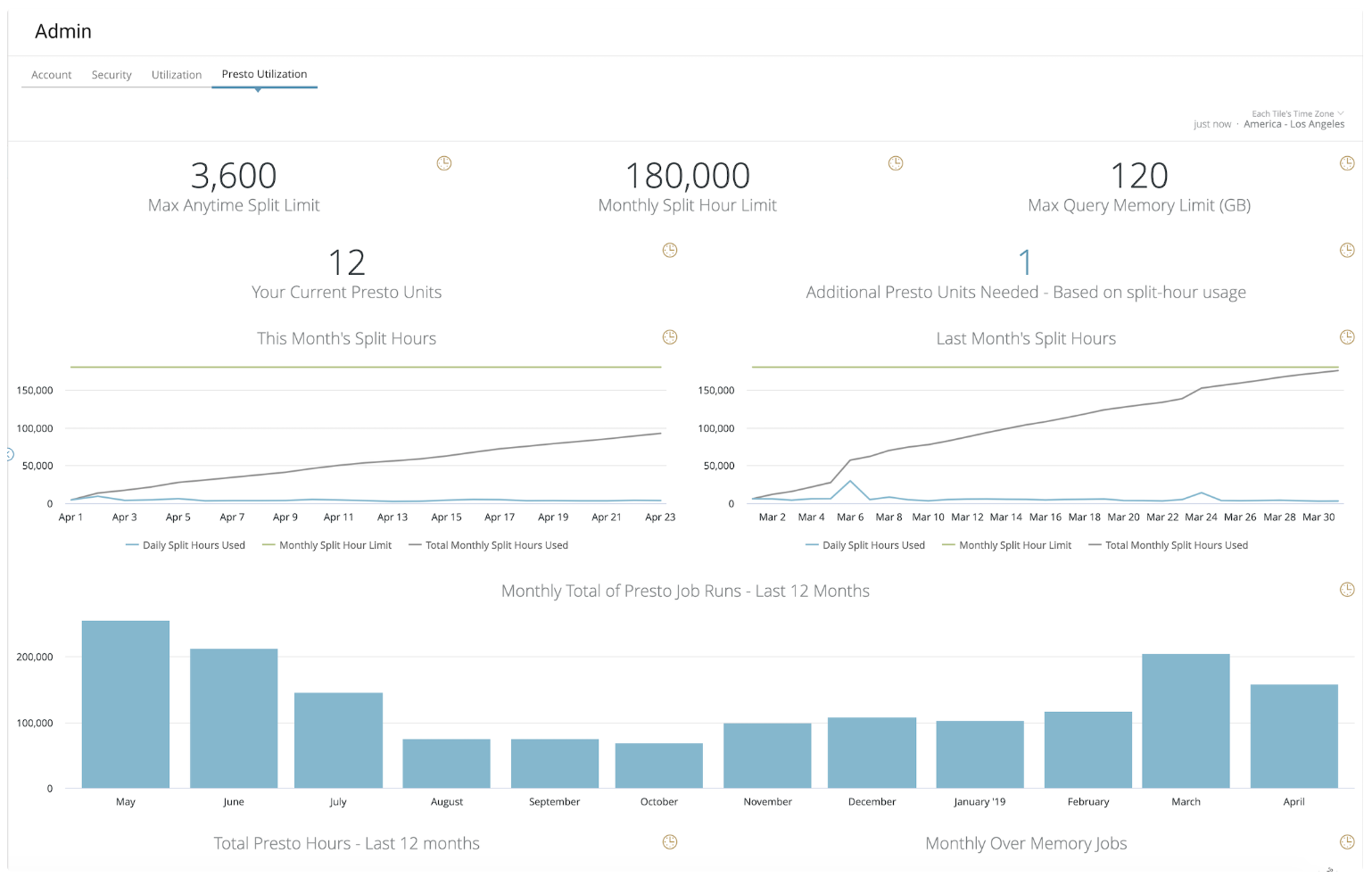
Treasure Data users who access TD Console from Tokyo region or EU region, can now view the Presto utilization dashboard, as well as the TD utilization dashboard.
The Presto Utilization page is available upon request for most customers.
In TD Console, as an account owner or administrator, click Settings > Admin.
The Salesforce DMP (Krux) platform, an important partner of Treasure Data and many of our customers, integrates with Treasure Data. You can import segment mapping data as well as Media, Paid Search, and Site campaign data. For more information, see Salesforce DMP (Krux).
Contact your Customer Success representative at support@treasuredata.com to participate in the beta.
Facebook Page and Post Insights integration are improved to help you to import more insight metrics into Treasure Data. All Page and Post metrics can be selected when using the connector, not only individual preset metrics as previously offered. You can also import Video Insights. For more information, see Facebook Page and Post Insights.
Contact your Customer Success representative at support@treasuredata.com to participate in the beta.
Salesforce data connector, V2 is available as a Beta. The V2 connector is more efficient, capable of asynchronous data transfer, with minimal impact to current users. After the beta period, all TD users of the Salesforce data connector will be encouraged to migrate to the improved data connector.
Contact your Customer Success representative at support@treasuredata.com to learn more.
Using our Jira data connector you can authenticate your integration through an API token. Atlassian deprecated the basic Jira authentication method, which used passwords and cookie-based authentication. We recommend updating your existing Jira authentications by May 15th. Use the email and API key method when creating your authentication. Learn more by reading Atlassian's notice.
TD Presto now supports the SQL DDL statement ALTER TABLE...DROP COLUMN.
You can include the statement ALTER TABLE...DROP COLUMN SQL in your Treasure Data queries to, for example, easily remove columns added to deduplicate raw data. To delete a column in a table, use the following syntax:
ALTER TABLE table_name DROP COLUMN column_name; An example is as follows:
DROP TABLE IF EXISTS task_temp;
CREATE TABLE task_temp AS
SELECT
  *
FROM
  (SELECT *, row_number() over(partition BY id ORDER BY TD_TIME_PARSE(lastmodifieddate) DESC) AS rnk
    FROM task_raw)
WHERE
  rnk = 1
  and isdeleted = 0
ORDER BY
  lastmodifieddate DESC;

ALTER TABLE task_temp DROP COLUMN rnk; The API ‘User Remove’ is used to delete a user account that matches the email id provided in the API call. You can call the API and view request result in the CLI environment, TD toolbelt environment.
Improvements: The API behavior has been enhanced to disallow Restricted users from deleting other Restricted user or Admin user accounts and disallow Admins from deleting other Admin or Account Owner user accounts.
| Method | URI |
|---|---|
| POST | /v3/user/remove/:email |
We improved the look of the console to make it more intuitive and ensure that the platform features are easier for you to access. The new TD Console is now generally available. Access to previous versions of TD Console are being disabled.
In April 2019, all previous versions of TD Consoles (worldwide) were deprecated. You can no longer access old TD Consoles, including the previous, separately accessed console-cdp.treasuredata.com.