This is a summary of new Treasure Data features and improvements introduced in the April 1st, 2019 release. If you have any product feature requests, submit them to feedback.treasuredata.com.
- Treasure Data Console - Deprecations of Previous Versions
- Import from Brightcove
- Import from Sansan
- Export to Dynalyst
- Beta: Import from Twitter Tweet Insights
- Beta: Export to the Trade Desk
- Beta: YouTube - Analytics Starting from the Content Publish Date
- Mobile SDK: In-App Purchase Event Streaming for Android
- Mobile SDK: Versioning Coverage
- Detail Added to Job Log: Source Record Filename
- Utilization Dashboards: Available in EU
- Required Migration for Tableau: Extended
- Required Migration: Google Sheets Connector
We improved the look of the console to make it more intuitive and ensure that the platform features are easier for you to access. The new TD Console is now generally available. Access to previous versions of TD Console are being disabled.
On April 18th, all previous versions of TD Consoles (worldwide) are deprecated. You will no longer be able to access old TD Consoles, including the previous, separately accessed console-cdp.treasuredata.com.
Brightcove enables cloud-based publishing and distribution of digital media. You can use Treasure Data with Brightcove to store digital media events and raw data about media access and usage. For more information, see Brightcove.
Import Business Cards or Tags, that you create in Sansan to categorized business cards, into Treasure Data. You can also import Business Cards with attached Tag Names.
For more information, see Sansan.
You can now export data from Treasure Data into Dynalyst, a dynamic re-targeting ad delivery platform specialized for game applications in Japan. For more information, see Dynalyst.
You now can ingest Tweet and Account insight data from Twitter into Treasure Data CDP. By using this connector, you’ll have a better view of how your account and tweets perform, enabling you to tailor suitable content for different audience segmentation. For more information, see Twitter Tweet Insights. Contact your Customer Success representative at support@treasuredata.com to participate in the beta.
As an important partner of Treasure Data and many of our customers, the Trade Desk platform will integrate with Treasure Data using an output connector via first-party data integration. You’ll be able to send segment data with TTD to TD mapping cookies or device IDs to the Trade Desk platform and distribute advertisements to each DSP (demand-side platform) targeting segment. For more information, see The Trade Desk. Contact your Customer Success representative at support@treasuredata.com to participate in the beta.
You can ingest video analytics from when you first created the channels until the present moment. Our integration provides a new option to retrieve the analytics from the date the content was published. For more information, see YouTube. Currently, this data connector is in beta.
Use Treasure Data's Android SDK to track in-app purchase activity. You can add this feature without embedding a separate code piece for the track function and without any compromise to the current SDK performance.
https://api-docs.treasuredata.ck/android-sdk/overview/
https://api-docs.treasuredata.ck/unity-sdk/quickstart/
As we work to make our SDKs increasingly robust, we run test suites to ensure TD SDK compatibility with previous Android and iOS OS Versions. We also run test suites on new Android/iOS releases. You can find the list of supported OS versions in the SDK Github page: https://github.com/treasure-data/td-ios-sdk and https://github.com/treasure-data/td-android-sdk.
In the job log associated with a data import, you can detect errors and identify the source file that caused those errors. You can view the source file name in import jobs for parser, decoder, or file input import integrations. For more information, see Data Import Error Troubleshooting.
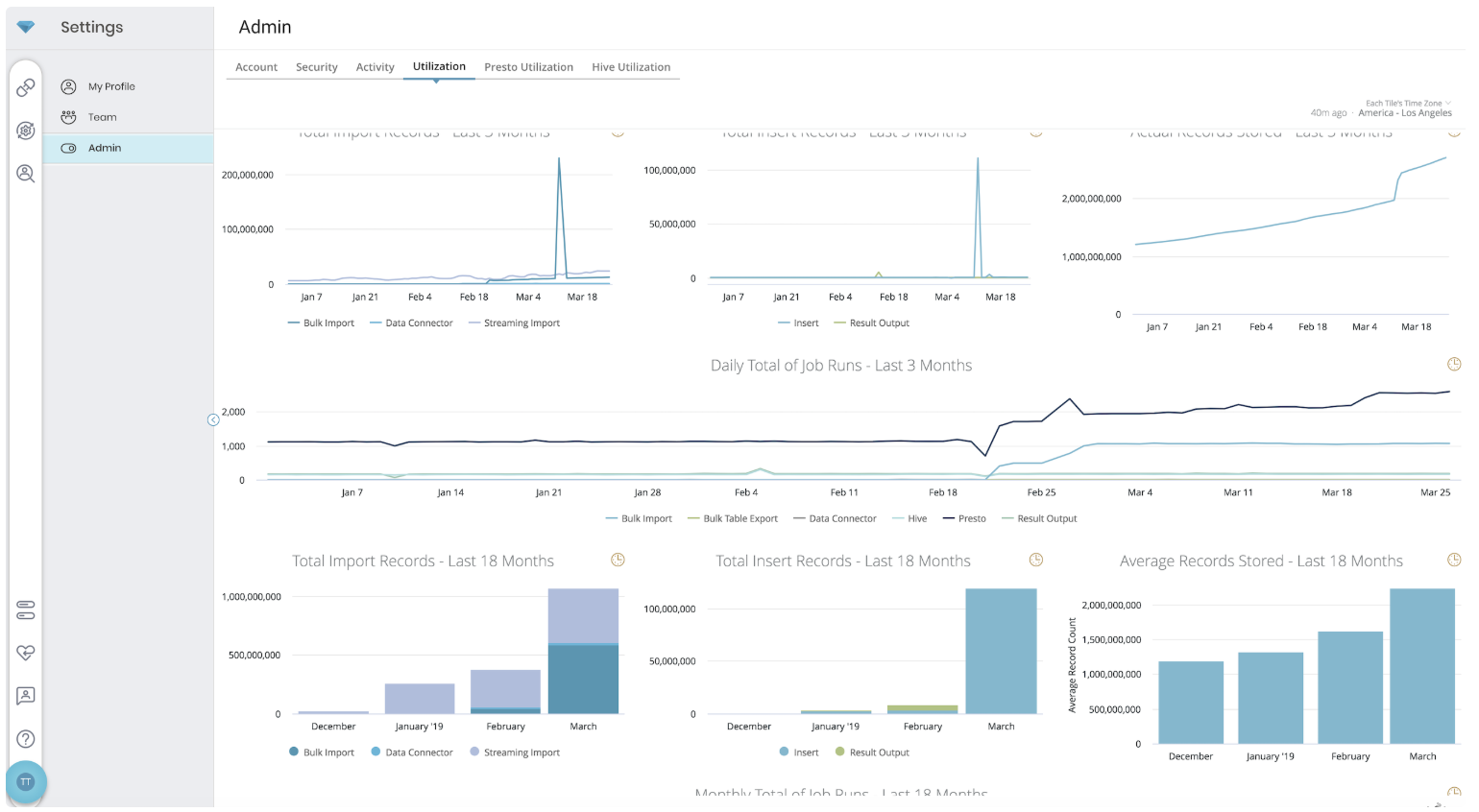
Treasure Data users who access TD Console from EU endpoints, can now view utilization dashboards.
The Legacy mode for Tableau data connectors will be deprecated on April 18, 2019. All supported Tableau versions continue to be supported by current, Non-Legacy mode data connectors.
Affected data connectors are:
Tableau Server - Export
Tableau Online - Export
You must change your existing Tableau data export settings before April 18, 2019. Failure to migrate results in your Tableau jobs failing. The required migration enables the use of the Tableau REST API.
To use Non-Legacy mode, follow the instructions here. The migration process requires that you uncheck the ‘Legacy mode’ box and provide more target site information as you switch to Non-Legacy mode.
The Google Sheets Legacy connector is no longer supported. You must migrate from your existing legacy Google Sheet connector. Failure to do so results in failed Google Sheets jobs.
Migrate to the new Google Sheets connector.
If you have any workflows that use the Google Sheets connector, in addition to migrating to the new connector, you must update your workflow to reflect the new Google Sheets settings.
Google Sheets connector replaces the Google Spreadsheet and Google Sheets legacy connector. With the new connector, you can use the most current Google Sheets API to output data through an OAuth-based connection.