A logical view is a virtual table defined by a SQL query. Unlike a physical table, a logical view does not store data. Instead, it dynamically computes results from underlying tables each time the view is queried.
Logical views are currently available for Trino only. Hive support is planned for a future release.
Logical views provide several key benefits:
- Query Reusability: Define complex queries once and reuse them across multiple analyses
- Reduced Change Amplification: Update data transformations in one place instead of modifying multiple queries
- Virtual Data Marts: Create logical data structures without duplicating data
- BI Tool Compatibility: Convert Treasure Data native types to BI tool-compatible types (e.g., timestamp)
BI Tool Timestamp Compatibility: PlazmaDB tables store timestamps as Unix time (integer) or strings. Create logical views with timestamp columns to allow BI tools to directly use timestamp fields without custom calculations.
Event Log Transformation: Transform event logs (such as Email Open/Bounce/Click events from Engage Studio) into aggregated metrics by customer or email address for easier analysis.
Simplify Complex Queries: Encapsulate common filtering, aggregation, or joining logic in views for data analysts to query directly.
Data Masking and Security: Use DEFINER mode to provide controlled access to specific columns or filtered rows without granting direct table access to users.
Logical views are created using SQL CREATE VIEW statements in the Data Workbench query editor.
CREATE VIEW view_name AS
SELECT column1, column2
FROM table_name
WHERE condition;

-- With security mode specification
CREATE VIEW view_name
SECURITY DEFINER  -- or INVOKER
AS
SELECT * FROM table_name;
For further detail: Trino create view syntax
Create a view to filter columns:
CREATE VIEW region_without_comment AS
SELECT r_regionkey, r_name, r_dummy, time
FROM tpch_sf1.region;
Create a view with timestamp conversion:
CREATE VIEW orders_with_timestamp AS
SELECT
  order_id,
  customer_id,
  FROM_UNIXTIME(order_time) AS order_timestamp,
  amount
FROM orders;
Logical view queries can only be created and updated using SQL statements. However, you can edit view details (name, description, security mode) through the Data Workbench UI.
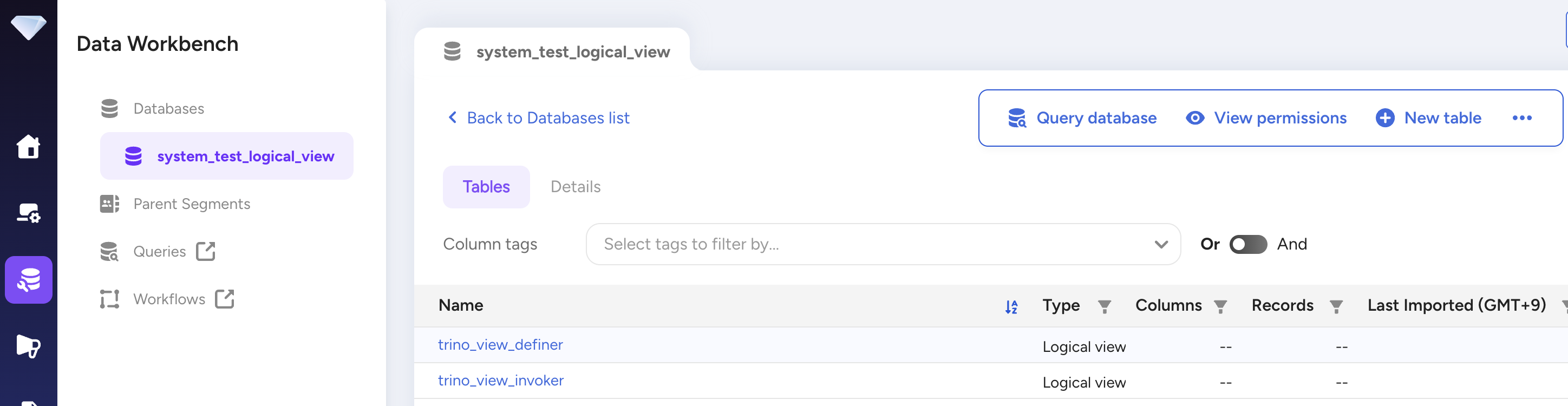
In the UI, navigate to Data Workbench > Databases and select a database. Logical views are shown in the table list with a view type indicator.
Using SQL:
SELECT * FROM INFORMATION_SCHEMA.VIEWS;Query logical views just like regular tables using Trino:
SELECT * FROM region_without_comment WHERE r_name = 'ASIA';

SELECT * FROM customer_summary WHERE total_orders > 10;The view detail page shows:
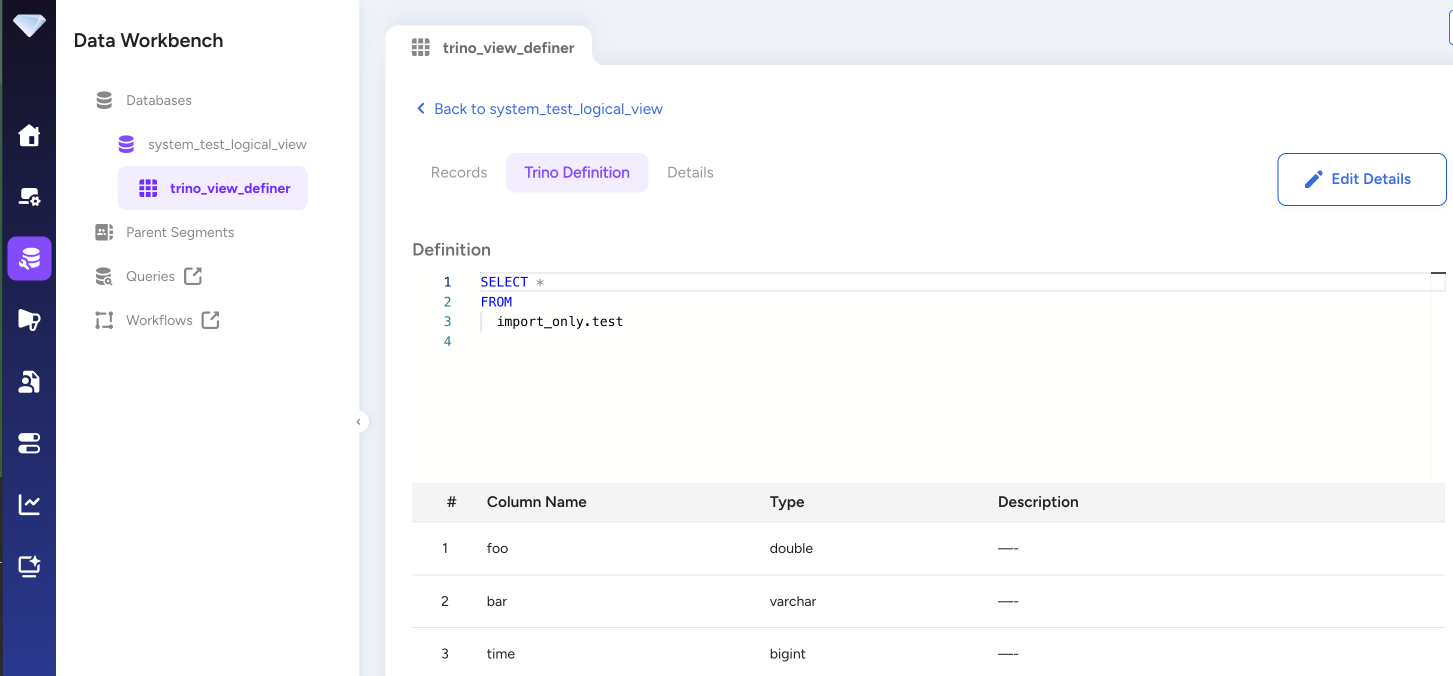
- Details: Name, description, last updated, security mode, owner, created date, database
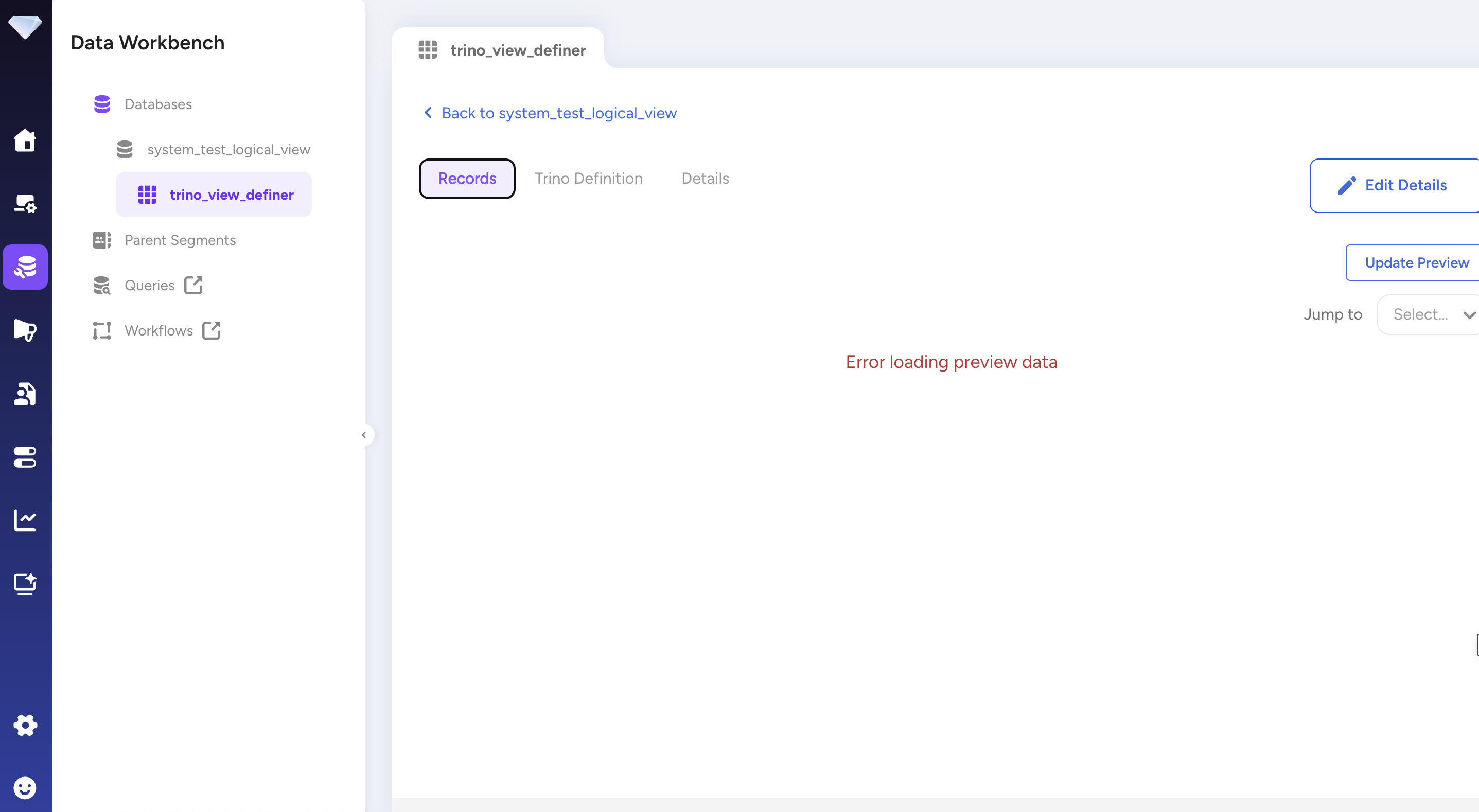
- Records: Preview data (select Update Preview to fetch up to 40 sample records)
- Schema: Column definitions and query text. Note that data types used in view schema are different from tables. For tables, TD native data types are used. For views, query engine data types are used (e.g., Trino data types for Trino).
- Dependencies: Tables and views referenced by this view
The Records tab allows you to preview the view's data. Select Update Preview to fetch up to 40 sample records:
To update a view definition, use the CREATE OR REPLACE VIEW statement:
CREATE OR REPLACE VIEW view_name AS
SELECT new_column1, new_column2
FROM table_name
WHERE new_condition;
When you use CREATE OR REPLACE VIEW, the view definition is completely replaced with the new query. All previous columns and logic are removed.
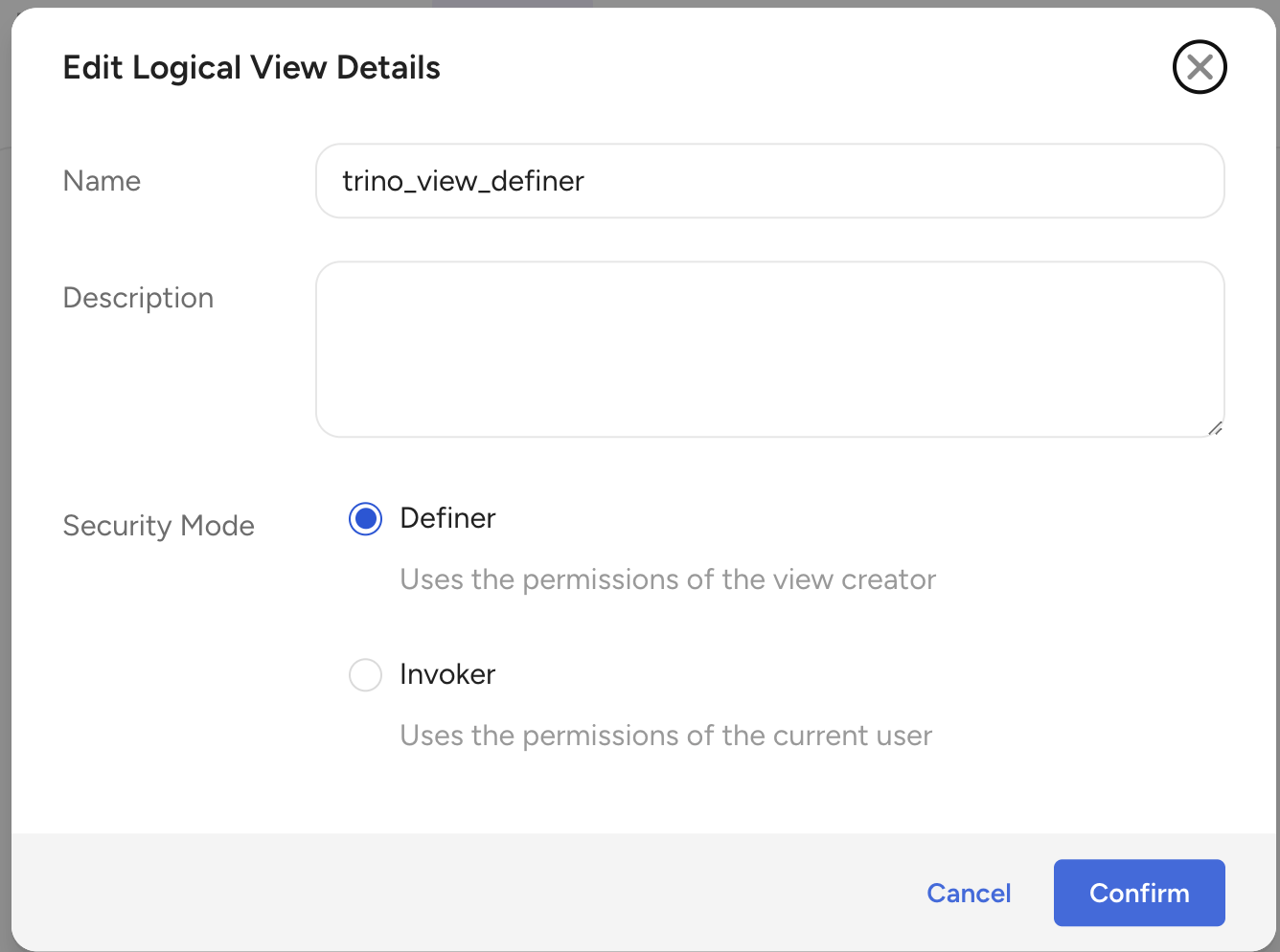
You can change the security mode through the UI or SQL.
Using the UI:
- Navigate to the view detail page
- Select the menu (⋯) and choose Edit Details
- In the Edit Logical View Details dialog:
- Select Definer or Invoker under Security Mode
- Optionally update the Name or Description
- Select Confirm
Using SQL:
To change the security mode via SQL, use CREATE OR REPLACE VIEW with the new security mode specification:
-- Change to INVOKER mode
CREATE OR REPLACE VIEW view_name
SECURITY INVOKER
AS
SELECT * FROM table_name;

-- Change to DEFINER mode
CREATE OR REPLACE VIEW view_name
SECURITY DEFINER
AS
SELECT * FROM table_name;
When using CREATE OR REPLACE VIEW, you must also re-specify the complete query definition.
To delete a logical view, use the DROP VIEW statement:
DROP VIEW view_name;Deleting a view does not delete underlying tables. If other views reference this view, they will fail when queried.
The view owner is important when using DEFINER security mode, as queries execute with the owner's permissions.
Currently, ownership can only be changed via API. The target user must have Full Access permission on the database.
If a view owner is deleted and the view uses DEFINER mode, the view will no longer work.
Logical views inherit permissions from the database. The following operations are allowed based on database permission level:
| Database Permission | List/View | Create | Update | Delete | Query |
|---|---|---|---|---|---|
| Full Access | ✓ | ✓ | ✓ | ✓ | ✓ |
| Manage Own | ✓ | ✓ | ✓ | ✓ | ✓ |
| General Access | ✓ | ✓ | ✓ | ✓ | ✓ |
| Query-only | ✓ | ✗ | ✗ | ✗ | ✓ |
| Import-only | ✓ | ✗ | ✗ | ✗ | ✗ |
| None | ✗ | ✗ | ✗ | ✗ | ✗ |
The security mode determines whose permissions are used to access referenced tables:
- DEFINER mode (default): Uses view owner's permissions
- Query executors don't need permission to underlying tables
- Useful for providing controlled access to sensitive data
- INVOKER mode: Uses query executor's permissions
- Query executors must have permission to all underlying tables
- Enforces user-level permissions
See Logical View Security Modes for detailed information.
- Maximum 50 logical views per database
- Maximum 1,024 columns per logical view
- Maximum 256 KB for view definition query statement
- Maximum 10 levels of nested logical views
- Read-only: DML operations (INSERT, UPDATE, DELETE) are not supported
- Trino only: Currently only Trino is supported; Hive support is planned for a future release
- No cross-account queries: Views cannot be used to reference tables of other accounts in Data Clean Room
- No Parent Segment integration: Logical views cannot be used as master tables or attribute tables in Parent Segments (support planned for a future release)
- No column-level tags: View columns cannot be annotated with tags for data classification
- Schema stored at creation: If underlying table columns change after view creation, the view schema is not automatically updated
If a user has a column permission with except: false (cannot view non-tagged columns), they cannot use logical views in queries, regardless of security mode.
The lifecycle of a view and its referenced tables are independent:
- Referenced tables can be deleted at any time
- When a referenced table is deleted, queries against the view will fail
- The view query is validated by the query engine when created
- Currently, logical views are only supported for Trino
- Hive support is planned for a future release
- View names must be unique within a database
- SQL syntax may change when query engine versions are upgraded. If incompatible SQL syntax is used, views defined in old query engine versions may not work in a new query engine version. The view definition must be updated with the latest SQL syntax in that case.
- Use descriptive names: Choose view names that clearly describe their purpose
- Test before deploying: Query the view to verify it returns expected results
- Consider performance: Complex views with multiple joins may impact query performance
- Mind nesting depth: Keep view nesting to a reasonable level (limit is 10 levels)
- Use DEFINER mode for controlled access: Allow Query-only users to access transformed data without granting table access
- Monitor dependencies: Check which views reference tables before deleting them