TD ConsoleのAuthenticationsページから、設定および保存されたすべてのデータ接続を並べ替えることができます。
TD Consoleを開きます。
Integrations Hub > Authenticationsに移動します。
必要に応じて、フィルタを使用して取得するデータを絞り込みます。
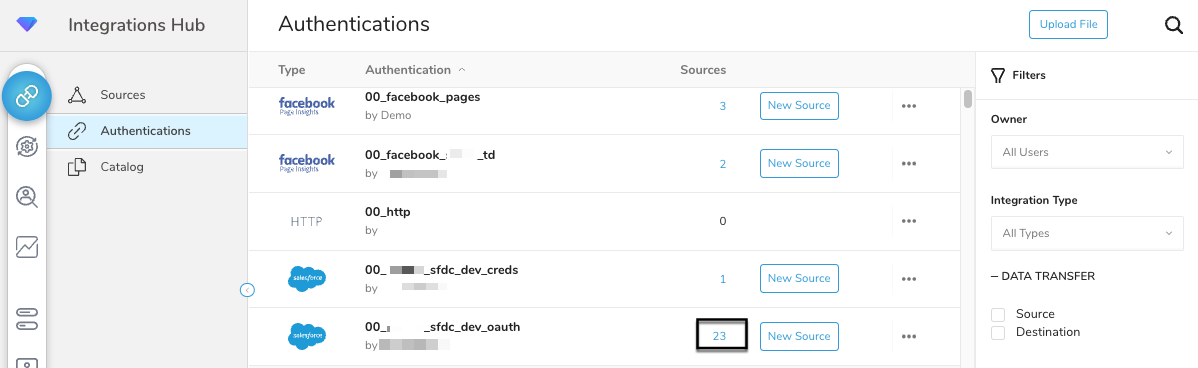
 4. 必要なAuthenticationのSourcesリストを表示します。
- 選択したAuthenticationのSourcesリストを表示します。

TD ConsoleのAuthenticationsページから、設定および保存されたすべてのデータ接続を並べ替えることができます。
TD Consoleを開きます。
Integrations Hub > Authenticationsに移動します。
必要に応じて、フィルタを使用して取得するデータを絞り込みます。
4. 必要なAuthenticationのSourcesリストを表示します。