Administrators can view the users and Treasure Insights roles in the Control Panel.
Open the TD Console.
Navigate to the Control Panel.
In Settings , select Treasure Insights Roles.
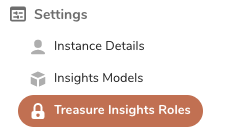
- The main panel displays the user's name, email, Treasure Insights role, and user type.
There are four Treasure Insights roles:
View Only. The user has read access to any dashboard that is shared with them.
Edit Dashboards. The user has the following access capabilities: create, read, update, delete, and share dashboards.
Edit Data Models & Dashboards. The user can create, read, update, delete, and build and share a data model. Additionally, a user with this role can create, read, update, delete, and share dashboards.
None. If an administrator does not assign a specific reporting role, the role defaults to None, which prevents access to all dashboards.
You cannot make changes to this panel. For more information about changing roles, see Granting Treasure Insights Access.