Administrators seeking to grant users access to Treasure Insights should be aware of the following restrictions.
Limitations
- Restrictions granting access : Administrators can grant access to other users except to other administrators and owners. Administrators and owners must edit their own permissions.
- A limited number of Edit Data Models & Dashboards roles: Each account receives a specific number of Edit Data Models and Dashboard roles. If an administrator has exceeded the number of allowed roles, use an existing administrator user with the Edit Data Models & Dashboards role and request that the administrator edits their permissions and downgrade their access. This frees up the role and can then be assigned to another user. If there is no longer access to an administrator account and you need to change it, contact support.
- Grant Treasure Insights access to SSO users with the same email address : If you have the same email address as users under the same Treasure Data account's region with SSO, Treasure Insights only allows 1 unique user email address to grant permission. In such cases, please kindly add an alias to the user to differentiate the email address in order to grant Treasure Insights permission.
Perform the following steps to grant Treasure Insights Access:
Open TD Console.
Navigate to Control Panel > Users.
Select a specific user.
Select the edit pencil to change the user’s Treasure Insights Role.
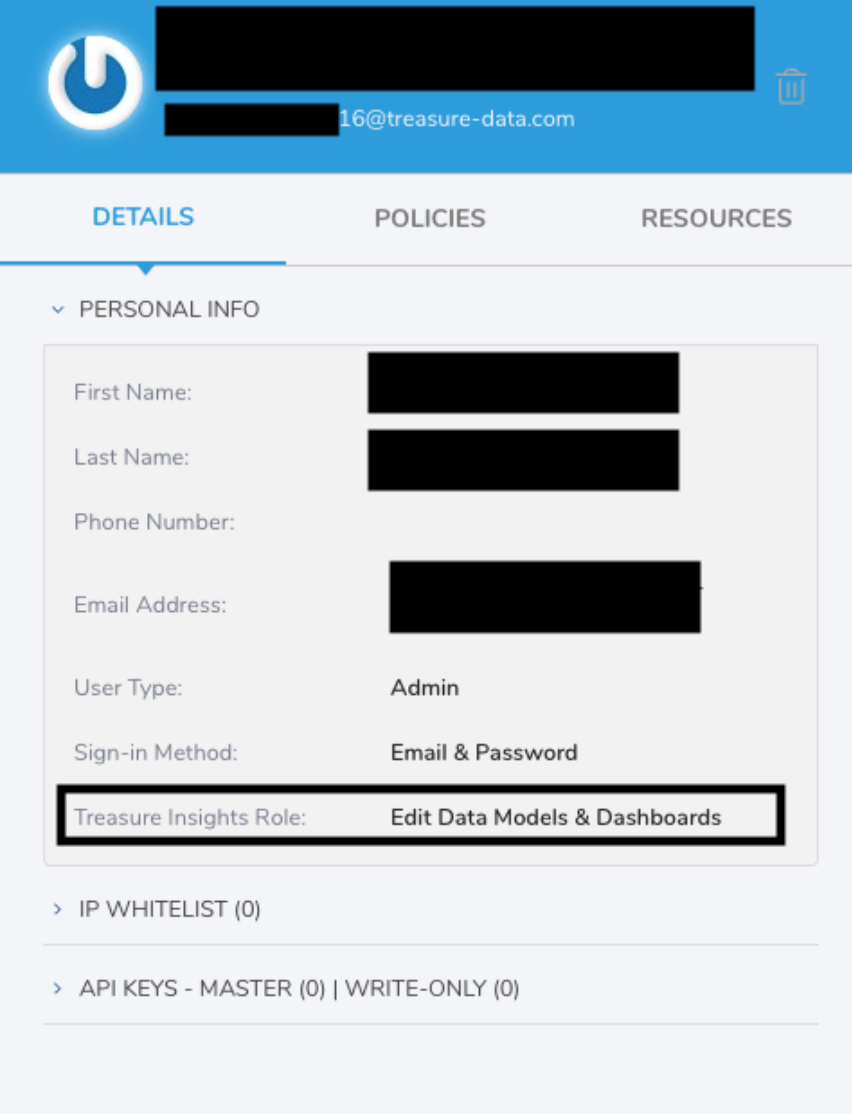
Scroll down to Treasure Insights Role and select the desired role:
- View Only. The user has read access to any dashboard that is shared with them.
- Edit Dashboards. The user has the following access capabilities: create, read, update, delete, and share dashboards.
- Edit Data Models & Dashboards. The user can create, read, update, delete, and build and share a data model. Additionally, a user with this role can create, read, update, delete, and share dashboards.
- None. If an administrator does not assign a specific reporting role, the role defaults to None, which prevents access to all dashboards.
The account owner can add other administrator's Treasure Insights Role, but the account owner cannot change/delete an administrator's dashboard.
To quickly review all Treasure Insights users and their roles, see Viewing Treasure Insights Roles.