When defining a source within Treasure Data, you must indicate the settings necessary to retrieve your data.
Depending on the data source, you may be able to:
add one or more decoders
For example, gzip, OpenPGP decryption.use a variety of different data parsers
For example, CSV, JSON, query string.indicate retry attempts
indicate retry interval
To edit data settings
Open the Treasure Data Console.
Navigate to Integrations Hub > Sources.
Locate and select the source for which you want to edit data setting information.
Select Next until you get toData Settings.
You can edit a variety of information depending on the source type.
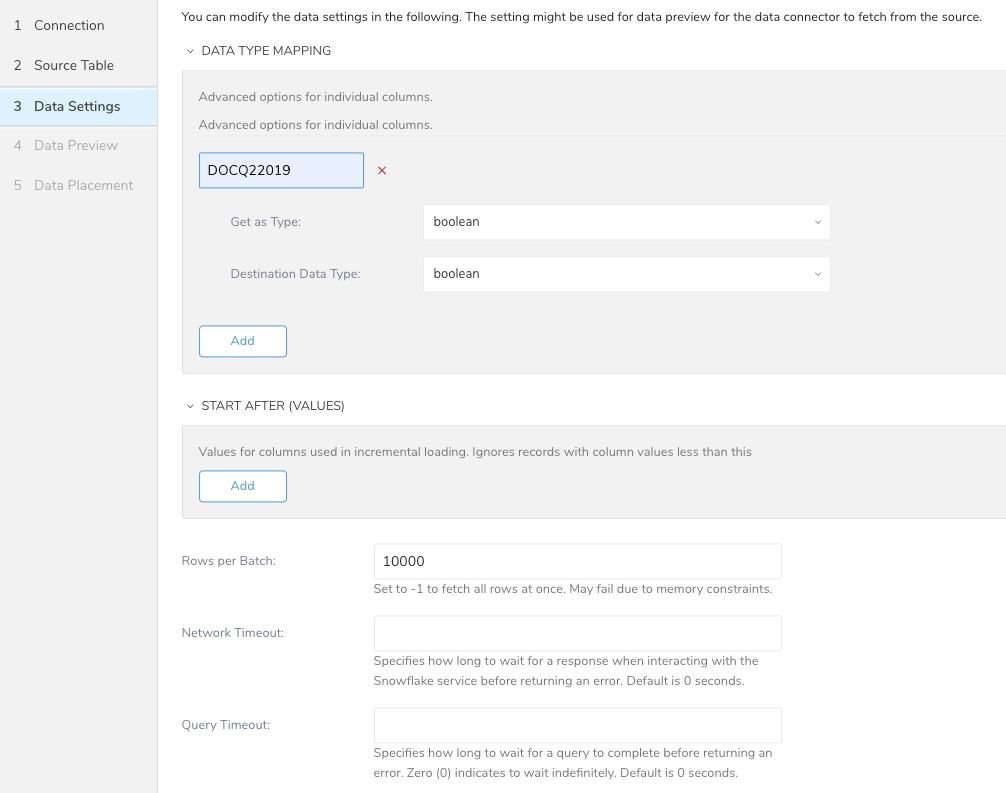
For example, Snowflake data settings:
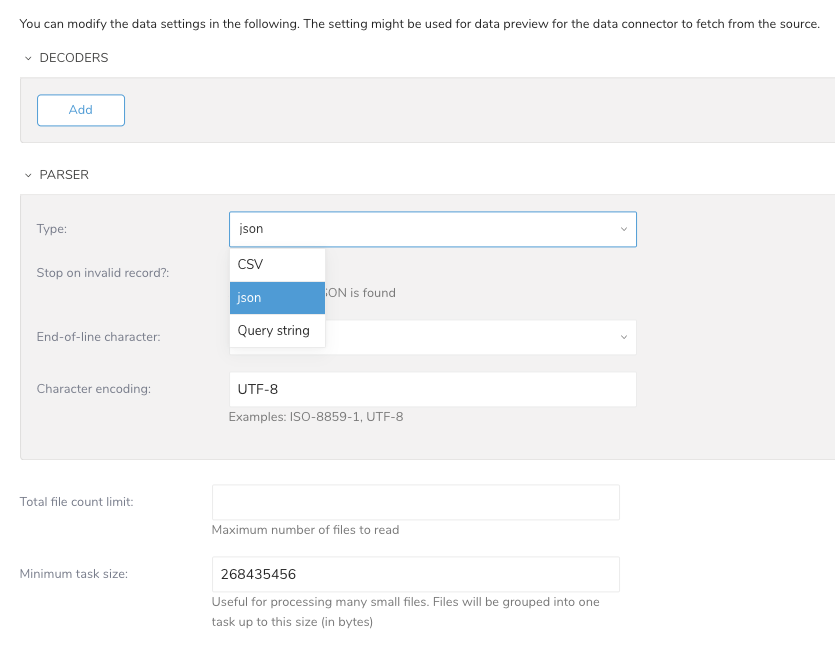
For example, data settings for a connector using a JSON parser:
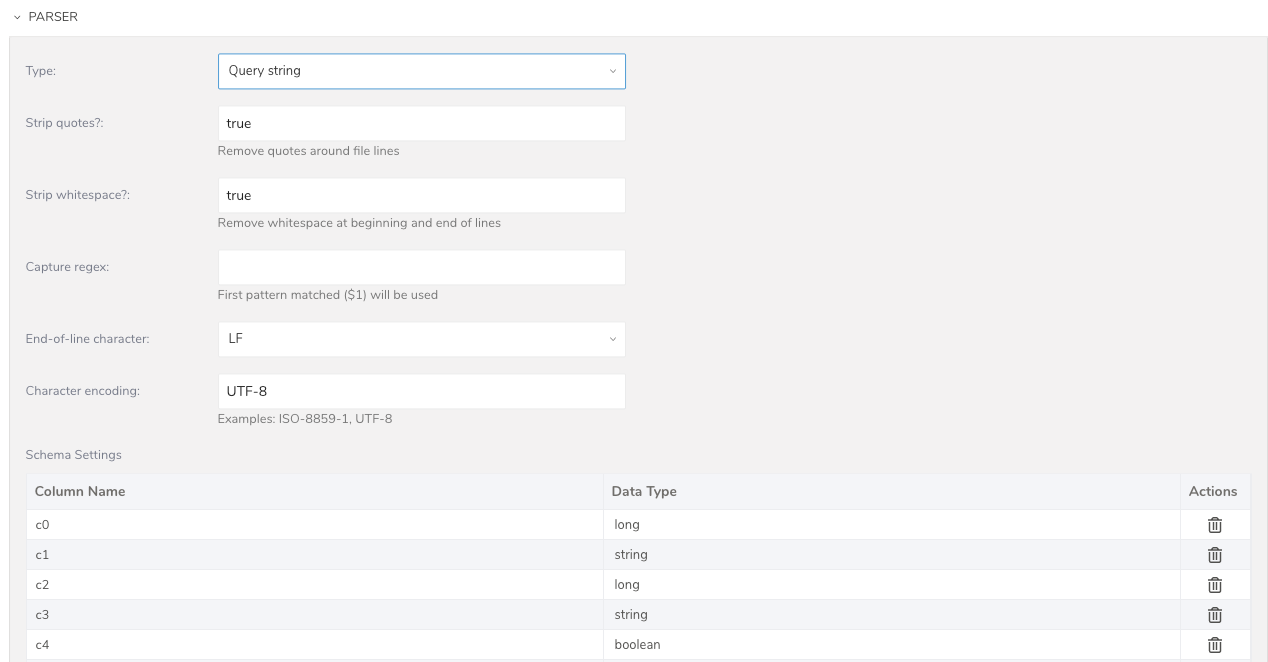
For example, data settings for a connector using a query string parser:
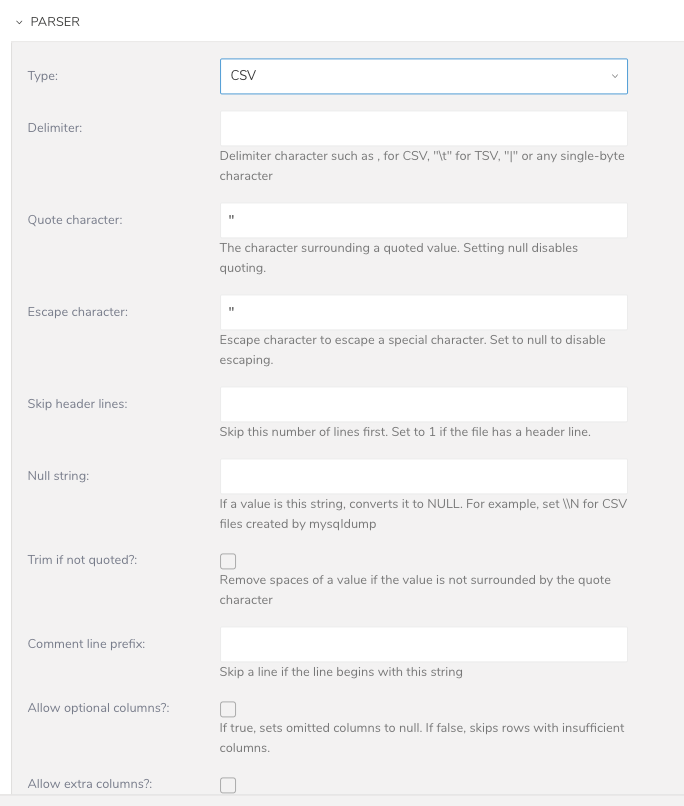
For example, data settings for a connector using a CSV parser:
Edit the information as necessary.
Select Next until you reach the Data Placement page.
Select Save & Run Now or Save.