You can create workflows in the CLI or the UI. Treasure Data™ makes moving between these two interface options smooth. Allowing you to query from either the CLI or the Treasure Data platform.
Workflow names do not support spaces; Treasure Data automatically changes the spaces to underscores.
Open the terminal.
Open your workflow directory.
$ cd /users/<yourname>/mydirectory- List the existing item(s) in your directory to verify the files.
$ ls -la- Create a workflow file. This file must have a .dig extension.
$ cat > my_workflow.dig- After you have created the file, type in the contents of your workflow. For example:
_export:
  tmp_var: hello world

+echo_task1:
  echo>: this is test task!

+echo_task2:
  echo>: ${tmp_var}
Type
Ctrl + Dto stop editing. You can create this file with another command, such asnano, a Linux Command Line editor.Create the project name and push the workflow to Treasure Data.
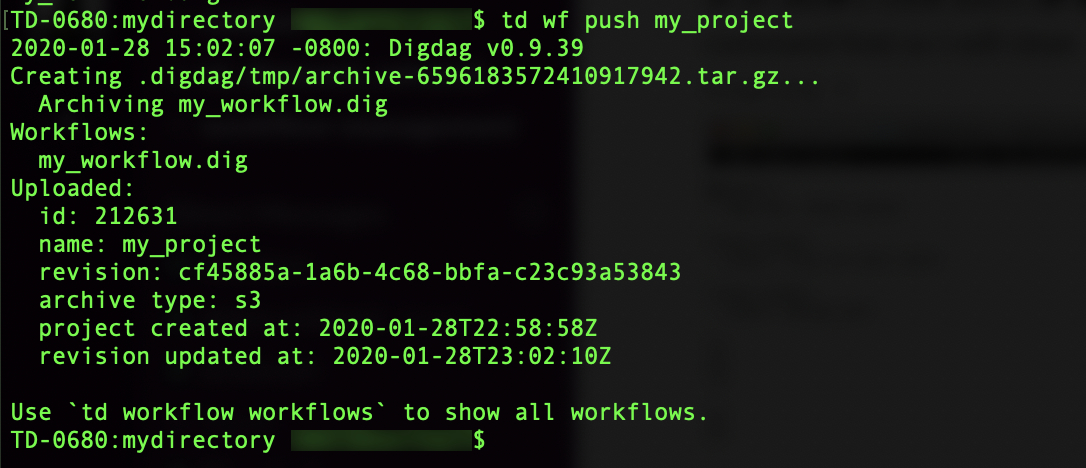
$ td wf push my_project- After you have created the project file in Treasure Data, your terminal displays the following: