You can run a query immediately, or schedule it for later. Treasure Data supports the following schedules for queries:
None. No schedule. Run the query immediately.
@daily (midnight). Schedule a midnight daily query with a specific time zone. Optionally, choose to delay execution.
@hourly (:00). Schedule an hourly query with a specific time zone. Optionally, choose to delay execution.
Custom cron. Choose a cron schedule value with a specific time zone. Optionally, choose to delay execution.
Create a new query or select an existing query.
Select the None option next to Schedule to change it.
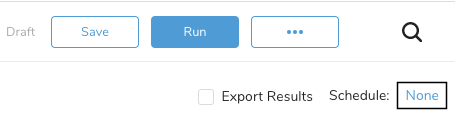 3. Select your query schedule. Both daily and hourly use the same steps to schedule a query.
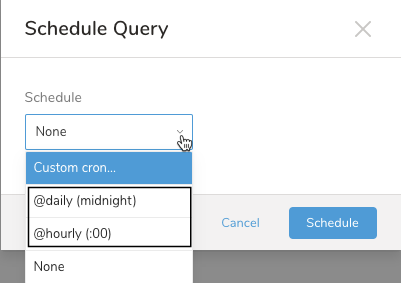
- Complete your query by scheduling the query and identifying the time zone.
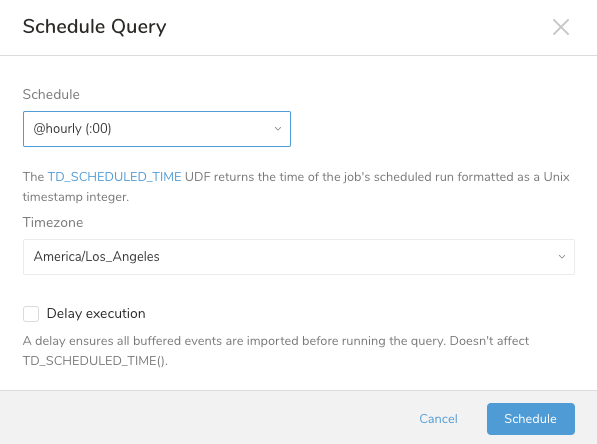
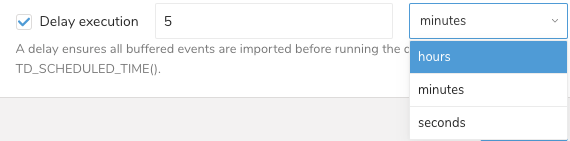
- Optionally, delay the execution of your query.
- Select Schedule.
- Select Custom cron…
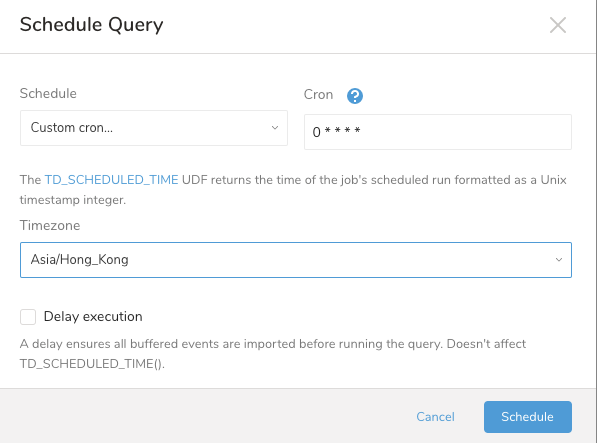
Select your Cron schedule
Optionally, delay the execution of your query.
- Select Schedule.