As an account owner or administrator, you can define the criteria for Treasure Data user passwords. All users of your Treasure Data account must adhere to the set of criteria that you specify. When you change the password criteria, existing users receive notifications and will have to update their password if they do not already meet the updated criteria. Account owners and Administrators do not reset passwords for users. Users can reset their own password.
The minimal character length of user passwords.
Default: 8
Specifies how frequently that users must change their password. Specified in days. For example, the value '60 days' means the password must be changed every 60 days.
Default: Never
Saves the value of a specified number of passwords for a user. Users are not allowed to use previous passwords as specified.
Default: 6
For example, if you specify the value as '4' then users must create a unique password that does not equal any of the last 4 prior password values.
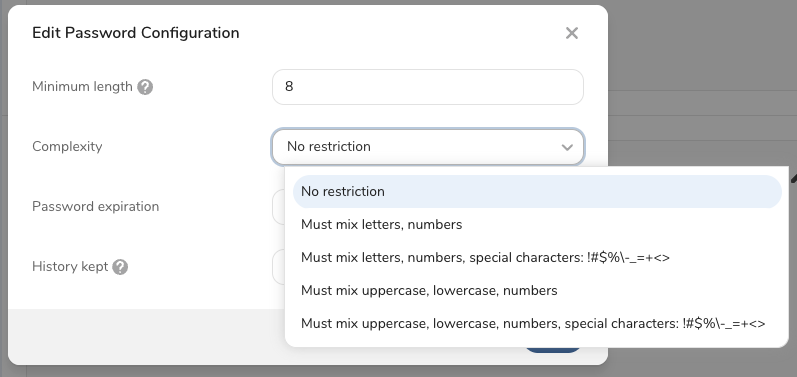
Specifies the types of characters that a password must contain. There are 5 options:
- No restriction
- Must mix alpha and numeric characters
- Must mix alpha, numeric, and special characters(!#$%-_=+<>)
- Must mix alpha, numeric, uppercase, and lowercase characters
- Must mix alpha, numeric, uppercase, lowercase, and special characters(!#$%-_=+<>)
The number of incorrect attempts one user is allowed to make while attempting to login. When the maximum number is exceeded, the user receives an email that allows them to unlock their profile and attempt to log in again. Alternatively, the user can reset their password from the login pane. If the user takes no action, the profile is unlocked 1 hour after the last failed attempt.
Specifies how long a user can remain in logged-in state, while inactive.
Default: 24 hours
As an account owner or administrator, you can define the criteria for Treasure Data user passwords. All users of your Treasure Data account must adhere to the set of criteria that you specify. When you change the password criteria, existing users receive notification and will have to update their password if they do not already meet the updated criteria.
Account owners and Administrators can specify the account password policy.
Open TD Console.
Navigate to Control Panel > Security > Sign-In Settings.
Select Password Configuration.
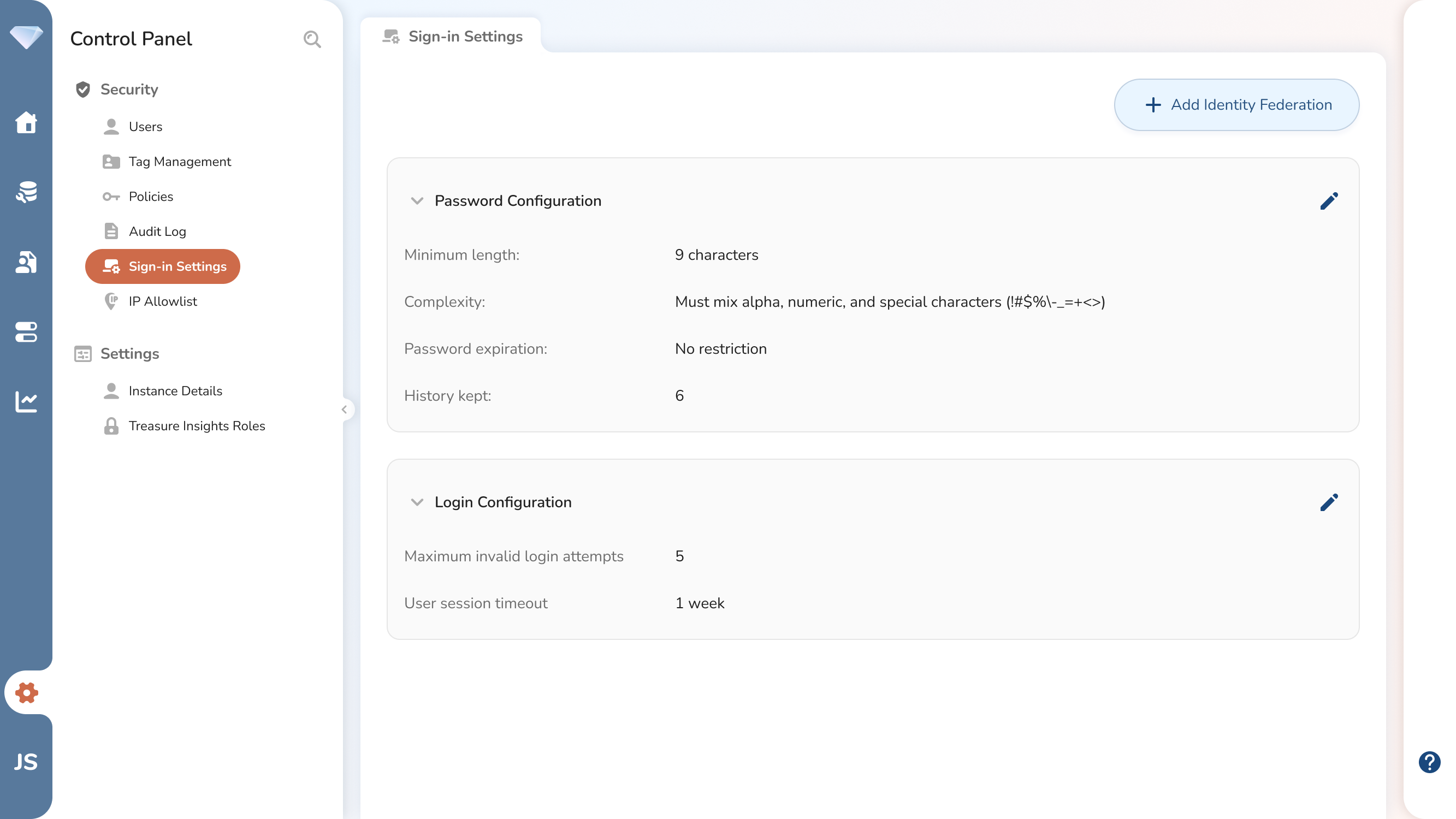
- Optionally, edit the Password Configuration and Save.
- Minimum Length - The minimal character length of user passwords. Default: 8.
- Expiration - Specifies how frequently users must change their password. Specified in days. For example, the value '60 days' means the password must be changed every 60 days. Default: Never
- History - Saves the specified number of passwords for a user. Users are not allowed to use previous passwords as specified. Default is 6. Example: if you specify the value as '4' then users must create a unique password that does not equal any of the last 4 prior password values.
- Complexity - Specifies the types of characters that a password must contain.