Use the SSO feature with your Identity Provider to enable your TD account users to use a single ID to log into more than one Treasure Data account.
A federated identity is defined as a person's electronic identity and attributes, stored in one identity management system and used to validate access to multiple systems. In Treasure Data, the federated identity is used to securely access TD Console. Treasure Data ensures your account information stays secure by allowing you to move across systems seamlessly using identity federation. Plus, you can restrict access to specific Treasure Data accounts with the help of IP allowlists.
Each TD account has a unique set of data and a set of users associated with the account.
For example, you might have three Treasure Data accounts, such as a developer account, a test account, and a production account. You may choose to use multiple federated IDs or only one ID and password for all TD accounts but you also want to ensure that your login policies are adhered to. Your IdP enforces secure access policies for user authentication. You define your users in the IdP and define Treasure Data as an authorized target application.
Although you have the option to configure multiple Identity Provider (IdP) to authenticate your Treasure Data users and control the sign-in policy for your users, one IdP is primary.
- Contact your Customer Success Representative to enable Multiple IdP.
- After SSO Settings are enabled in your Treasure Data Account, the Google SSO login method will be disabled.
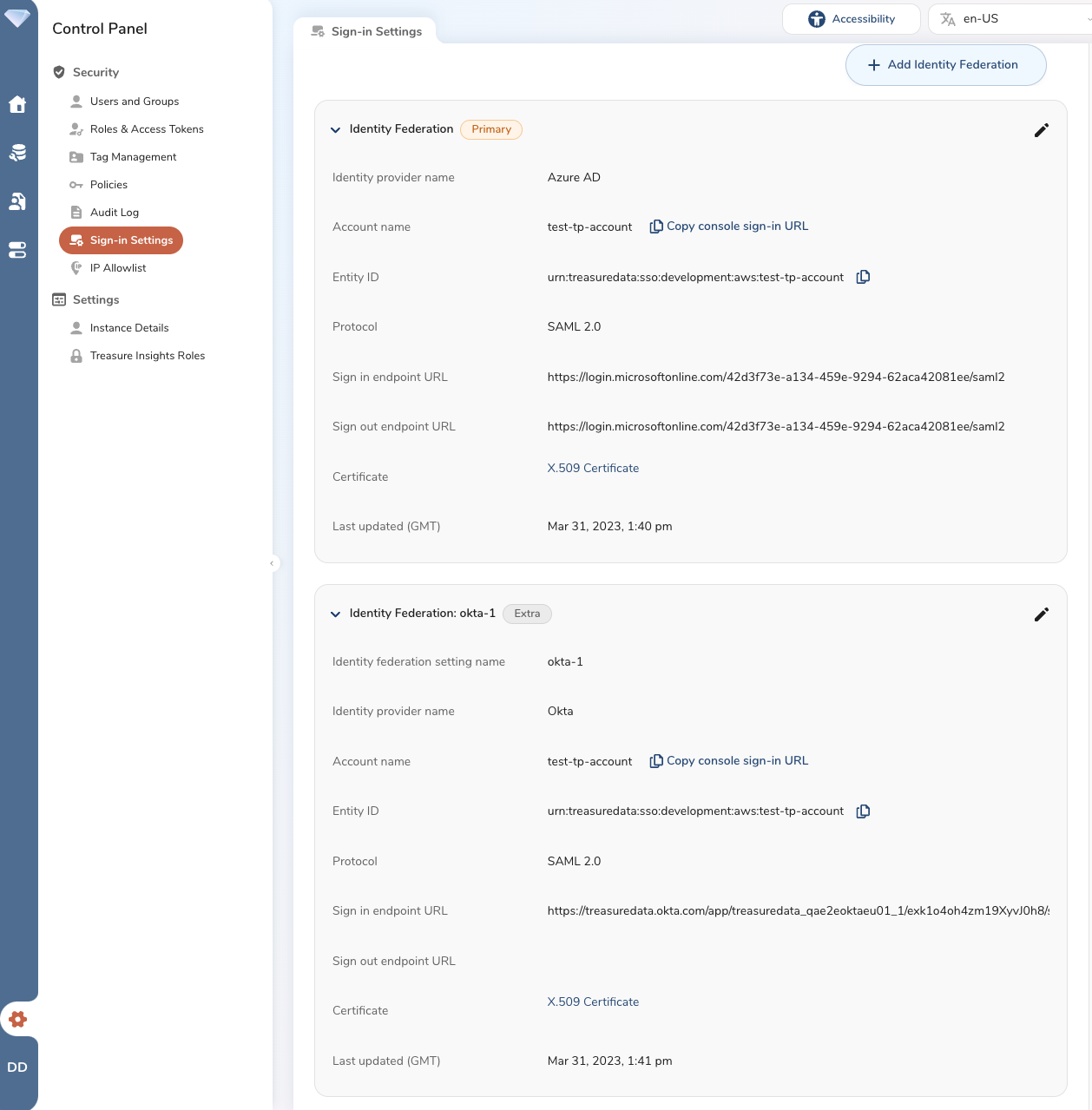
SSO provides heightened security and tighter authentication for both on-premise and cloud applications. You can centrally manage all users and their respective permissions through your corporate directory service.
SSO supports IdPs using SAML 2.0 protocol, such as Azure Active Directory.
Contact your Customer Success representative if you are interested in enabling the SSO feature on your account.
The configuration for SSO requires work to be done in the following areas:
The Identity Provider (IdP) environment, by the Administrator of the IdP
TD Console, by the TD account owner or an administrator
In the IdP environment, you add Treasure Data to your list of authorized applications. You can view and configure multiple IdPs as well as sign-in methods. In your IdP, each Treasure Data account is added as a separate application. You assign your users to the Treasure Data applications, as needed.
As the Treasure Data Account owner or an administrator, you configure trust settings and assign users to SSO access. You configure the trust setting in each of your Treasure Data accounts. You can configure trust settings using TD Console or TD APIs. For TD API support, contact your Customer Success Representative.
Each of your Treasure Data accounts with SSO enabled is assigned a unique name within Treasure Data. The assigned name is used in your IdP configuration. The ID is not editable.
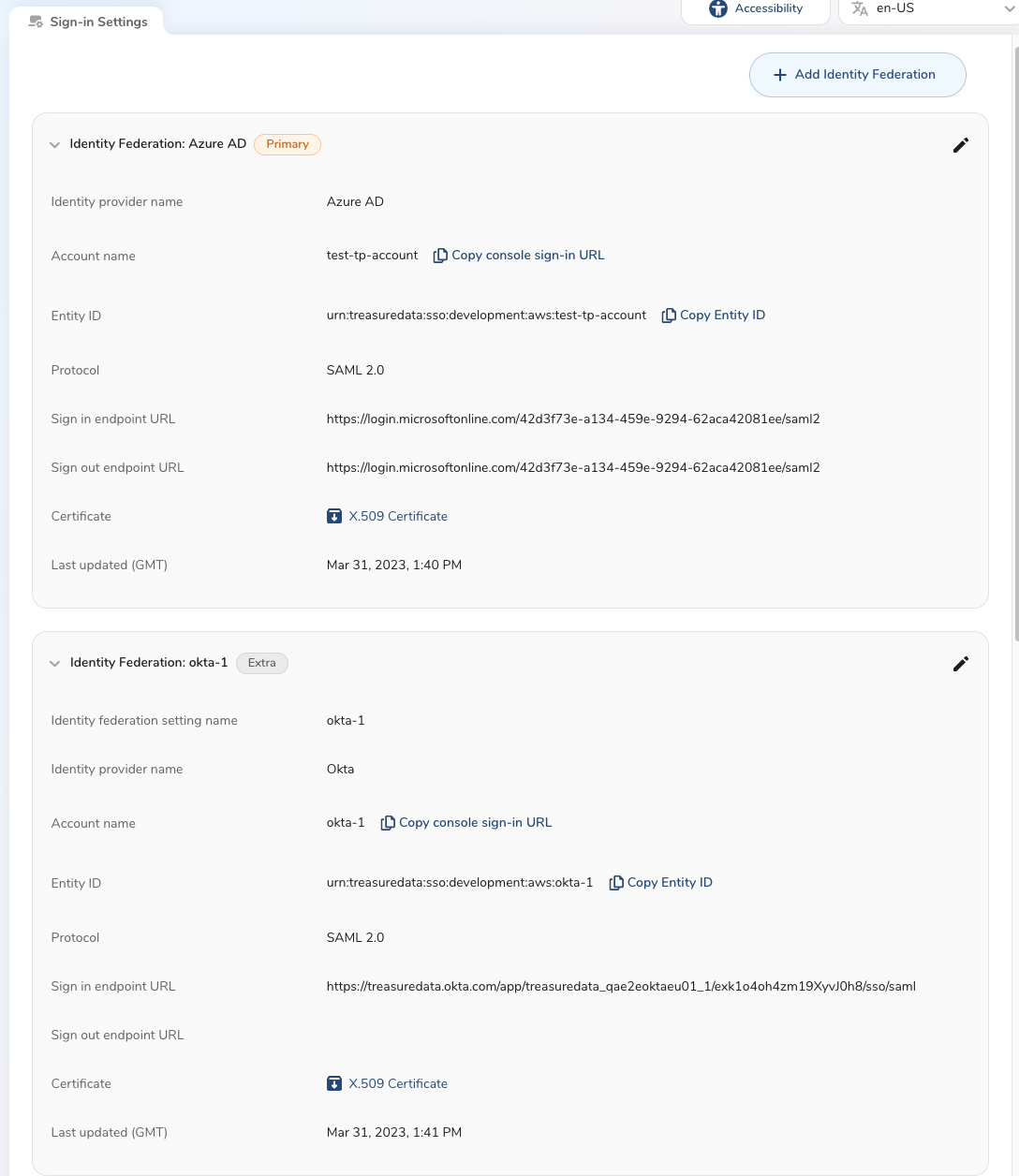
For detailed configuration steps, see Configuring SSO in TD Console.
Yes. The two following conditions must be met to use a single email for multiple accounts set up with SSO.
- Support could share the AWS account name for the customer to attach to the Console URL
aws:1XXX9 - abcde12345abcde12345
- https://console.us01.treasuredata.com/users/initiate_sso?account_name=abcde12345abcde12345
aws:1XXX2 - 11aa22bb33cc44dd55ee
- https://console.us01.treasuredata.com/users/initiate_sso?account_name=11aa22bb33cc44dd55ee
- IdP Account Name would have to be different per account, then, the customer could use the same email for both accounts.
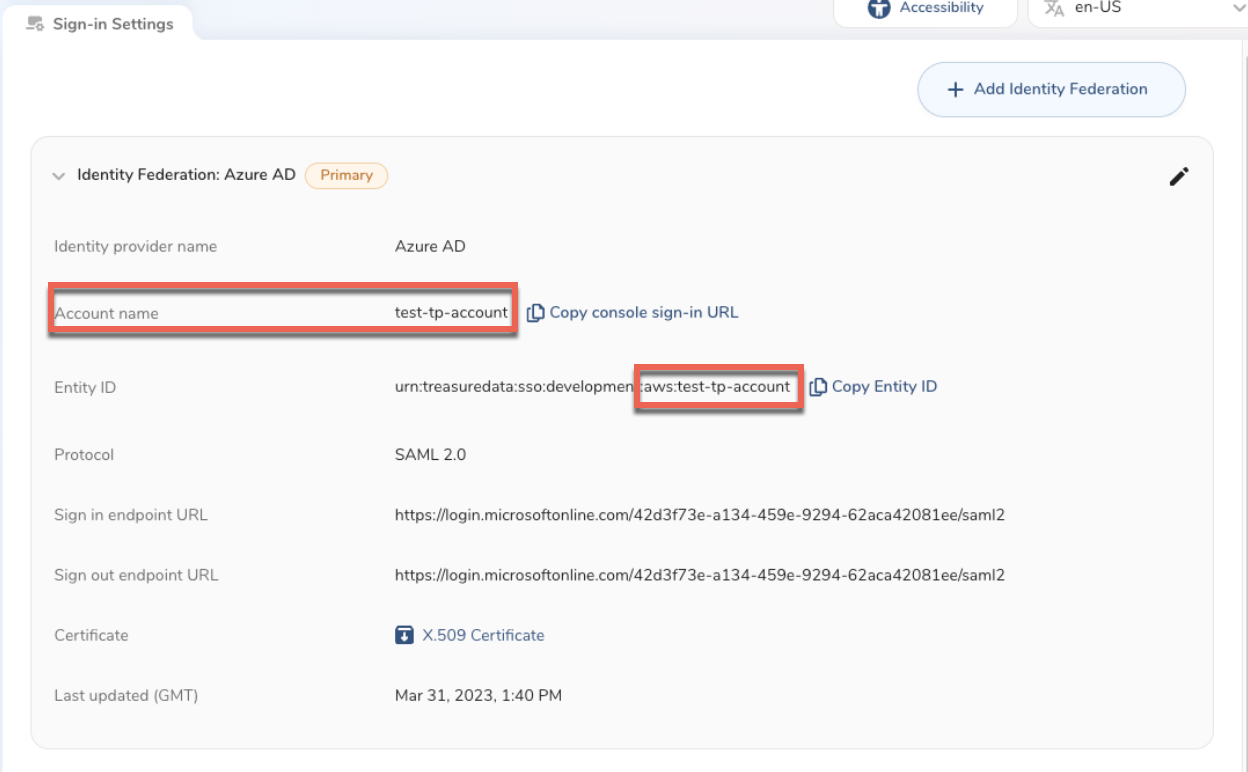
- If you elect not to choose this route, the only other option to create same user with distinct emails for two different accounts is to create email aliases per account. For instance, tina+prod@example.com and tina+testing@example.com.
- The IdP the customer chooses needs to support “+” sign in email.
- Audit logs will not be affected, as user_id is different per user even if the email is the same.