データ収集(データインポートとも呼ばれる)は、新しいデータソースを定義する際、または後でデータソースを編集することでスケジュールできます。
新しいデータソースを作成するには、既存の認証から新しいソースを作成するを参照してください。
データソースのスケジュールされた収集を変更または追加するには:
TDコンソールを開きます。
Integrations Hub > Sourcesに移動します。
スケジューリングを編集したいデータソースを見つけます。
省略記号を選択します。
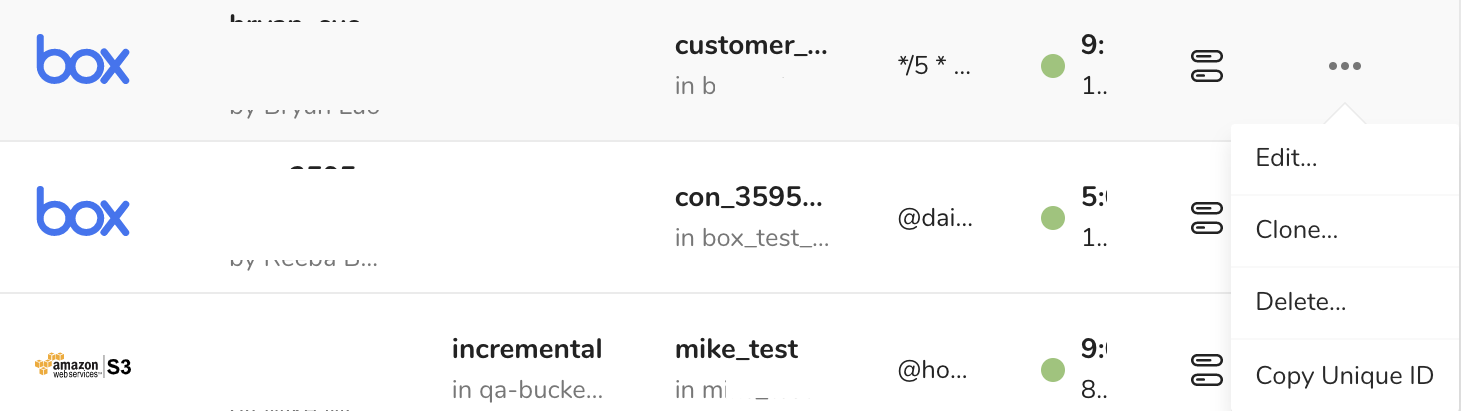
Editを選択します。
Edit Sourceダイアログで、Nextを選択してData Placementに移動します。
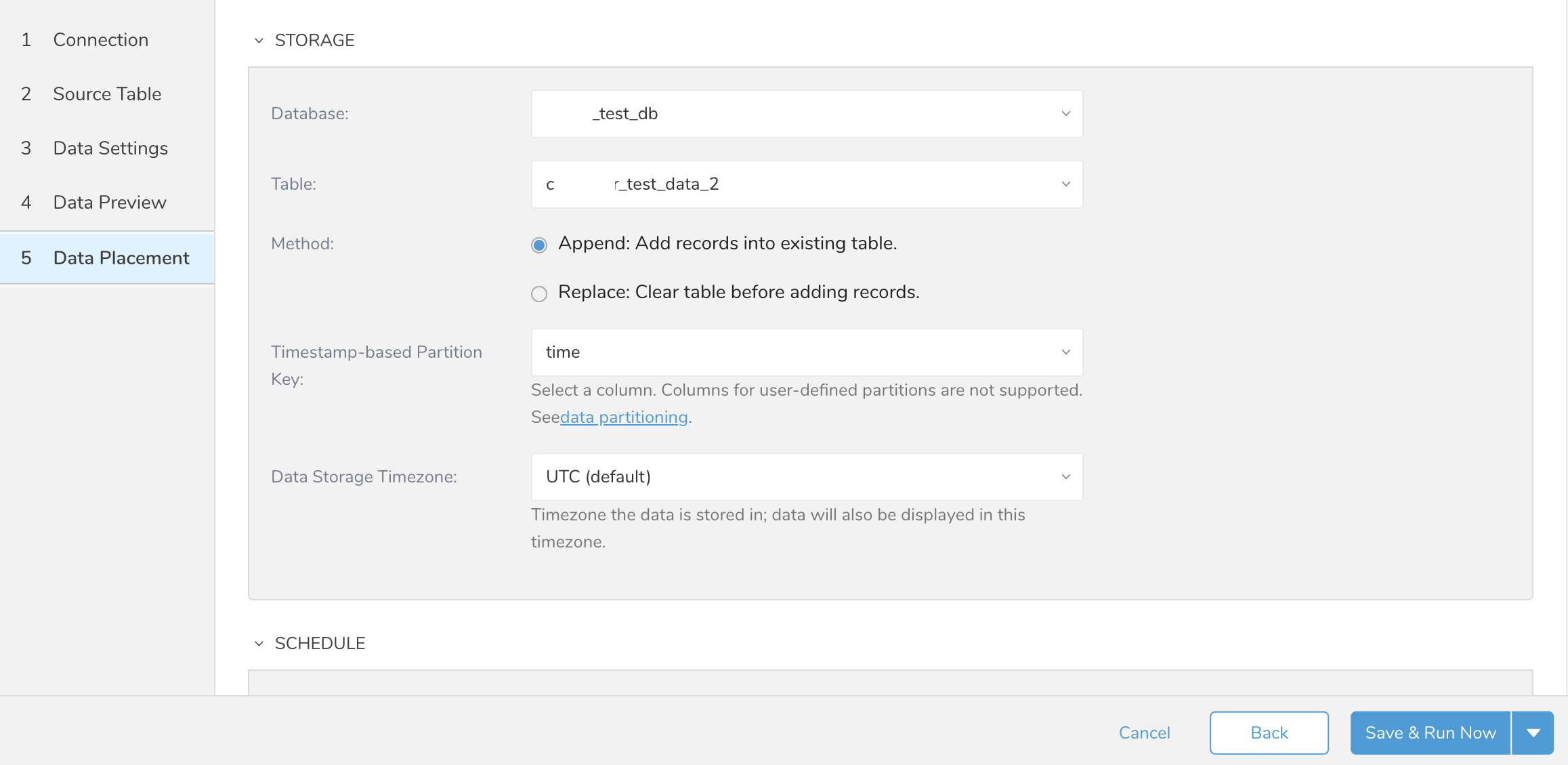
- Scheduleまでスクロールします。
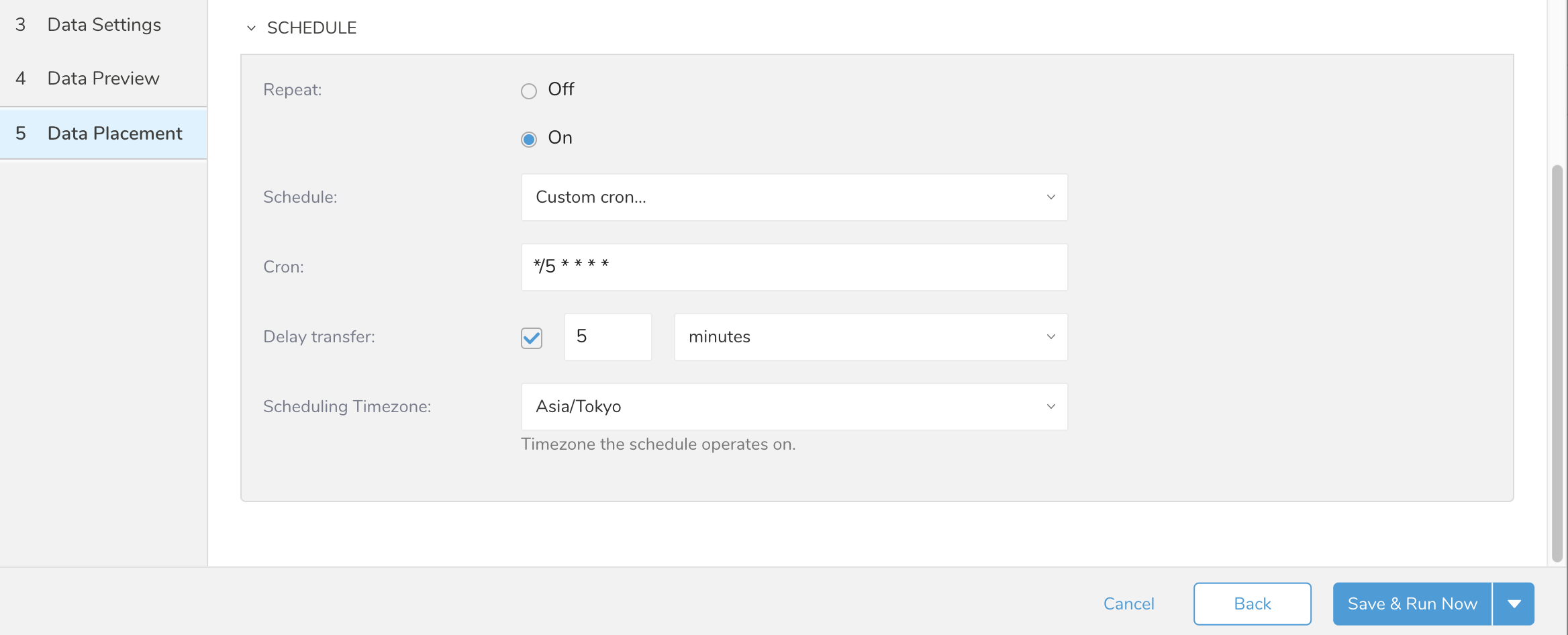
- 定期的なデータ収集の場合、RepeatをOnに設定します。
| 要素 | 選択肢 | 説明 |
|---|---|---|
| Repeat | OnまたはOff | Onはデータ収集を定期的かつ自動的に行うように設定します。 |
| Schedule | ||
| Cron | Cronスケジュール値を参照 | Scheduleフィールドでカスタムcronが選択されている場合のみ利用可能です。 |
| Delay transfer | 選択またはクリア | 選択した場合、データ転送を遅延させる時間を時間、分、または秒で指定できます。 |
| Scheduling Timezone | タイムゾーンの値のリスト。 | データ収集に使用するタイムゾーンを選択します。 |
| Save & Run NowまたはSave | 定義されたデータ収集を保存して実行できます。データ収集スケジュールが定義されていない場合、データ収集は即座に実行されます。データ収集スケジュールが定義されている場合、データ収集ジョブは即座に実行されてキューに入り、定義されたスケジュールに従ってデータ収集が行われます。Saveはデータソース定義を保存します。 |
Through many parts of Treasure Data you can use cron values to define custom timing for data collection, queries, data export, and many other Treasure Data functions. The cron values used within Treasure Data use the following patterns.
| Cron Value | Description |
|---|---|
| 0 * * * * | Run once an hour |
| 0 0 * * * | Run once a day at midnight |
| 0 0 1 * * | Run once a month at midnight on the morning of the first day of the month |
| "" | Create a job that has no scheduled run time. |
For any other scheduling definition, the field values are:
*    *    *    *    *
-    -    -    -    -
|    |    |    |    |
|    |    |    |    +----- day of week (0 - 6) (Sunday=0)
|    |    |    +---------- month (1 - 12)
|    |    +--------------- day of month (1 - 31)
|    +-------------------- hour (0 - 23)
+------------------------- min (0 - 59)
The following named entries can be used:
Day of Week: sun, mon, tue, wed, thu, fri, sat
Month: jan, feb, mar, apr, may, jun, jul, aug, sep, oct, nov, dec
A single space is required between each field. The values for each field can be composed of:
a single value, within the limits displayed above for each field.
a wildcard
‘*’to indicate no restriction based on the field. For example‘0 0 1 * *’configures the schedule to run at midnight (00:00) on the first day of each month.a range
‘2-5’, indicating the range of accepted values for the field. For example‘0 0 1-10 * *’configures the schedule to run at midnight (00:00) on the first 10 days of each month.a list of comma-separated values
‘2,3,4,5’, indicating the list of accepted values for the field. E.g.‘0 0 1,11,21 * *’configures the schedule to run at midnight (00:00) every 1st, 11th, and 21st day of each month.a periodicity indicator
‘*/5’to express how often based on the field’s valid range of values a schedule is allowed to run. For example‘30 */2 1 * *’configures the schedule to run on the 1st of every month, every 2 hours starting at 00:30.‘0 0 */5 * *’configures the schedule to run at midnight (00:00) every 5 days starting on the 5th of each month.a comma-separated list of any of the above except the
‘*’wildcard is also supported‘2,*/5,8-10. For example‘0 0 5,*/10,25 * *’configures the schedule to run at midnight (00:00) every 5th, 10th, 20th, and 25th day of each month.