
Get Treasure Studio running in under five minutes.
| Platform | Architecture | Status |
|---|---|---|
| macOS | Apple Silicon (arm64) | Available |
| Windows | x64, arm64 | Upcoming |
Studio requires Apple Silicon (M1 or later). Intel-based Macs are not supported as Apple is deprecating them in 2026.
- Download the latest
.dmgfrom the GitHub Releases page - Open the
.dmgand drag Treasure Studio to Applications - Launch from Applications
On first launch, a setup wizard connects Studio to your Treasure Data account:
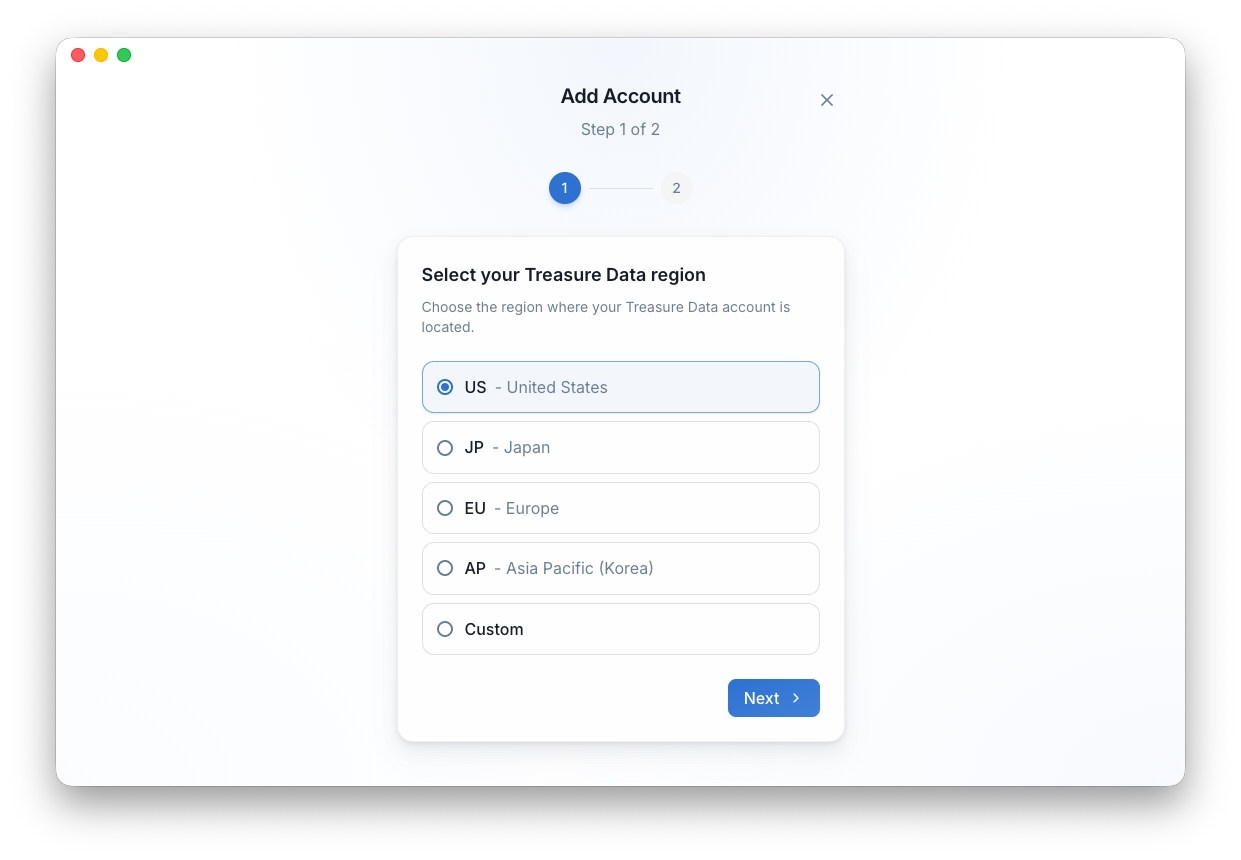
- Region — Select where your account lives (US, JP, EU, or AP)
- API Key — Paste your TD API key
That's it. Your credentials are stored securely in the macOS Keychain. Studio is ready to use.
Studio checks for updates every time it launches. When a new version is available, it downloads silently in the background and applies on next restart.
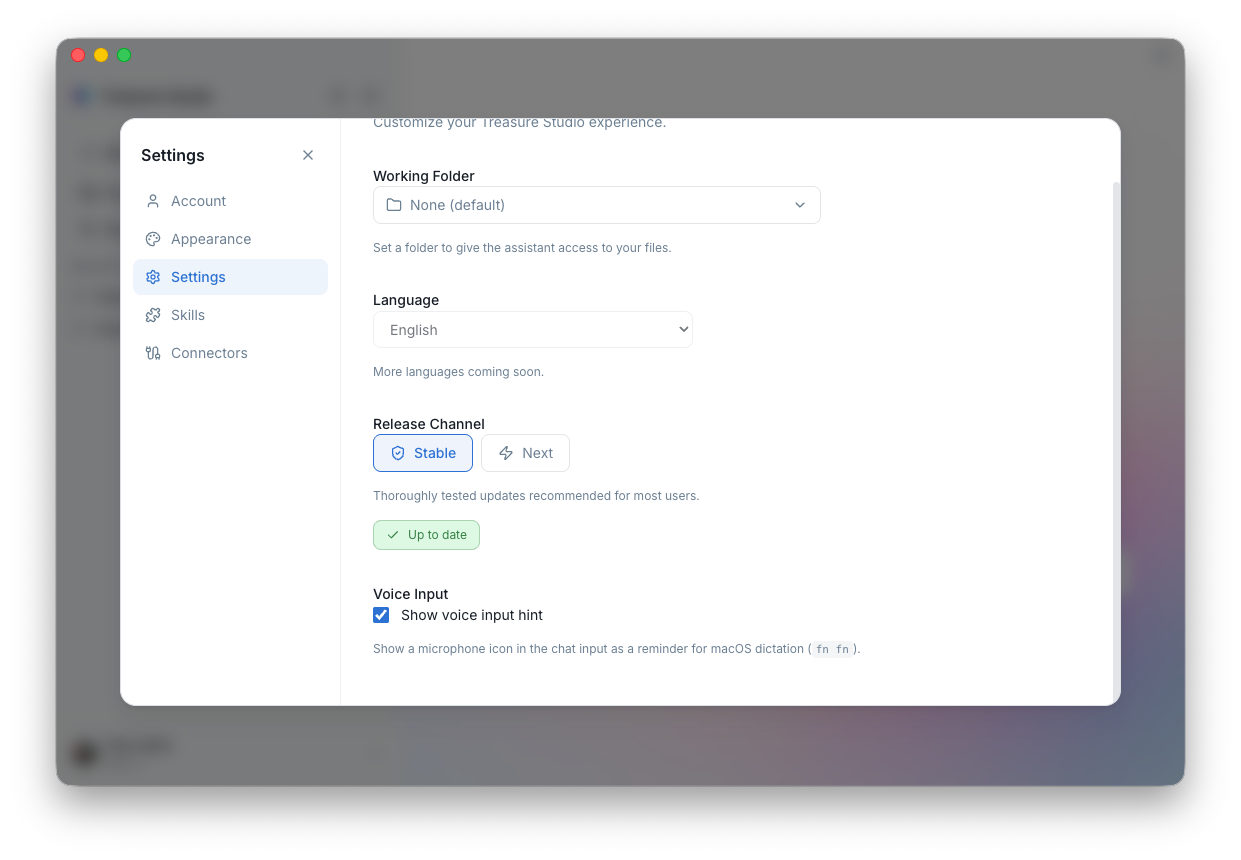
Two release channels are available:
- Stable — Production-ready releases
- Next — Early access to upcoming features
Studio stores application data at:
~/Library/Application Support/Treasure Studio/Verify your key and region are correct by running:
tdx statusIf an auto-update fails, download the latest .dmg from GitHub Releases and install over the existing version.
If Studio can't access stored credentials, open Keychain Access and ensure the login keychain is unlocked.
- Introduction — Learn what you can do with Studio
- Concepts — Understand projects, models, and credits