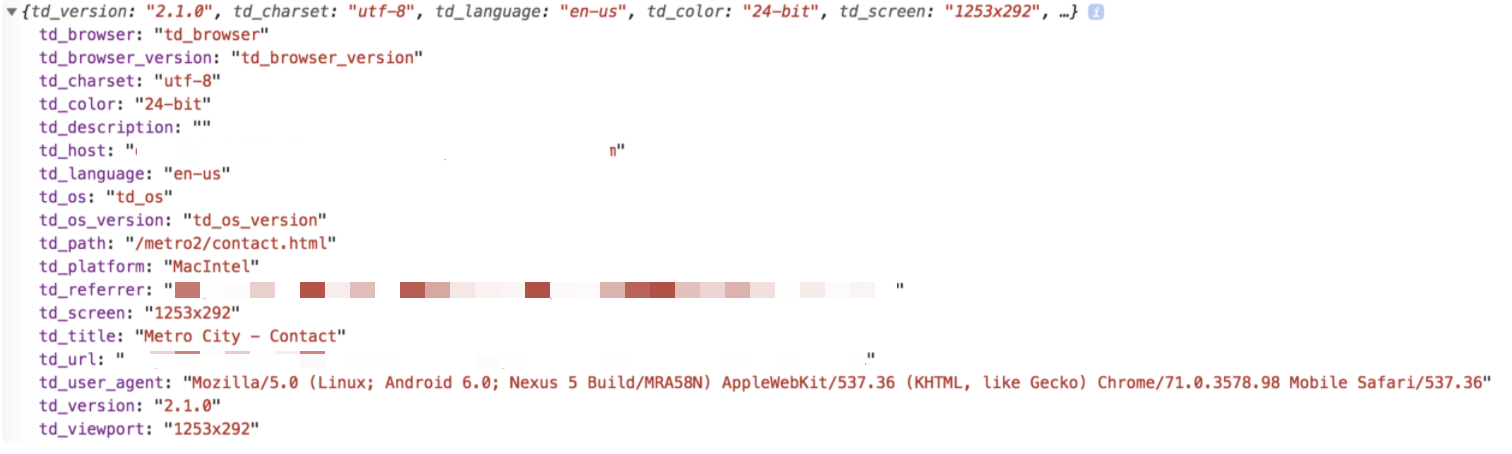
Websites use cookies to personalize content and ads, enhance social media features, and monitor site traffic. Cookies allow websites to share information about how you use their site with their social media, advertising, and analytics partners.
Websites must obtain your permission or cookie consent to use your information to remain compliant with privacy and security laws such as GDPR and CCPA.
Cookie Consent allows you to alert users about using cookies on your website. Osano offers a free JavaScript plugin.
Osano is a data privacy platform that manages all of the vendors with whom you share your customer data. With a few minutes and a single line of JavaScript, Osano helps your website comply with laws such as GDPR and CCPA.
You can choose from a wide range of layouts and color schemes.
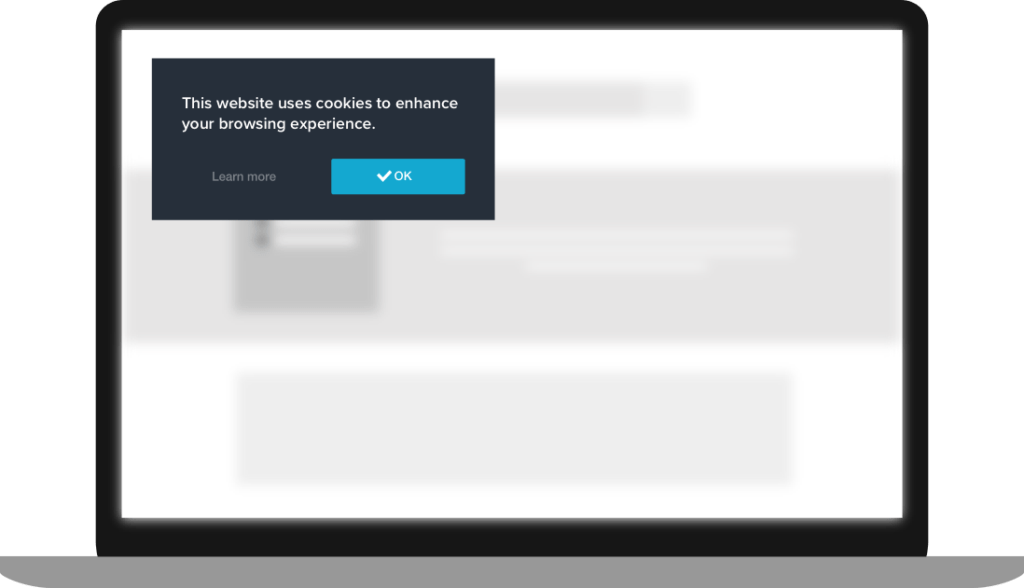
Download the Osano wizard and configurator. Or you can use its Javascript API documentation.
Define a sample landing page HTML file for the test.
For example, the following test.md code can be used.Replace the following fields in the sample code:
<TD_write_only_API_key><write_your_db_name><write_your_table_name>
<html>
  <head>
    <script>
    !function(t,e){if(void 0===e[t]){e[t]=function(){e[t].clients.push(this),this._init=[Array.prototype.slice.call(arguments)]},e[t].clients=[];for(var r=function(t){return function(){return this["_"+t]=this["_"+t]||[],this["_"+t].push(Array.prototype.slice.call(arguments)),this}},s=["addRecord","blockEvents","fetchServerCookie","fetchGlobalID","fetchUserSegments","resetUUID","ready","setSignedMode","setAnonymousMode","set","trackEvent","trackPageview","trackClicks","unblockEvents"],n=0;n<s.length;n++){var c=s[n];e[t].prototype[c]=r(c)}var o=document.createElement("script");o.type="text/javascript",o.async=!0,o.src=("https:"===document.location.protocol?"https:":"http:")+"//cdn.treasuredata.com/sdk/2.5/td.min.js";var a=document.getElementsByTagName("script")[0];a.parentNode.insertBefore(o,a)}}("Treasure",this);

    // Configure an instance for your database
    var td = new Treasure({
      host: 'in.treasuredata.com',
      writeKey: '<TD_write_only_API_key>',
      database: '<write_your_db_name>',

      startInSignedMode: true
    });

    // Enable cross-domain tracking
    td.set('$global', 'td_global_id', 'td_global_id');

    // Track pageview information to a table
    td.trackPageview('<write_your_table_name>');
    </script>

    <!-- =======================================================
    Start https://cookieconsent.insites.com/ tag
    ======================================================= -->
    <link rel="stylesheet" type="text/css" href="https://cdnjs.cloudflare.com/ajax/libs/cookieconsent2/3.1.0/cookieconsent.min.css" />
    <script src="https://cdnjs.cloudflare.com/ajax/libs/cookieconsent2/3.1.0/cookieconsent.min.js"></script>
    <script>
      window.addEventListener("load", function(){
        window.cookieconsent.initialise({
          "palette": {
          "popup": {
          "background": "#3c404d",
          "text": "#d6d6d6"
          },
          "button": {
          "background": "#8bed4f"
          }
        },
          "type": "opt-out",
          "revokable": true,
          onStatusChange: function(status) {
            this.hasConsented() ? td.setSignedMode() : td.setAnonymousMode();
          },
        })
      });
    </script>
    </head>
  </body>
</html> - Setup a simple HTTP server:
For example on a Mac:
sudo apachectl start
sudo cp test.md /Library/WebServer/Documents
# setup owner and permission same with other files in copy destination folder above
# sudo chown
# sudo chmod
Try to access from a browser using the following URL: http://127.0.0.1/test.md
Or, you can refer to this live demo: https://treasure-data.github.io/js-examples/consensus-management/index.html
You see a blank page with a bar at the bottom. Do not select Allow cookies.
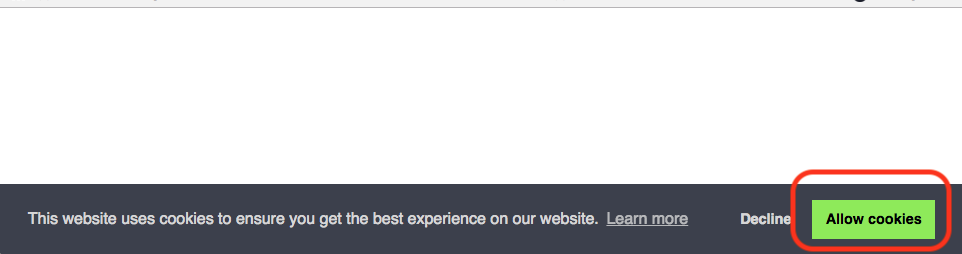
- Refresh the page several times and check the destination table to which the tracking info is being sent.
After a few minutes at most, you should begin to see the streaming data in the destination table. You can confirm by running a SELECT TABLE statement.
select td_ip,td_client_id,td_global_id from <db name>.<tbl name> 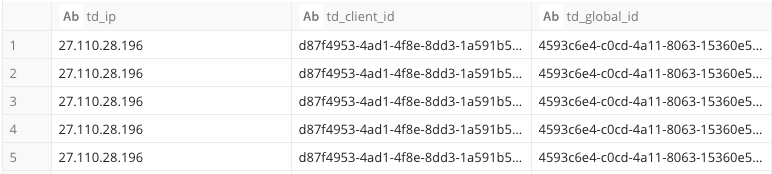
Select Decline on the test.md page.
Refresh the page.
After the refresh, the consent prompt should no longer appear.
- Check the destination table of web tracking again.
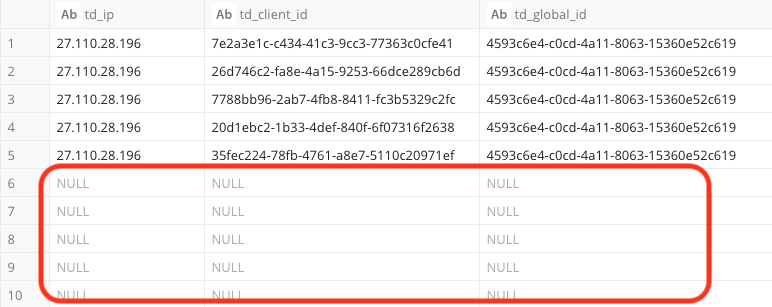
After a few minutes at most, you should begin to see the new streaming data in the destination table. You can confirm by running a SELECT TABLE statement.
select td_ip,td_client_id,td_global_id from <db name>.<tbl name> As you can see, the columns td_ip, td_client_id and td_global_id are now excluded from the streaming data sent to TD.
- Stop the HTTP server running on your local PC to clean up your test.
sudo apachectl stop - Delete test.md file.
sudo rm -f Library/WebServer/Documents/test.md When a user accesses your web page for the first time, the following information is included in the stored cookie by default (td_ip, td_client_id and td_global_id):
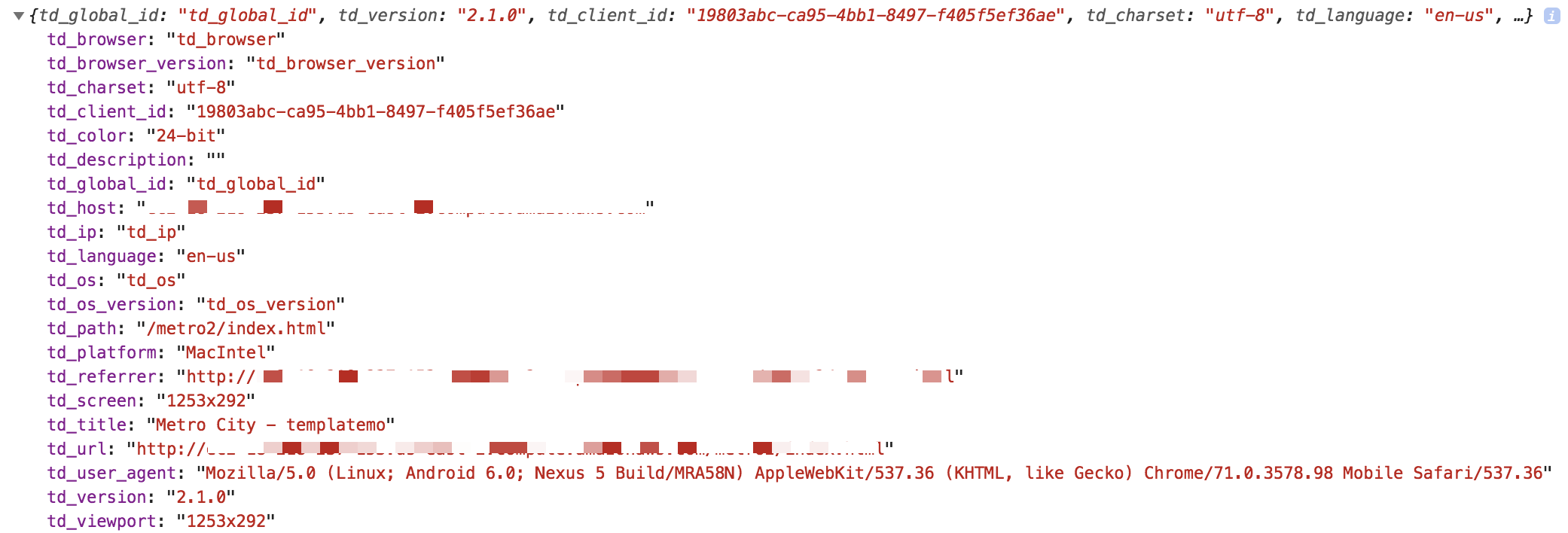
If the user selects Decline on the cookie consent prompt, the following fields (td_ip, td_client_id and td_global_id) are not sent on any subsequent page visits by this user: