TD Workflows can be used with version control tools like Git and continuous integration tools such as Jenkins CI. You can set up a Continuous Deployment pipeline using GitHub and Jenkins Ci.
For this tutorial, you will need:
TD Workflows
A GitHub account
A Jenkins CI account
Installing Digdag on the Jenkins server, see Digdag Getting Started.
If you have not already done so, create a git repository on GitHub with your workflow project. For more information on how to use Git and GitHub, see the GitHub Bootcamp.
For more information on how to use Jenkins and GitHub, see the Jenkins Documentation.
For more information on Jenkins configuration, see the Jenkins configuration documentation.
Add a Jenkins CI configuration file to the project. The file should be named Jenkinsfile, be in the top directory of the project, and have the following contents. Then commit and push to GitHub.
pipeline {
    agent { label 'master' }
    environment {
        TD_API_KEY = credentials('TD_API_KEY')
    }
    stages {
        stage('build') {
            steps {
                dir ('<workflow directory>') {
                    sh "td -e https://api.treasuredata.com wf push <workflow project name>"
                }
            }
        }
    }
}For workflows to be pushed to Treasure Data, you must configure a TD API Key for the project.
Open the Jenkins dashboard.
From the main menu on the left select "Credentials"
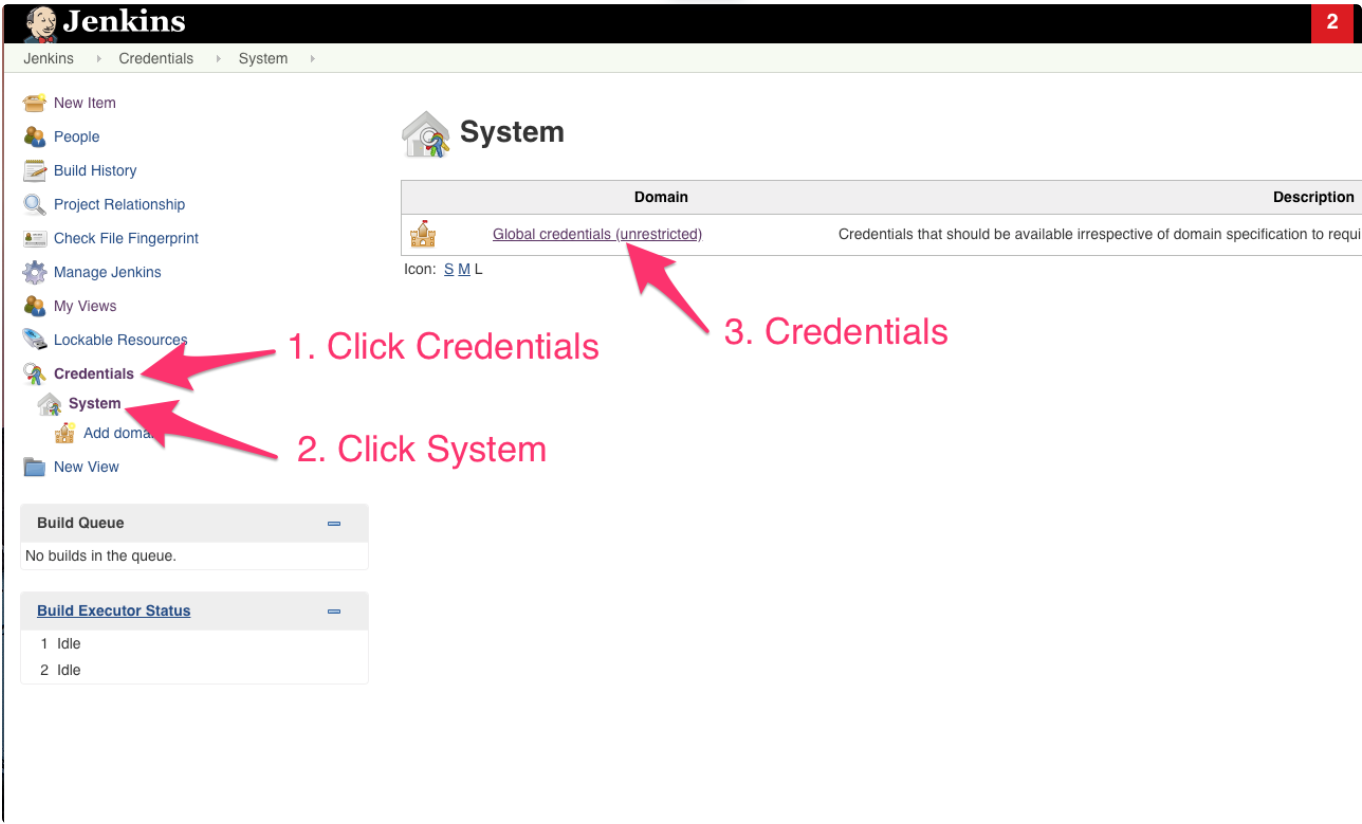
Assuming you are adding the API key as a global credentials, under the Credentials , select SYSTEM.
From the main center menu select Global credentials (unrestricted).
Select Add Credentials.
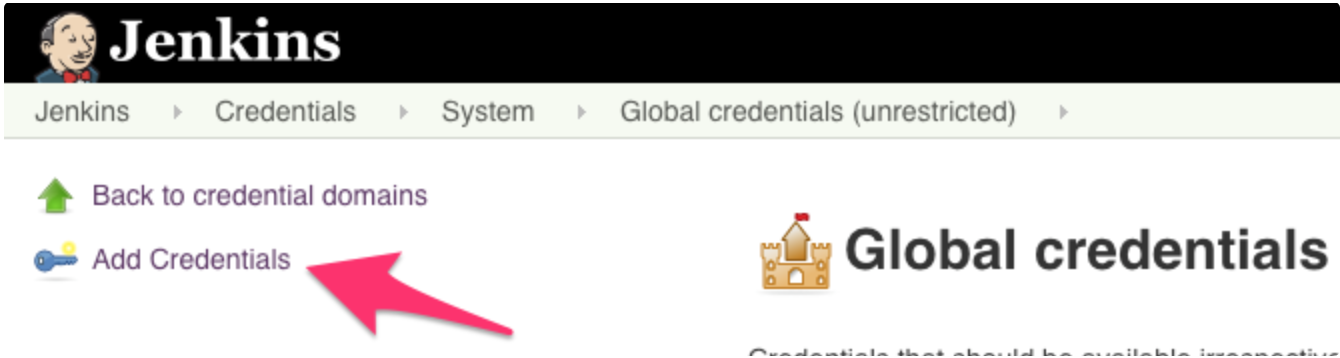
- From the center dropdown menu under Kind, select: Secret Text.
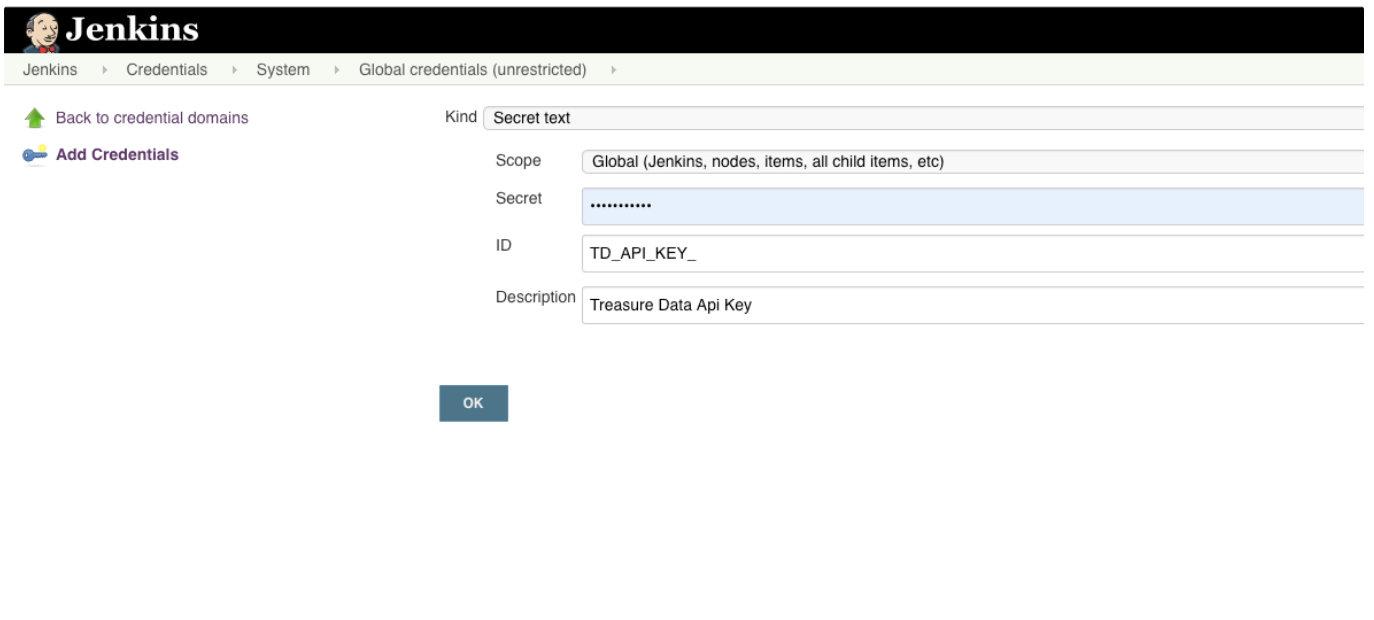 7. Select Global scope to make the API key available to all child items.
Select Global or System depending on the details of your implementation.
Type your
TD_API_KEYinto the Secret field and the name you would like to use for this credential in the ID field..Select Save variables.
Open the Jenkins dashboard again and select the workflow project build.
Select Build NOW to start the workflow.
Jenkins pushes your workflow to Treasure Data and does this every time you push a change to GitHub.
- If you see the following error, add https:// to the endpoint.
error: RESTEASY004655: Unable to invoke request (processing)