TwitterからTweets、Retweets、Follower IDs、Follower List、またはUser TimelineをTreasure Dataにインポートできます。
- Toolbeltを含むTreasure Dataの基本知識
- consumer keyとconsumer secretを持つTwitter開発者アプリケーション
- Twitter開発環境でTreasure Dataが設定されていること。以下を参照してください:
- 認証されたTreasure Dataアカウントへのアクセス
- 当社のConnectorは、Twitter API access levelとしてElevated accessを必要とするTwitter API v1.1を使用します。
- https://developer.twitter.com/en/docs/twitter-api/getting-started/about-twitter-api
- 2021年11月15日以前に開発者アカウントの承認を受けた場合、自動的にElevated accessに変換されています。これは、既存のAppsを引き続き使用してstandard v1.1、premium v1.1、およびenterpriseエンドポイントへのリクエストを行うことができ、すべてのユーザーAccess Tokenが引き続き有効であることを意味します。
Twitterで、Treasure Dataにインポートするために使用するアプリを指定します。
TwitterからTreasure Dataへの認証フローは、一般的に以下の通りです:
- Treasure Dataは、認証情報をbearer tokenと交換するために、POST oauth2 / tokenエンドポイントにリクエストを送信します。
- REST APIにアクセスする際、Treasure Dataはbearer tokenを使用して認証します。
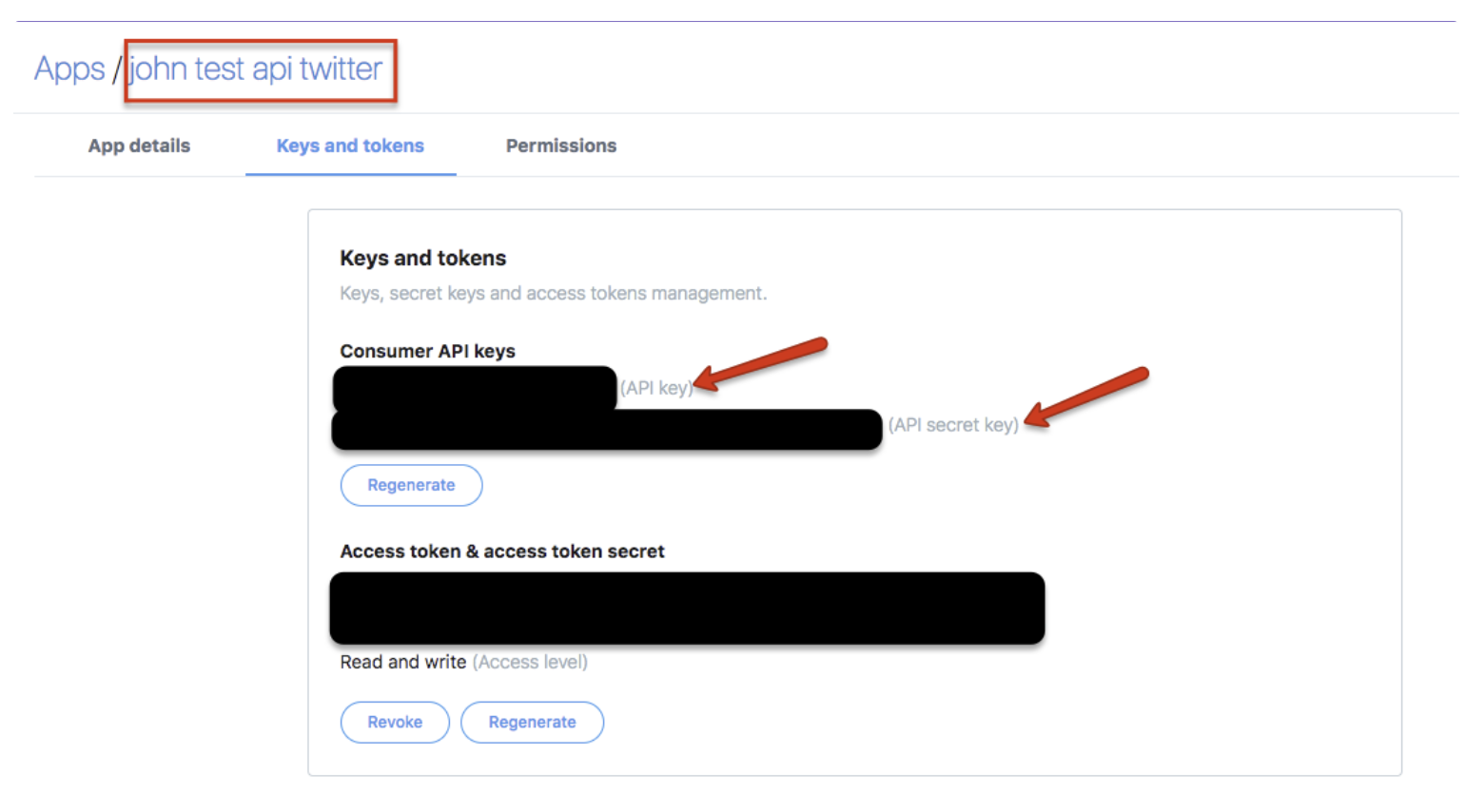
Twitterアカウント名でログインします。Appsに移動して、consumer keyとconsumer secretを取得します。
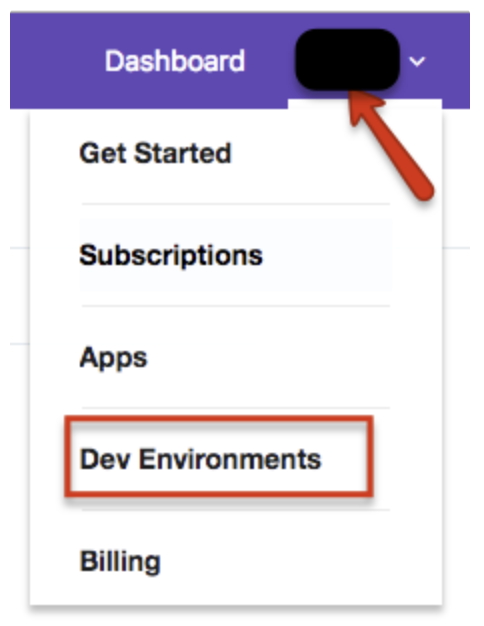
ダッシュボードに戻ります。Account > Dev Environmentsを選択します。
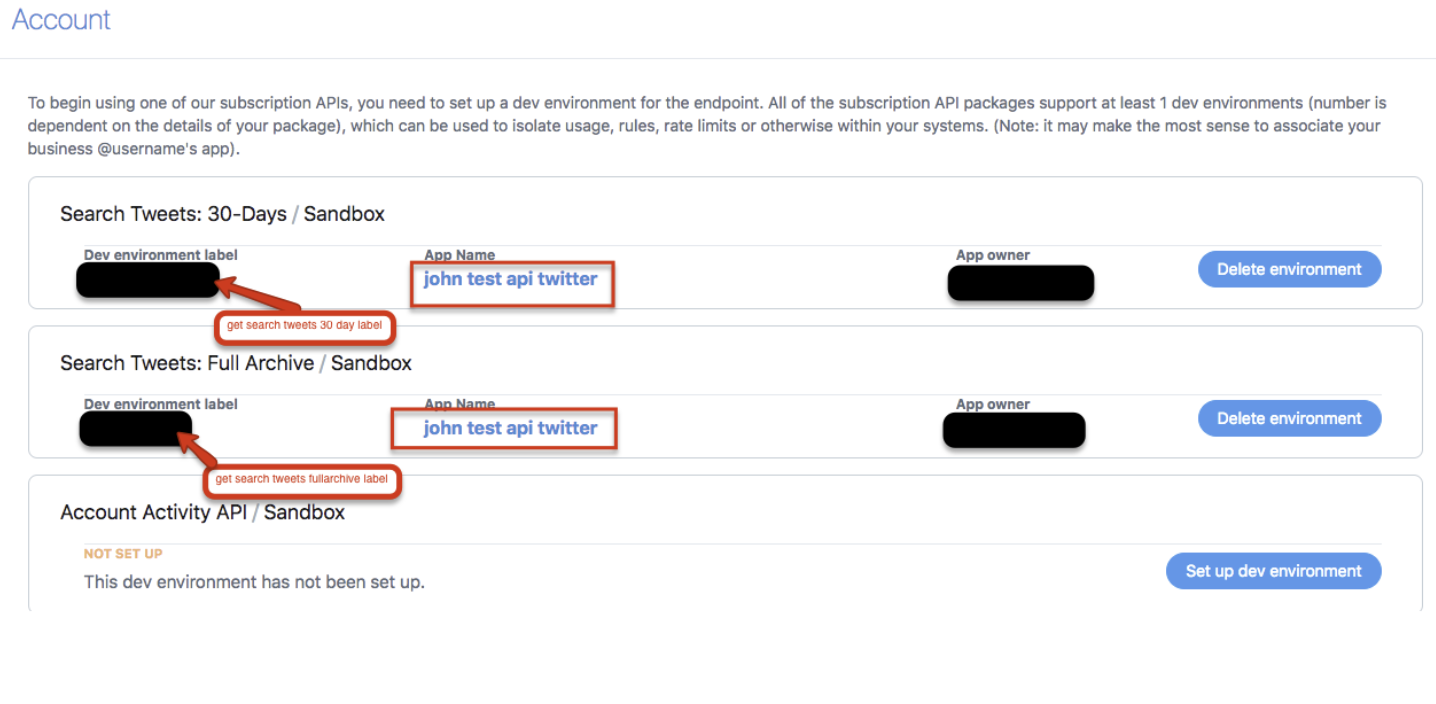
Search Tweets 30-DaysラベルとSearch Tweets Full-Archiveラベルを選択します。これにより、データのインポートに使用されるTwitter検索エンドポイントAPIを指定しています。詳細については、30日および全アーカイブ検索に関するTwitterのドキュメントを参照してください。
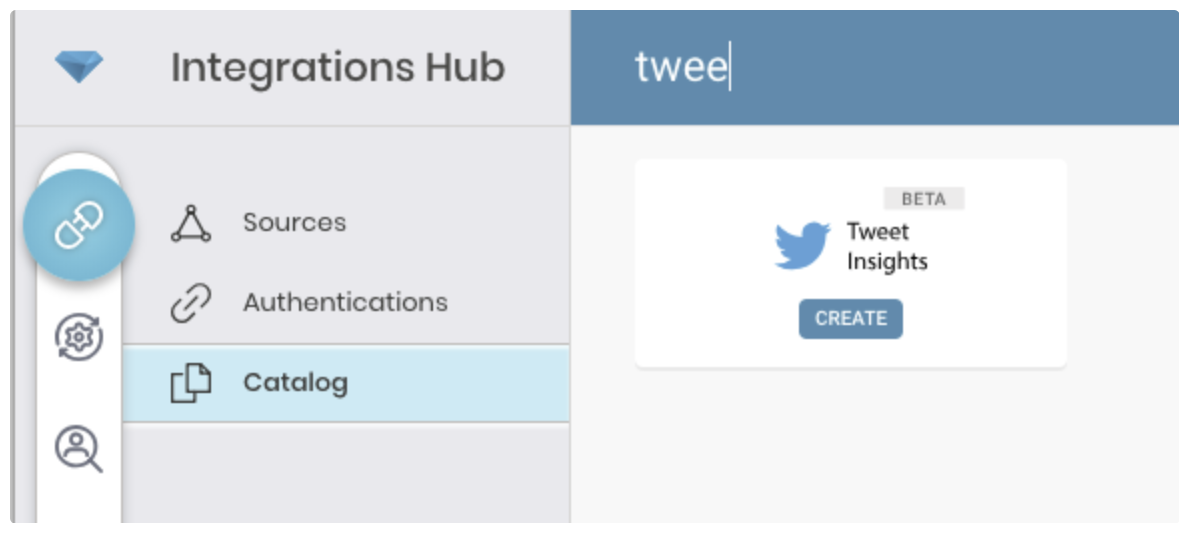
Treasure Data Connectionsに移動し、Tweet Insightsを検索して選択します。
Createを選択して、認証済み接続を作成します。
以下のダイアログが開きます。
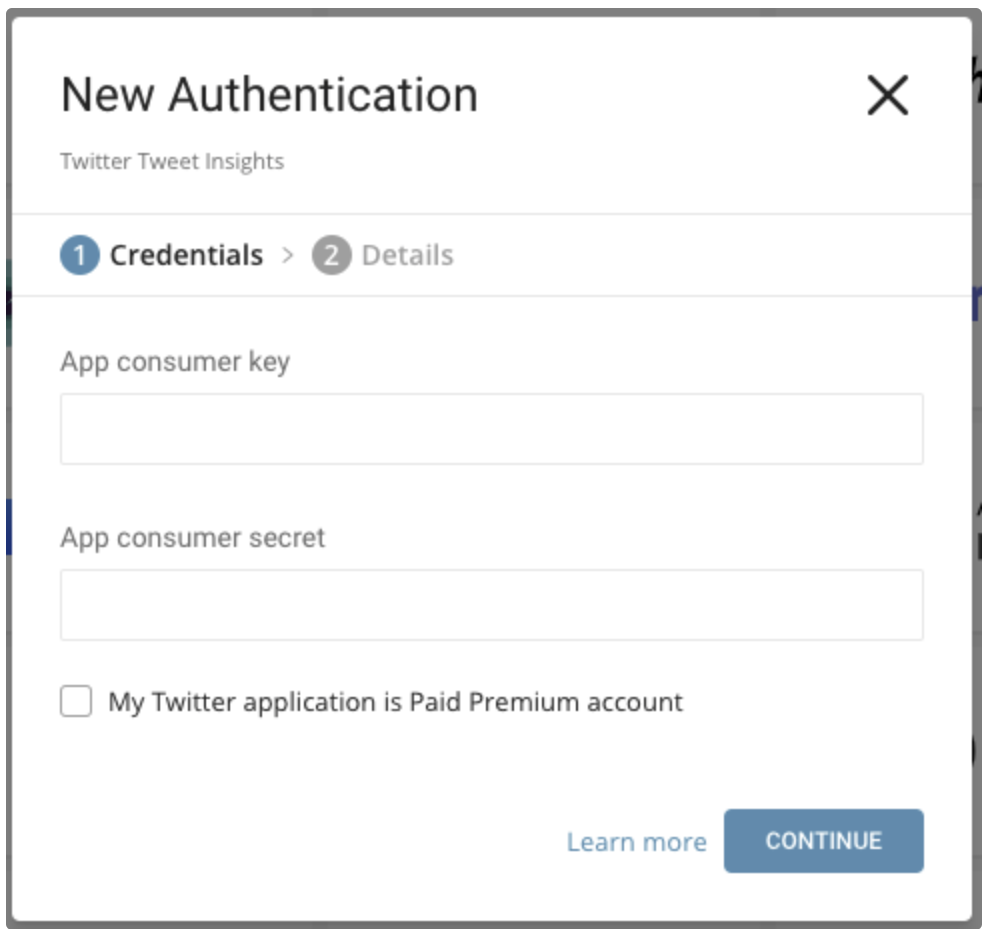
Twitter Appから取得したconsumer keyとconsumer secretを編集します。Twitter Paid Premium Accountかどうかを指定します。
Continueを選択します。
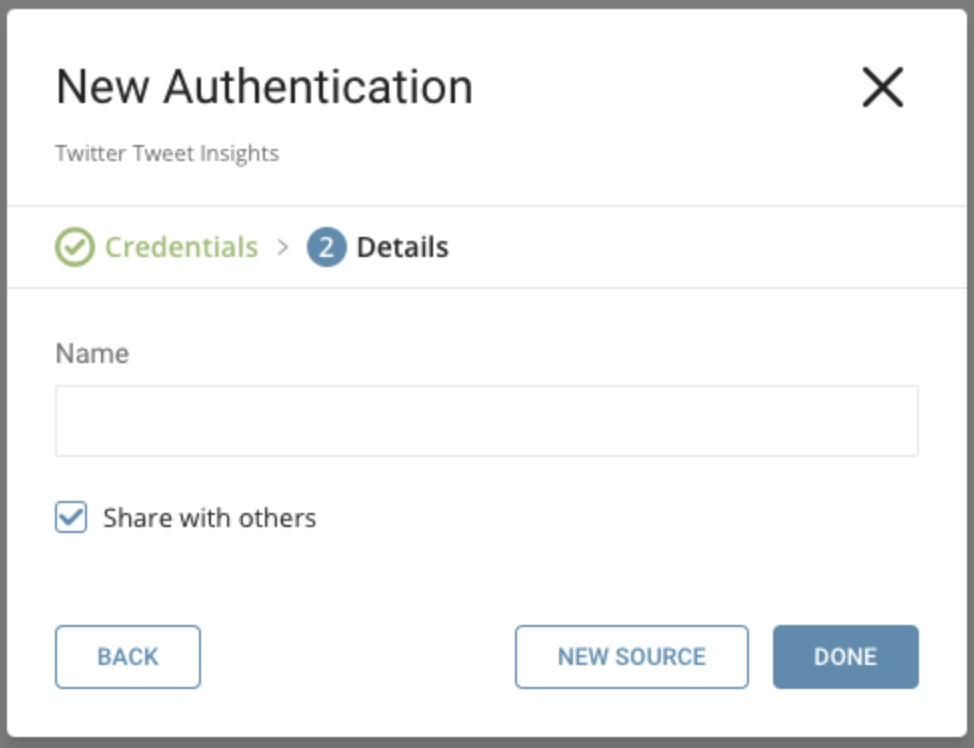
新しいTwitter Tweet Insights Connectionに名前を付けます。Doneを選択します。
接続を作成すると、自動的にAuthenticationsタブに移動します。作成した接続を探して、New Sourceを選択します。
インポートするデータを指定します。
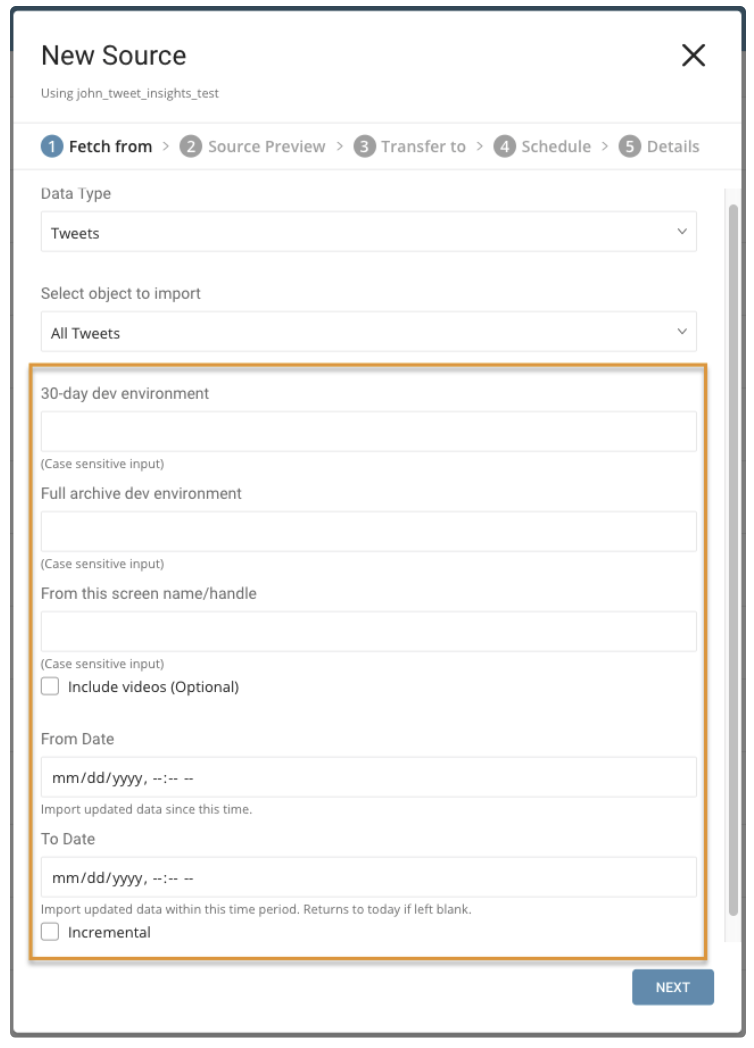
パラメータ:
- Data Type: Tweets(デフォルト)またはAccount
- Object to Import: データタイプがTweetsの場合: All TweetsまたはRetweets。データタイプがAccountの場合: User Timeline、Follower IDs、またはFollower List
- 30-day dev environment: 過去30日間のTweetsまたはRetweetsを検索するためのTwitter開発環境APIラベル。Accountデータタイプには適用されません。
- Full archive dev environment: アーカイブされたTweetsまたはRetweetsの完全検索用の開発環境APIラベル。Accountデータタイプには適用されません。
- From this screen name or handle: 必須。値は、ユーザーのTwitter数値アカウントIDまたはTwitterアカウントのユーザー名である必要があります。クエリ対象のデータを指定するために使用します。
- Include videos: ビデオリンクを含むTweetsのみをインポートします。
- From Date: この時刻以降に作成されたTweetsをインポートします。時刻はUTCで設定されます。
- To Date: この時刻までに作成されたTweetsをインポートします。時刻はUTCで設定されます。
- Incremental: スケジュールに基づいてインポートする場合、取得されるデータの時間枠は実行ごとに自動的に前進します。たとえば、初期設定が1月1日で期間が10日の場合、最初の実行では1月1日から1月10日までに変更されたデータを取得し、2回目の実行では1月11日から1月20日までを取得する、という具合になります。
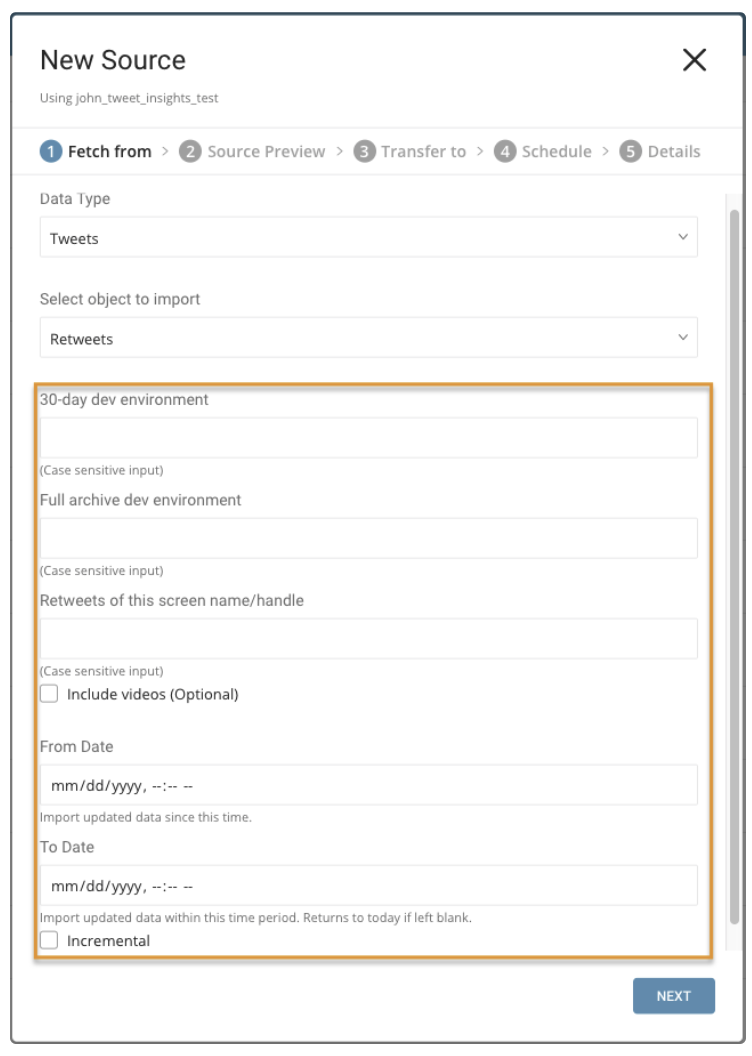
パラメータ:
- Retweets of this screen name/handle: Twitterアカウントのユーザー名
- Include videos: ビデオを含むRetweetsのみをインポートします。
- From Date: この時刻以降に作成されたRetweetsをインポートします。時刻はUTCで設定されます。
- To Date: この時刻までに作成されたRetweetsをインポートします。時刻はUTCで設定されます。
- Incremental: スケジュールに基づいてインポートする場合、取得されるデータの時間枠は実行ごとに自動的に前進します。たとえば、初期設定が1月1日で期間が10日の場合、最初の実行では1月1日から1月10日までに変更されたデータを取得し、2回目の実行では1月11日から1月20日までを取得する、という具合になります。
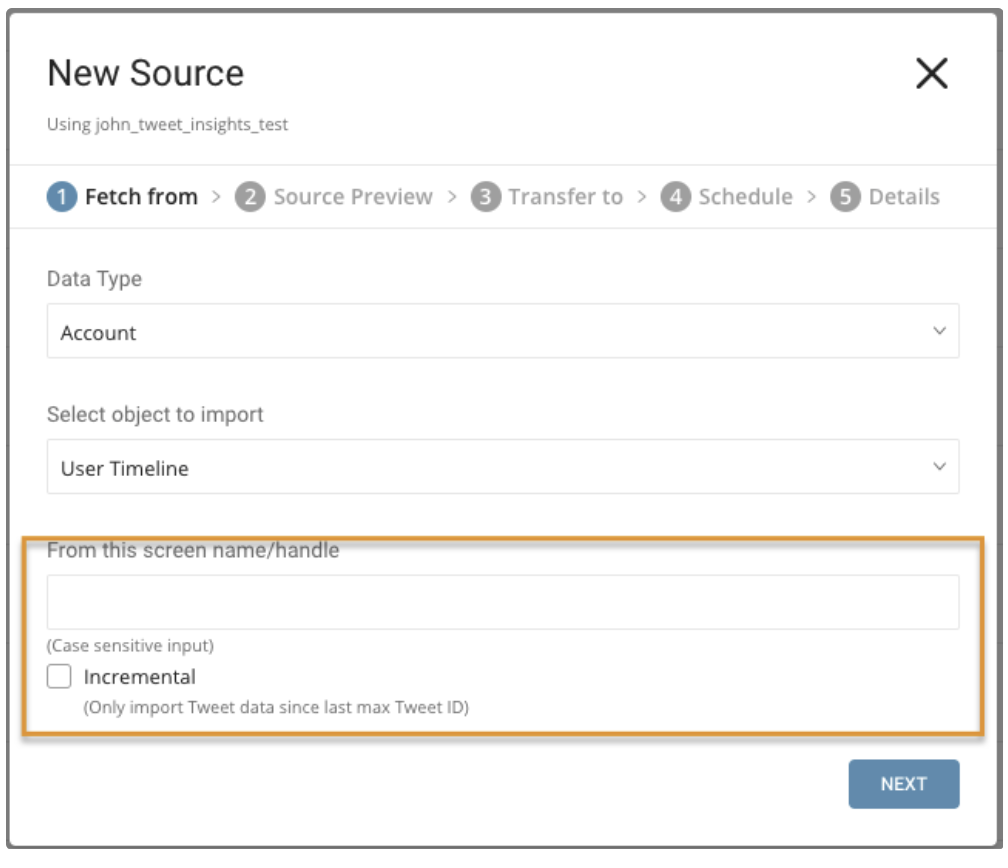
パラメータ:
- From this screen name/handle: Twitterアカウントのユーザーネーム
- Incremental: スケジュールに基づいてインポートする場合、取得したデータのTweetの最大IDは各実行時に自動的に前進します。例えば、初期設定の最大IDが1の場合、最初の実行でデータを取得し、返されたTweetの最大IDが100の場合、2回目の実行はID 100から取得し、2回目の実行で返された最大IDでIDを設定します。以降も同様です。
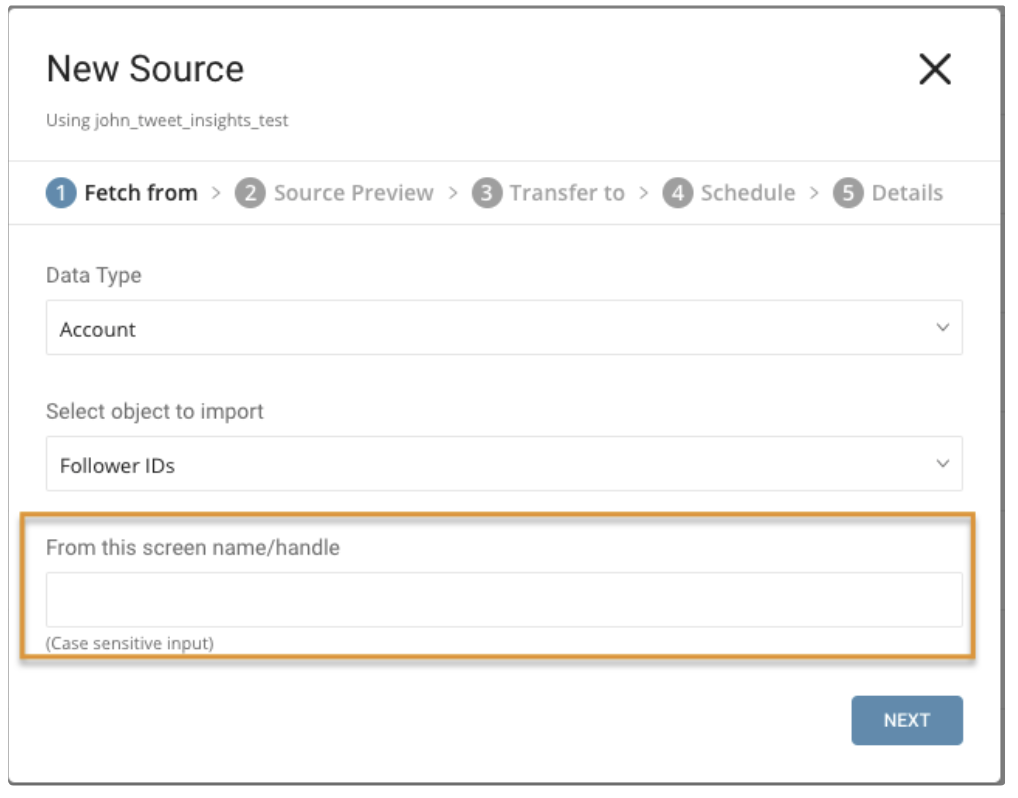
パラメータ:
- From this screen name/handle: Twitterアカウントのユーザーネーム
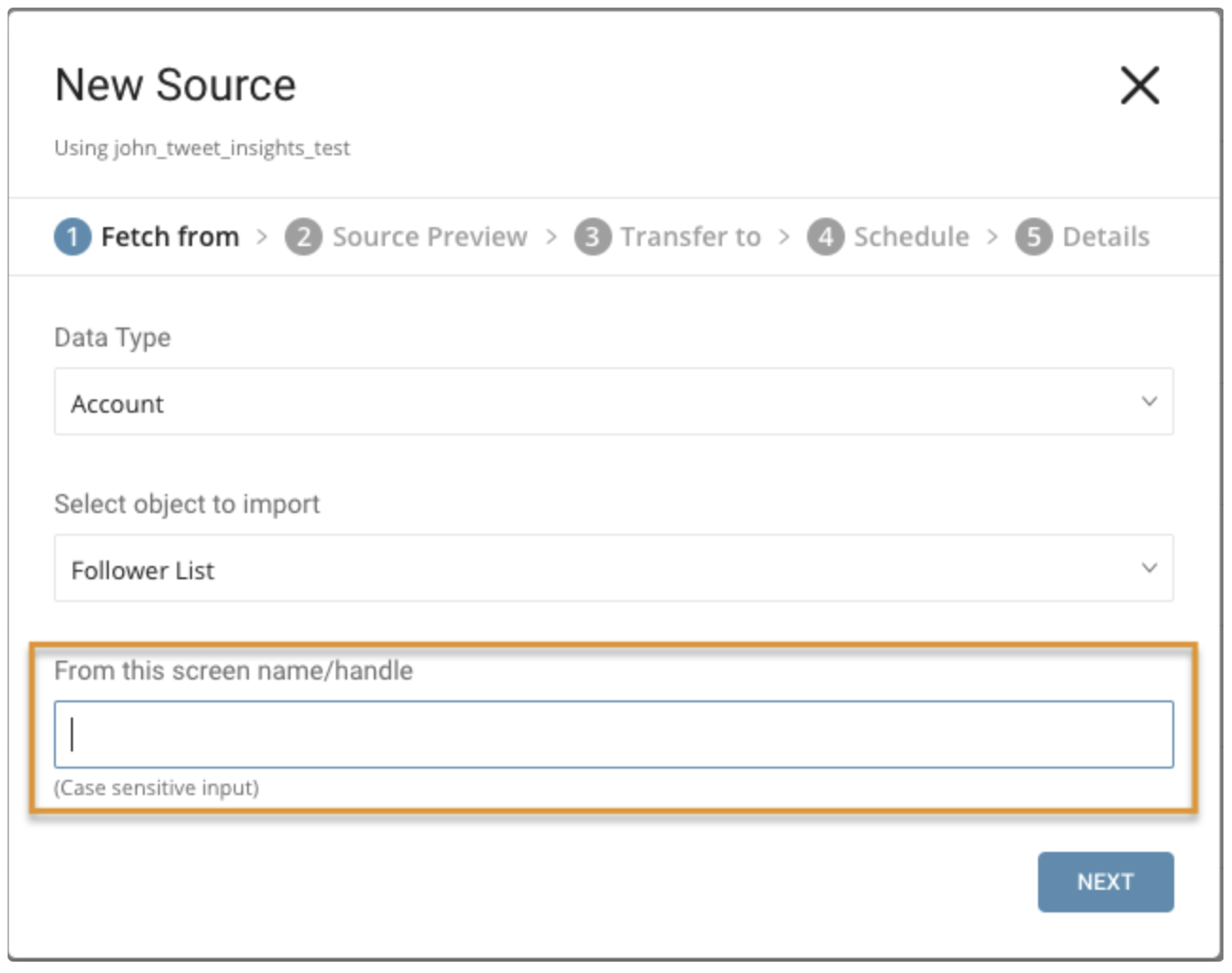
パラメータ:
- From this screen name/handle: Twitterアカウントのユーザーネーム
設定が完了したら、Nextを選択します。
データのプレビューが表示されます。変更を加える場合はAdvanced Settingsを選択し、それ以外の場合はNextを選択します。
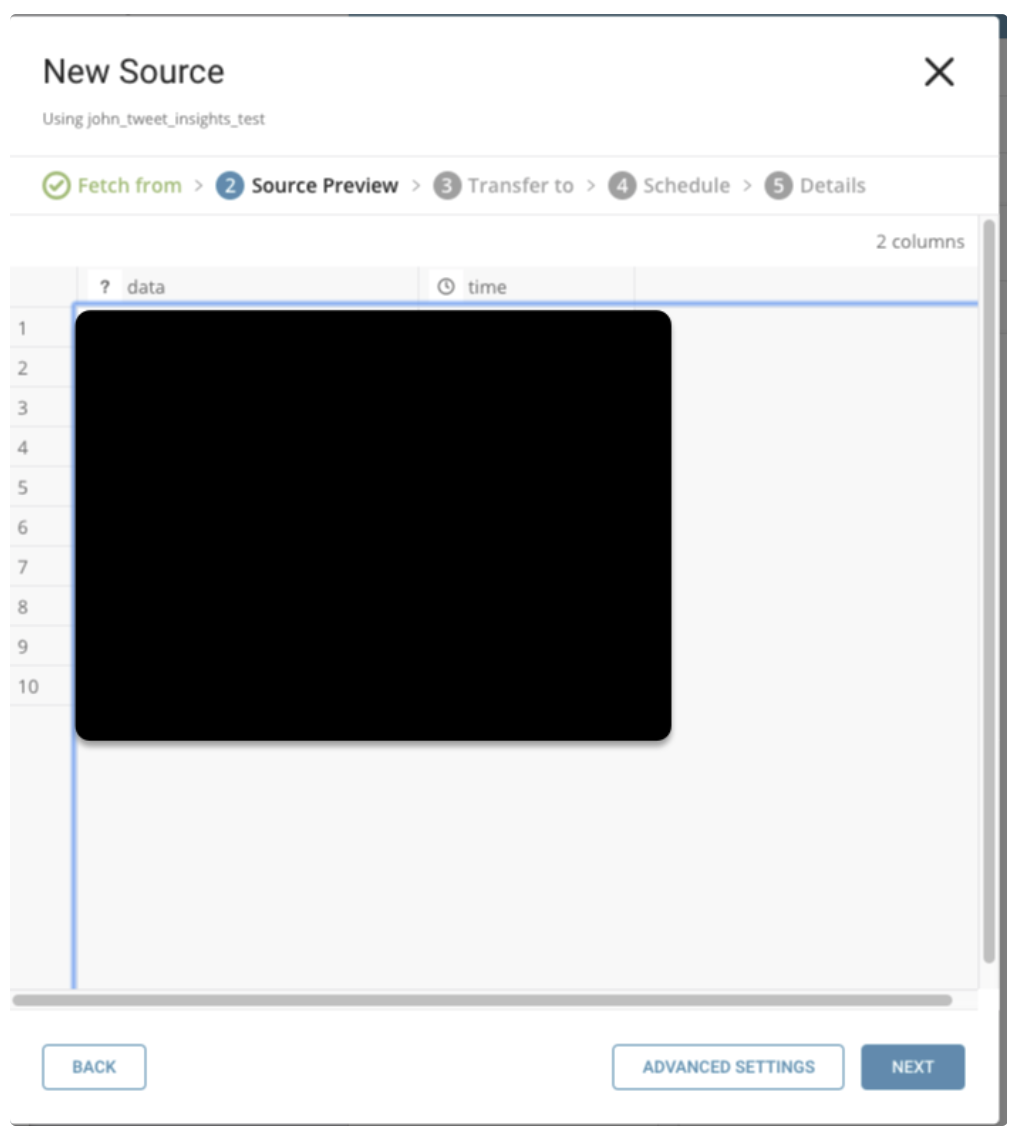
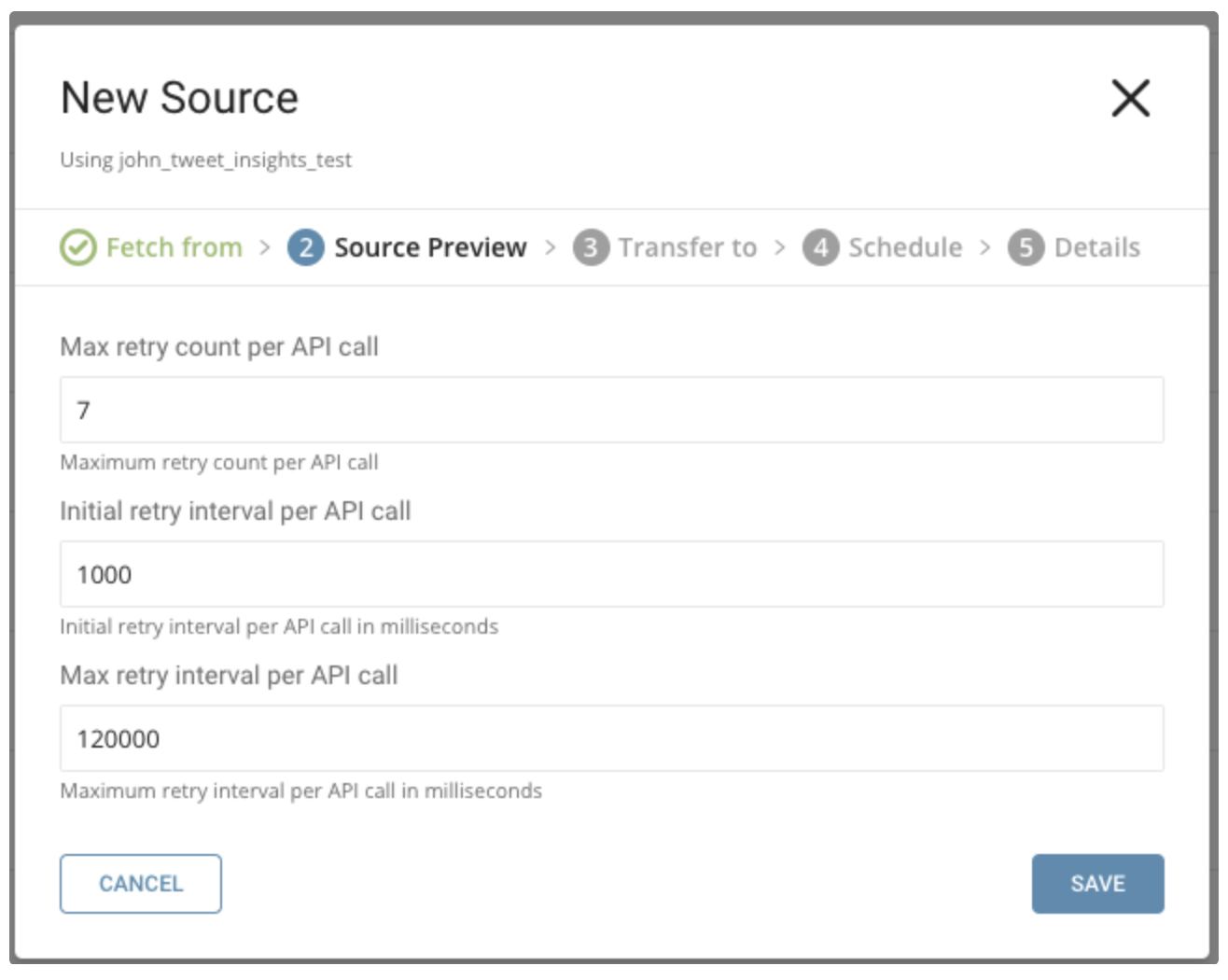
以下のパラメータを指定できます:
Maximum retry times. 各API呼び出しの最大リトライ回数を指定します。
  Type: number
  Default: 7
Initial retry interval millisecond. 最初のリトライの待機時間を指定します。
  Type: number
  Default: 1000
Maximum retry interval milliseconds. リトライ間の最大待機時間を指定します。
  Type: number
  Default: 120000
既存のデータベースとテーブルを選択するか、新しいデータベースとテーブルを作成します。
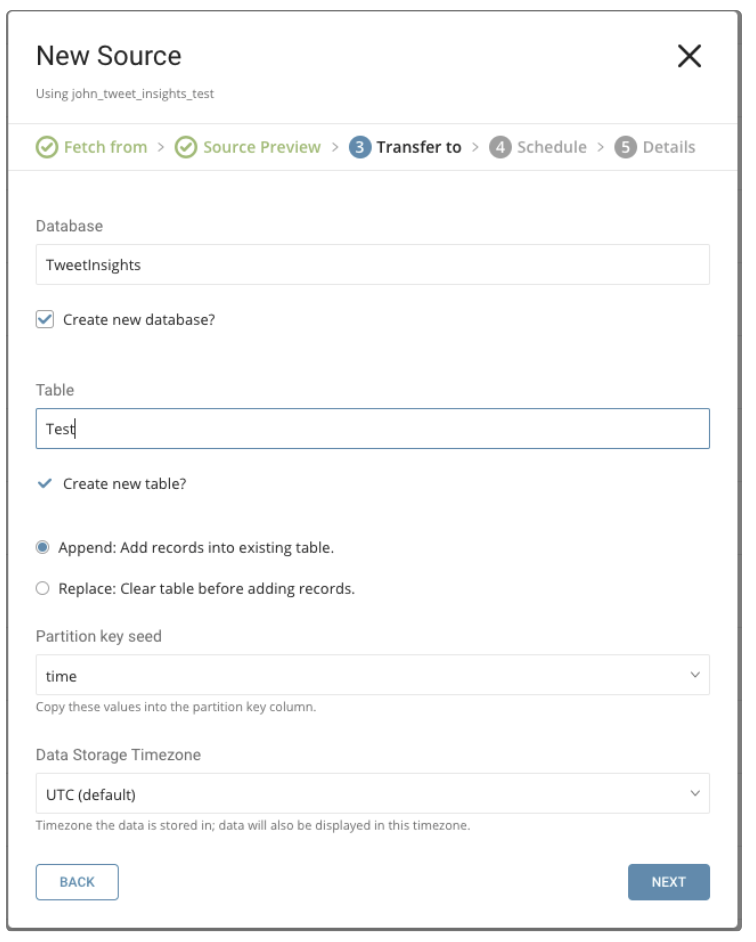
新しいデータベースを作成し、データベースに名前を付けます。Create new tableについても同様の手順を実行します。
既存のテーブルにレコードを追加するか、既存のテーブルを置換するかを選択します。
デフォルトキーではなく、異なるpartition key seedを設定したい場合は、ポップアップメニューを使用して指定できます。
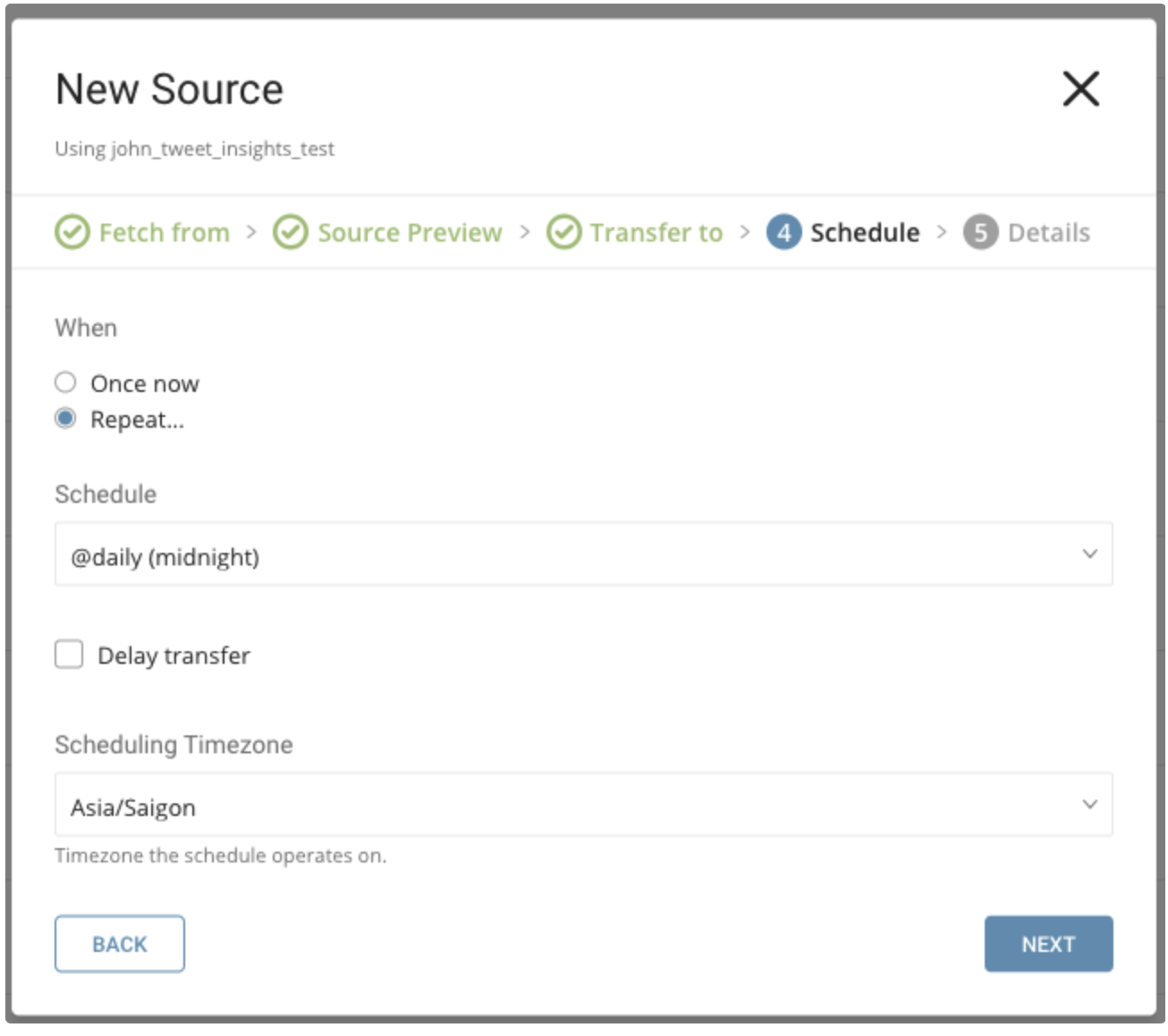
Whenタブでは、1回限りの転送を指定するか、自動化された定期転送をスケジュールすることができます。
パラメータ
Once now: 1回限りのジョブを設定します。
Repeat…
- Schedule: @hourly、@daily、@monthlyの3つのオプションとカスタムcronを指定できます。
- Delay Transfer: 実行時間の遅延を追加します。
TimeZone: 'Asia/Tokyo'のような拡張タイムゾーン形式をサポートします。
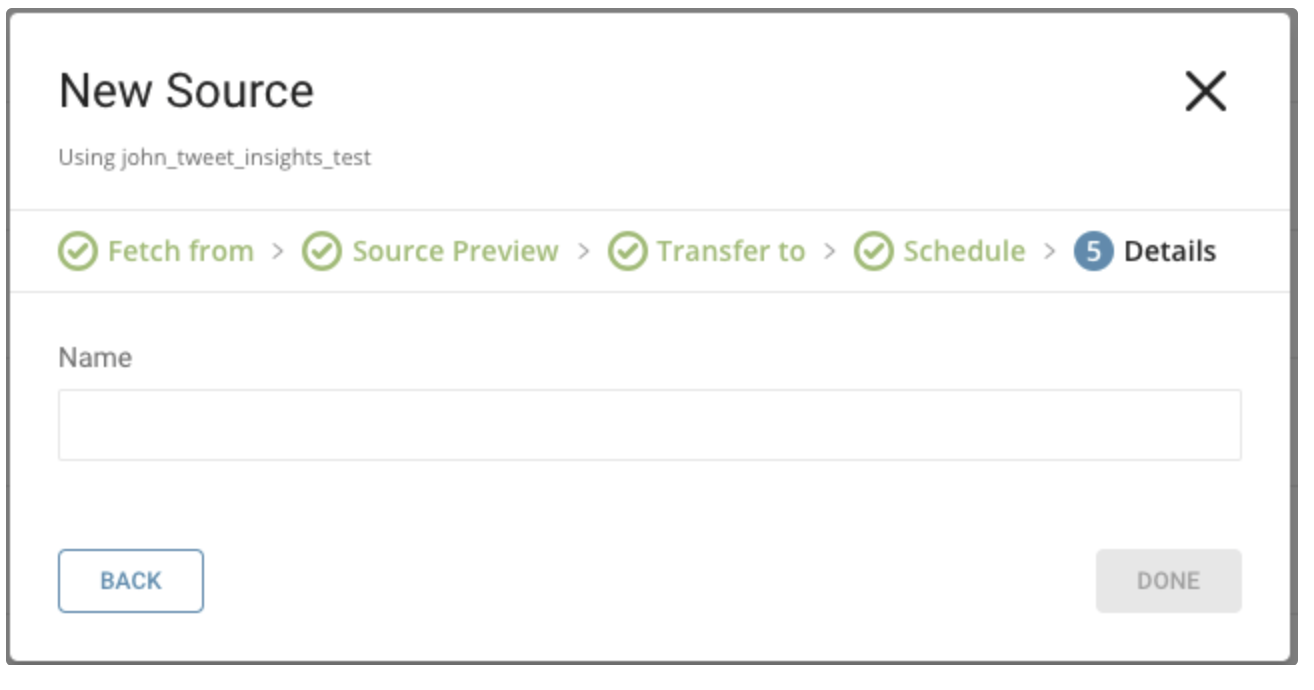
転送に名前を付けてDoneを選択し、開始します。
転送が実行された後、Databasesタブで転送結果を確認できます。
Treasure Dataコンソールを使用して接続を設定できます。
最新のTreasure Data Toolbeltをインストールします。
設定ファイルには、Twitter Tweet Insightsからコネクタに入力される内容を指定するin:セクションと、コネクタがTreasure Dataのデータベースに出力する内容を指定するout:セクションが含まれます。
以下の例は、インクリメンタルスケジューリングなしでツイートをインポートする方法を示しています。
in:
  type: twitter_tweet_insights
  comsumer_key: xxxxxxxx
  comsumer_secret: xxxxxxxx
  is_paid_account: false
  data_type: tweets
  tweet_type: all
  30_day_env: xxxxxxxx
  full_archive_env: xxxxxxxx
  handle: xxxxxxxx
  include_video: false
  from_date: 2019-01-17T00:00:00.000Z
  to_date: 2019-01-27T00:00:00.000Z
  tweet_incremental: false
out:
 mode: append
以下の例は、インクリメンタルスケジューリングありでツイートをインポートする方法を示しています。
in:
 type: twitter_tweet_insights
 comsumer_key: xxxxxxxx
 comsumer_secret: xxxxxxxx
 is_paid_account: false
 data_type: tweets
 tweet_type: all
 30_day_env: xxxxxxxx
 full_archive_env: xxxxxxxx
 handle: xxxxxxxx
 include_video: false
 from_date: 2019-01-17T00:00:00.000Z
 to_date: 2019-01-27T00:00:00.000Z
 tweet_incremental: true
out:
 mode: append
以下の例は、インクリメンタルスケジューリングなしでリツイートをインポートする方法を示しています。
in:
 type: twitter_tweet_insights
 comsumer_key: xxxxxxxx
 comsumer_secret: xxxxxxxx
 is_paid_account: false
 data_type: tweets
 tweet_type: retweets
 30_day_env: xxxxxxxx
 full_archive_env: xxxxxxxx
 handle_retweet: xxxxxxxx
 include_video: false
 from_date: 2019-01-17T00:00:00.000Z
 to_date: 2019-01-27T00:00:00.000Z
 tweet_incremental: false
out:
 mode: append
以下の例は、インクリメンタルスケジューリングありでリツイートをインポートする方法を示しています。
in:
 type: twitter_tweet_insights
 comsumer_key: xxxxxxxx
 comsumer_secret: xxxxxxxx
 is_paid_account: false
 data_type: tweets
 tweet_type: retweets
 30_day_env: xxxxxxx
 full_archive_env: xxxxxxxx
 handle_retweet: xxxxxxxx
 include_video: false
 from_date: 2019-01-17T00:00:00.000Z
 to_date: 2019-01-27T00:00:00.000Z
 tweet_incremental: true
out:
 mode: append
以下の例は、インクリメンタルスケジューリングなしでユーザータイムラインをインポートする方法を示しています。
in:
 type: twitter_tweet_insights
 comsumer_key: xxxxxxxx
 comsumer_secret: xxxxxxxx
 is_paid_account: false
 data_type: account
 account_type: user
 account_label: xxxxxxxx
 account_incremental: false
out:
 mode: append
次の例は、増分スケジューリングを使用してユーザータイムラインをインポートする方法を示しています。
in:
 type: twitter_tweet_insights
 comsumer_key: xxxxxxxx
 comsumer_secret: xxxxxxxx
 is_paid_account: false
 data_type: account
 account_type: user
 account_label: xxxxxxxx
 account_incremental: true
out:
 mode: append
次の例は、フォロワーIDをインポートする方法を示しています。
in:
 type: twitter_tweet_insights
 comsumer_key: xxxxxxxx
 comsumer_secret: xxxxxxxx
 is_paid_account: false
 data_type: account
 account_type: id
 account_label: xxxxxxxx
out:
 mode: append
次の例は、フォロワーリストをインポートする方法を示しています。
in:
 type: twitter_tweet_insights
 comsumer_key: xxxxxxxx
 comsumer_secret: xxxxxxxx
 is_paid_account: false
 data_type: account
 account_type: list
 account_label: xxxxxxxx
out:
mode: appendtd connector:previewコマンドを使用して、インポートするデータをプレビューできます。
$ td connector:preview load.ymlジョブを実行するには、td connector:issueを使用します。
ロードジョブを実行する前に、データを保存するデータベースとテーブルを指定する必要があります。例:td_sample_db、td_sample_table
$ td connector:issue load.yml \
     --database td_sample_db \
     --table td_sample_table \
     --time-column date_time_column
Treasure Dataのストレージは時間によってパーティション分割されているため、--time-columnオプションを指定することを推奨します。このオプションが指定されていない場合、データコネクターは最初のlong型またはtimestamp型のカラムをパーティショニング時間として選択します。--time-columnで指定するカラムの型は、long型またはtimestamp型である必要があります(プレビュー結果を使用して、利用可能なカラム名と型を確認してください。一般的に、ほとんどのデータ型にはlast_modified_dateカラムがあります)。
データに時間カラムがない場合は、add_timeフィルターオプションを使用してカラムを追加できます。詳細については、add_time filterプラグインを参照してください。
td connector:issueは、データベース(sample_db)とテーブル(sample_table)がすでに作成されていることを前提としています。データベースまたはテーブルがTDに存在しない場合、td connector:issueは失敗します。そのため、データベースとテーブルを手動で作成するか、td connector:issueの--auto-create-tableオプションを使用してデータベースとテーブルを自動的に作成する必要があります。
 $ td connector:issue load.yml \
      --database td_sample_db \
      --table td_sample_table \
      --time-column date_time_column \
      --auto-create-table
コマンドラインからロードジョブを送信します。データサイズによっては、処理に数時間かかる場合があります。
サンドボックスアカウントのMaxResultsパラメータは100ですが、プレミアムは500です。
リクエストレート制限は、分単位と秒単位の両方の粒度で適用されます。分単位のレート制限は、1分あたり30リクエストです。リクエストは1秒あたり10リクエストにも制限されます。リクエストは、dataエンドポイントとcountsエンドポイントの両方で集計されます。月単位のリクエスト制限も適用されます。サンドボックス環境は、月あたり250リクエストに制限されています。
ユーザーは、リクエストの使用状況と月次クォータについて、アプリケーションダッシュボードを確認する必要があります。