Treasure Data will no longer accept new users for the Plazma Public API, that is used by td-pyspark driver.Use pytd library for the integration instead.
You can use td-pyspark to bridge the results of data manipulations in Databrick with your data in Treasure Data.
Databricks builds on top of Apache Spark providing an easy to use interface for accessing Spark. PySpark is a Python API for Spark. Treasure Data's td-pyspark is a Python library that provides a handy way to use PySpark and Treasure Data based on td-spark.
To follow the steps in this example, you must have the following times:
Treasure Data API key
td-spark feature enabled
You create a cluster, install td-pyspark libraries and configure a notebook for your connection code.
Select the Cluster icon.
Select Create Cluster.
Provide a cluster name, select version Spark 2.4.3 or later as the Databricks Runtime Version and select 3 as the Python Version.
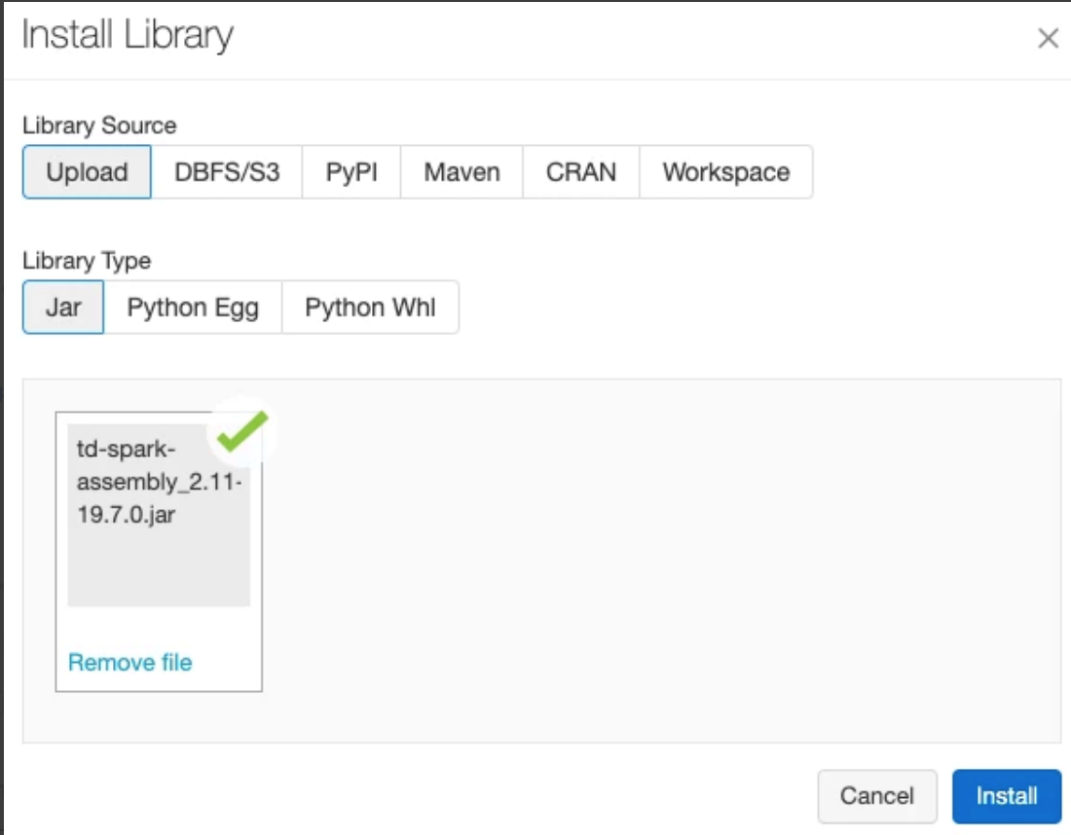
Access the Treasure Data Apache Spark Driver Release Notes for additional information and the most current download or select the link below.
- Select to download
td-spark-assembly-latest_spark2.4.7.jar (Spark 2.4.7, Scala 2.11)
td-spark-assembly-latest_spark3.0.1.jar (Spark 3.0.1, Scala 2.12)
- Select PyPI.
When the download completes, you see the following:
In the Spark configuration, you specify the Treasure Data API key and enter the environment variables.
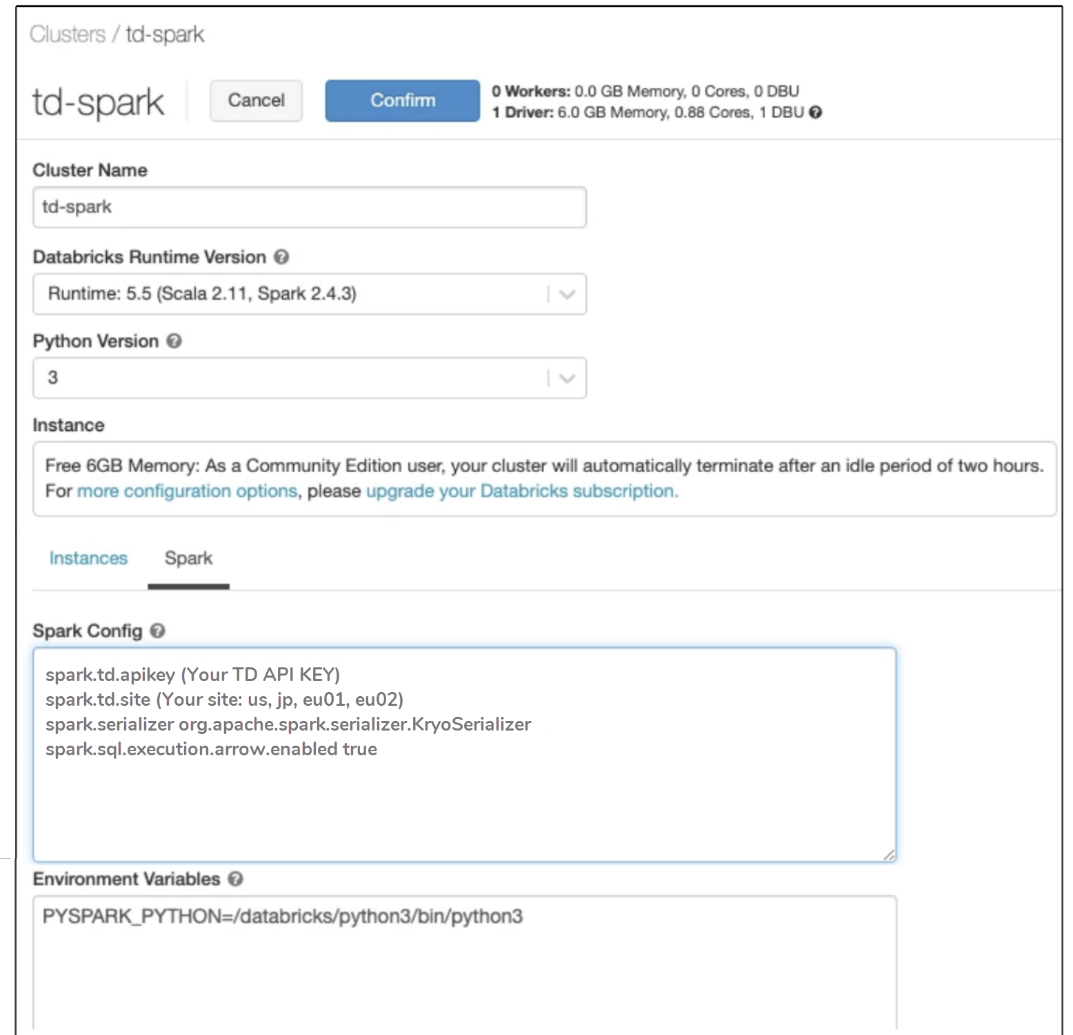
An example of the format is as follows. You provide the actual values:
spark.td.apikey (Your TD API KEY)
spark.td.site (Your site: us, jp, eu01, ap02)
spark.serializer org.apache.spark.serializer.KryoSerializer
spark.sql.execution.arrow.enabled true
Restart your Spark cluster. Create a notebook. Create a script similar to the following code:
%python

from pyspark.sql import *

import td_pyspark

SAMPLE_TABLE = "sample_datasets.www_access"

td = td_pyspark.TDSparkContext(spark)

df = td.table(SAMPLE_TABLE).within("-10y").df()

df.show()
TDSparkContext is an entry point to access td_pyspark's functionalities. As shown in the preceding code sample, to create TDSparkContext, pass your SparkSession (spark) to TDSparkContext:
td = TDSparkContext(spark) You see a result similar to the following:
Your connection is working.
In Databricks, you can run select and insert queries to Treasure Data or query back data from Treasure Data. You can also create and delete databases and tables.
In Databricks you can use the following commands:
To read a table, use td.table (table_name):
df = td.table("sample_datasets.www_access").df()

df.show() To change the context database, use td.use (database_name):
td.use("sample_datasets")

# Accesses sample_datasets.www_access

df = td.table("www_access").df()
By calling .df() your table data is read as Spark's DataFrame. The usage of the DataFrame is the same with PySpark. See also PySpark DataFrame documentation.
df = td.table("www_access").df() If your Spark cluster is small, reading all of the data as in-memory DataFrame might be difficult. In this case, you can use Presto, a distributed SQL query engine, to reduce the amount of data processing with PySpark.
q = td.presto("select code, * from sample_datasets.www_access")

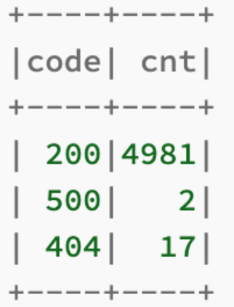
q.show()q = td.presto("select code, count(*) from sample_datasets.www_access group by 1")q.show()
You see:
td.create_database_if_not_exists("<db_name>")

td.drop_database_if_exists("<db_name>") To save your local DataFrames as a table, you have two options:
Insert the records in the input DataFrame to the target table
Create or replace the target table with the content of the input DataFrame
td.insert_into(df, "mydb.tbl1")td.create_or_replace(df, "mydb.tbl2") You can use td toolbelt to check your database from a command line. Alternatively, if you have TD Console, you can check your databases and queries. Read about Database and Table Management.