通常、TD Toolbelt を使用してクエリを実行する場合、ジョブが完了するまで待機します。
-w オプションを使用 せずに クエリを発行すると、ジョブを送信した直後にコマンドが終了します。
$ td query [sql]options:
-d, --database DB_NAME use the database (required)
-w, --wait[=SECONDS] wait for finishing the job (for seconds)
-G, --vertical use vertical table to show results
-o, --output PATH write result to the file
-f, --format FORMAT format of the result to write to the file (tsv, csv, json, msgpack, and msgpack.gz)
-r, --result RESULT_URL write result to the URL (see also result:create subcommand)
It is suggested for this option to be used with the -x / --exclude option to suppress printing
of the query result to stdout or -o / --output to dump the query result into a file.
-u, --user NAME set user name for the result URL
-p, --password ask password for the result URL
-P, --priority PRIORITY set priority
-R, --retry COUNT automatic retrying count
-q, --query PATH use file instead of inline query
-T, --type TYPE set query type (hive, presto)
--sampling DENOMINATOR OBSOLETE - enable random sampling to reduce records 1/DENOMINATOR
-l, --limit ROWS limit the number of result rows shown when not outputting to file
-c, --column-header output of the columns' header when the schema is available for the table (only applies to json, tsv and csv formats)
-x, --exclude do not automatically retrieve the job result
-O, --pool-name NAME specify resource pool by name
--domain-key DOMAIN_KEY optional user-provided unique ID. You can include this ID with your `create` request to ensure idempotence
--engine-version ENGINE_VERSION
EXPERIMENTAL: specify query engine version by name例えば、-w オプションを使用します:
$ td query -w -d testdb "SELECT COUNT(1) FROM www_access" Job 702 is started.
-w オプションを使用 せずに クエリを発行すると、ジョブを送信した直後にコマンドが終了します。例:
$ td query -d testdb "SELECT COUNT(1) FROM www_access" Job 704 is started. Use 'td job 704' to show the status.
ジョブ結果を STDOUT ではなく、ローカルディスクに CSV 形式で出力できます。
$ td query -o test.csv --format csv -w -d testdb 'SELECT COUNT(1) FROM www_access' Status : success Result : written to test.csv in csv format
td jobs コマンドは、送信されたジョブを一覧表示します。デフォルトでは、最新の 20 件のジョブが表示されます。
$ td job:list [max]options:
-p, --page PAGE skip N pages
-s, --skip N skip N jobs
-R, --running show only running jobs
-S, --success show only succeeded jobs
-E, --error show only failed jobs
--slow [SECONDS] show slow queries (default threshold: 3600 seconds)
-f, --format FORMAT format of the result rendering (tsv, csv, json or table. default is table)| コマンド例 | 表示内容 |
|---|---|
| $ td jobs -p 0 | 最新の 20 件のジョブ |
| $ td jobs -p 1 | ジョブ 21-40 |
| $ td jobs -p 2 | ジョブ 41-60 |
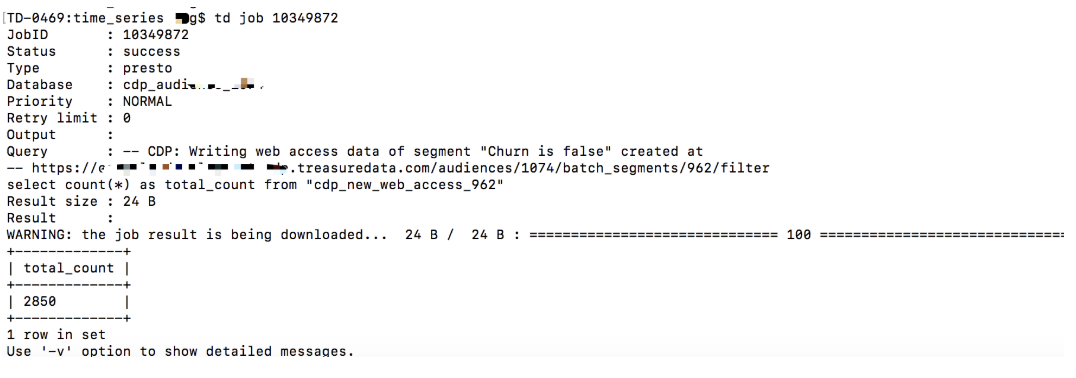
このコマンドは、特定のジョブの詳細情報を表示します。
$ td job 10349872例: