Brazeプラットフォームは、新しい成長機会やブランドインタラクションに関する洞察を提供し、革新的なキャンペーンの構築や戦略的なアクションの実行を支援します。Braze Currentsを使用すると、データをTreasure Dataにプッシュし、成長スタック全体で活用可能にすることができます。
Braze Streaming Ingress Connectorは、BrazeからTreasure Dataへのリアルタイムデータストリーミングを可能にするネイティブ入力コネクタです。このコネクタは、顧客の信頼を高め、以前のPostback API統合方法の制限を解決します。
- 適切な権限を持つアクティブなBrazeアカウント
- TDアカウントで(ベータ版)Braze Currents Streamingコネクタを有効化(Treasure Dataサポートチームにリクエスト)
- テーブルにイベントを書き込むためのTD API Write Key
- Connections > New Connectionに移動
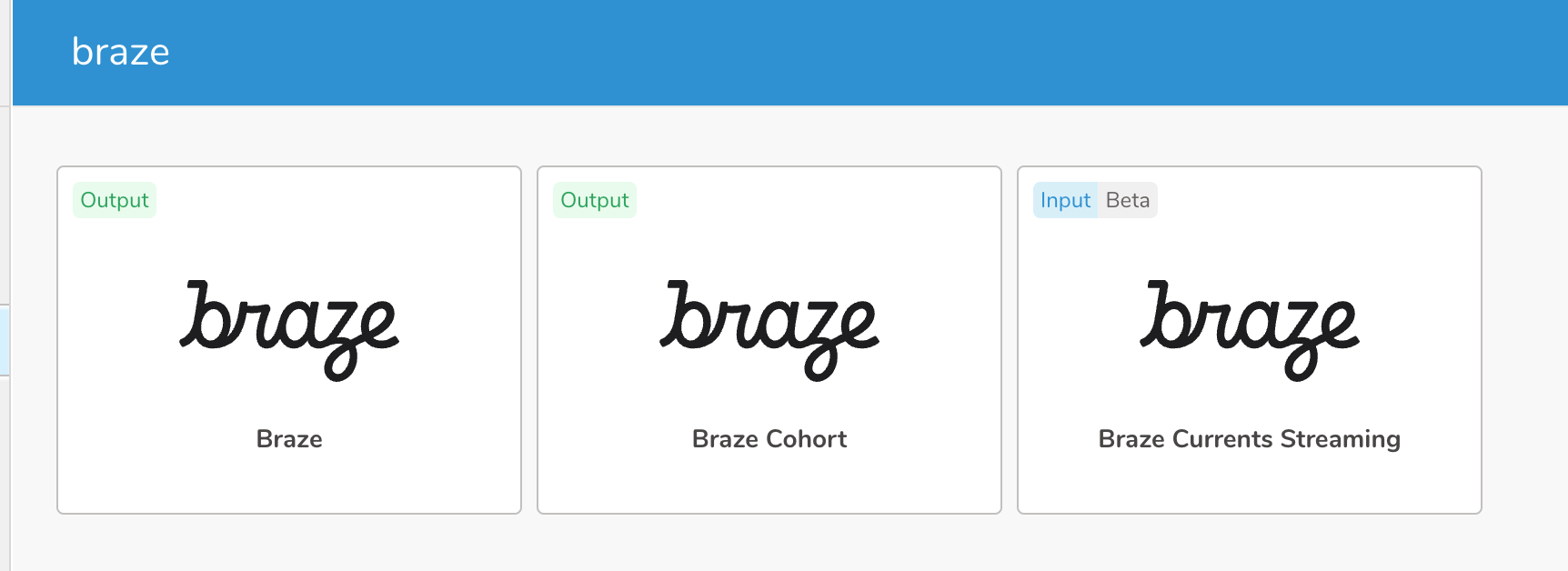
- コネクタのリストから「Braze Currents Streaming」を選択
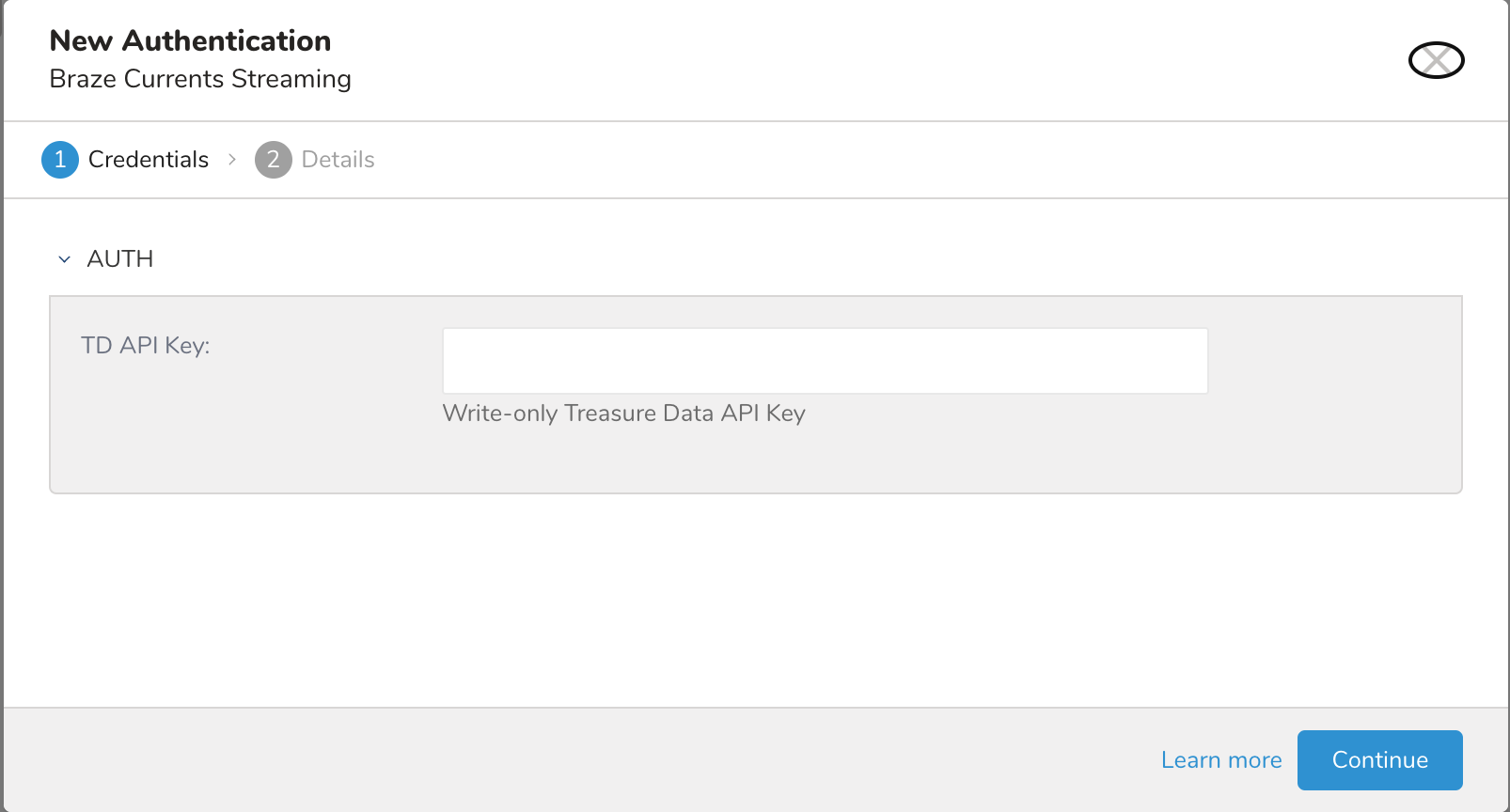
- 以下の認証設定を構成:
- Authentication:
- TD Write Key(必須)
- TD Write Key(必須)
- Authentication:
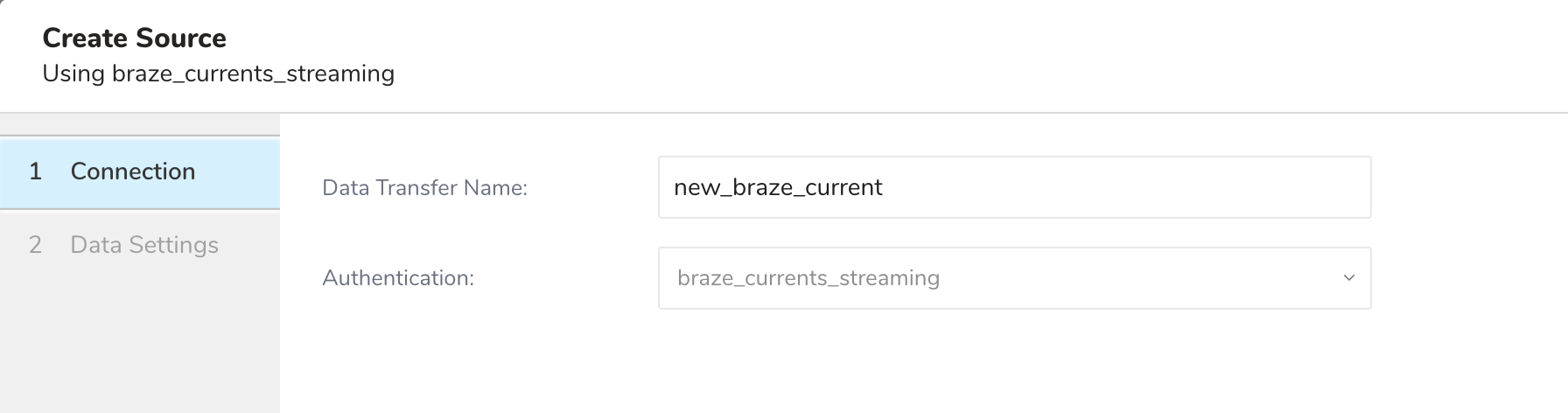
- 以下のSource設定を構成:
- Connection
- Source Name
- Data Settings
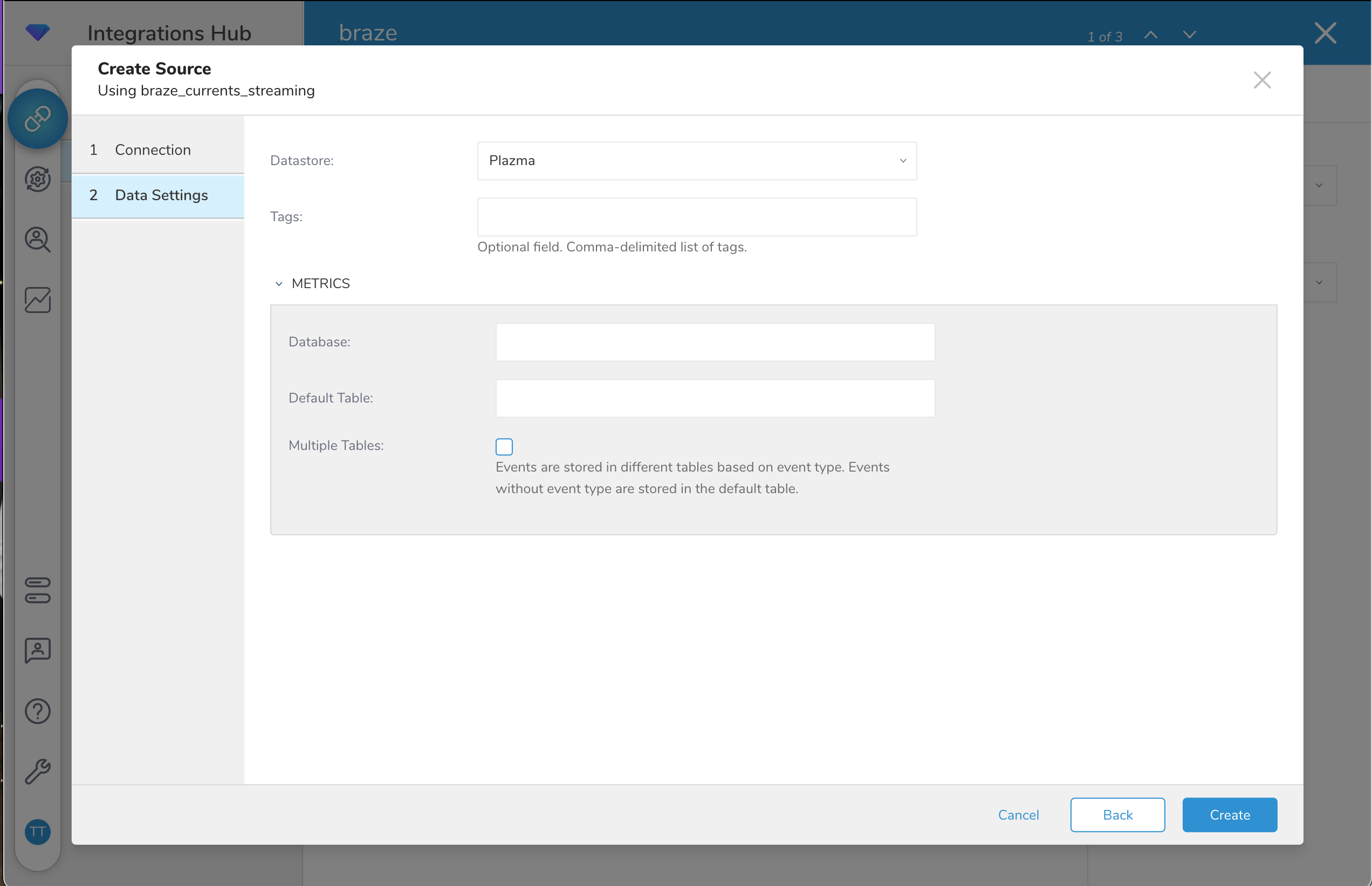
- Datastore: Plazma
- Tags(オプション): このソースを検索するために使用できるタグです。
- Database(必須): インポート先のデータベース
- Table(必須): インポート先のテーブル
- Multiple Tablesオプション(チェックボックス):
- 有効にすると、Currentsの設定に基づいて、イベントが異なるテーブルに振り分けられます(リンク)
- Connection
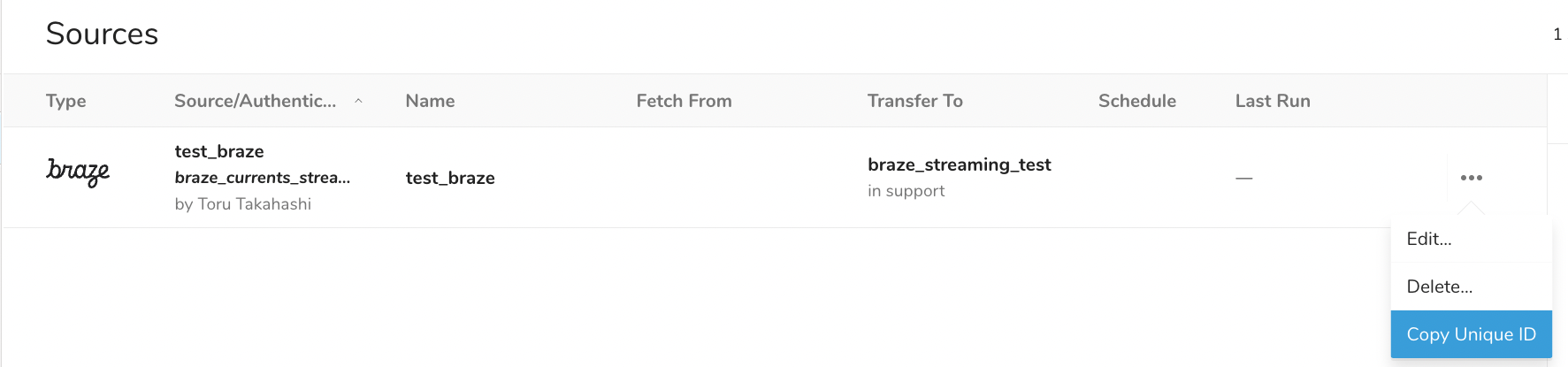
- Braze設定用のtask_idとしてUnique IDをSourceからコピー
- Partner Integration → Data Exportに移動
- 新しいCustom Currentを作成(Treasure Dataを選択するとレガシー連携が使用されます)
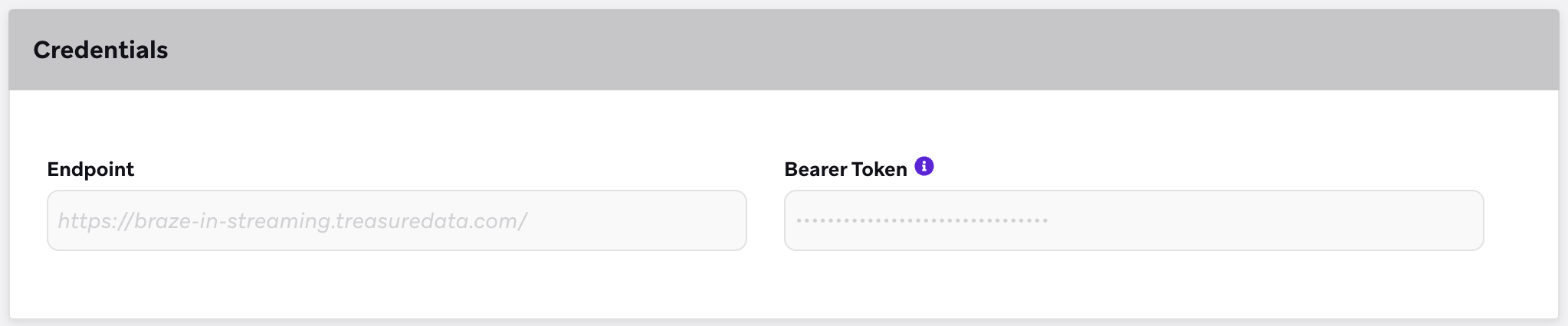
- TD設定時に提供されたTreasure DataエンドポイントURLを入力
- USリージョン: https://braze-in-streaming.treasuredata.com/v1/task/{task_id}
- EU01リージョン: https://braze-in-streaming.eu01.treasuredata.com/v1/task/{task_id}
- AP02リージョン: https://braze-in-streaming.ap02.treasuredata.com/v1/task/{task_id}
- Tokyoリージョン: https://braze-in-streaming.treasuredata.co.jp/task/v1/{task_id}
- Bearer Tokenとして「YOUR_WRITE_APIKEY」を入力
- エクスポートするイベントタイプを選択
コネクタは、JSONデータを自動的に2階層までフラット化します。イベントは、設定に基づいて指定されたテーブルに保存されます。
| JSON Data Type | Schema Data Type |
|---|---|
| string | string |
| string | string |
| number | long |
| boolean | string |
| array | JSON |
| object | フラット化(レベル2まで) |
| null | 無視 |
- 小文字とアンダースコアのみ
- レベル1フィールド:
field_name - レベル2フィールド:
parent_field_name_field_name
取り込まれたデータをクエリするには、SQLクエリを使用します。例:
SELECT
  id AS event_id,
  event_type,
  time AS event_time,
  user_user_id,
  user_external_user_id,
  properties_dispatch_id,
  properties_campaign_id,
  properties_message_variation_id,
  properties_email_address,
  properties_user_agent,
  properties_campaign_name,
  properties_message_variation_name
FROM
  your_database.your_table
WHERE
  TD_INTERVAL(
    time,
    '-1d',
    'JST'
)- 最大ペイロードサイズ: 1 MB
- イベントはデフォルトで100件のバッチにグループ化されます
レガシー統合ドキュメント
#### この統合で何ができますか?Braze Currentsから Treasure Data にデータを移動する推奨アプローチは、Postback APIを使用することです。この方法では、すぐに使えるコネクタは必要ありません。代わりに、Treasure Data は Postback RESTful API を通じてデータを受信します。1つのデータバッチで送信されるすべてのイベントは、JSON配列の1つの行の1つのフィールド内にあり、必要なデータを取得するためにパースする必要があります。
- Postback APIを含む Treasure Data の基礎知識。
- Brazeの基礎知識。
Braze Currentインテグレーションの作成手順は、Brazeのウェブサイト Treasure Data for Currents に記載されています。Brazeは、更新されたイベントをリアルタイムでTreasure Dataに直接送信します。ただし、event-collectorを使用したデータ取り込みには数分かかる場合があります。
Braze CurrentsがTreasure Dataにデータをプッシュした後、次のようなクエリを使用してTDコンソールからデータを抽出できます。
| 注意 | 本番環境で使用する前に、クエリの出力結果が有効であることを必ず確認してください。 |
| --- | --- |
SELECT json_extract_scalar(event, '$.id') AS event_id, json_extract_scalar(event, '$.event_type') AS event_type, json_extract_scalar(event, '$.time') AS event_time, json_extract_scalar(json_extract(event, '$.user'), '$.user_id') AS user_id, json_extract_scalar(json_extract(event, '$.user'), '$.external_user_id') AS external_user_id, json_extract_scalar(json_extract(event, '$.properties'), '$.dispatch_id') AS dispatch_id, json_extract_scalar(json_extract(event, '$.properties'), '$.campaign_id') AS campaign_id, json_extract_scalar(json_extract(event, '$.properties'), '$.message_variation_id') AS message_variation_id, json_extract_scalar(json_extract(event, '$.properties'), '$.email_address') AS email_address, json_extract_scalar(json_extract(event, '$.properties'), '$.user_agent') AS user_agent, json_extract_scalar(json_extract(event, '$.properties'), '$.device_class') AS device_class, json_extract_scalar(json_extract(event, '$.properties'), '$.device_os') AS device_os, json_extract_scalar(json_extract(event, '$.properties'), '$.browser') AS browser, json_extract_scalar(json_extract(event, '$.properties'), '$.ip_pool') AS ip_pool, json_extract_scalar(json_extract(event, '$.properties'), '$.machine_open') AS machine_open, json_extract_scalar(json_extract(event, '$.properties'), '$.esp') AS esp, json_extract_scalar(json_extract(event, '$.properties'), '$.from_domain') AS from_domain, json_extract_scalar(json_extract(event, '$.properties'), '$.is_amp') AS is_amp, json_extract_scalar(json_extract(event, '$.properties'), '$.campaign_name') AS campaign_name, json_extract_scalar(json_extract(event, '$.properties'), '$.message_variation_name') AS message_variation_nameFROM your_tableCROSS JOIN UNNEST(cast(JSON_PARSE(events) AS array(json))) AS t (event)Eventsフィールドの例
{
    "events": [
        {
            "event_type": "users.message.email.Open",
            "id": "a1234567-89ab-cdef-0123-456789abcdef",
            "time": 1477502783,
            "user": {
                "user_id": "user_id",
                "timezone": "America/Chicago"
        },
            "properties": {
                "campaign_id": "11234567-89ab-cdef-0123-456789abcdef",
                "campaign_name": "Test Campaign",
                "dispatch_id": "12345qwert",
                "message_variation_id": "c1234567-89ab-cdef-0123-456789abcdef",
                "email_address": "test@example.com",
                "send_id": "f123456789abcdef01234567",
                "user_agent": "Mozilla/5.0 (Macintosh; Intel Mac OS X 10_13_5) AppleWebKit/537.36 (KHTML, like Gecko) Chrome/67.0.3396.99 Safari/537.36"
            }
        }
    ]
}
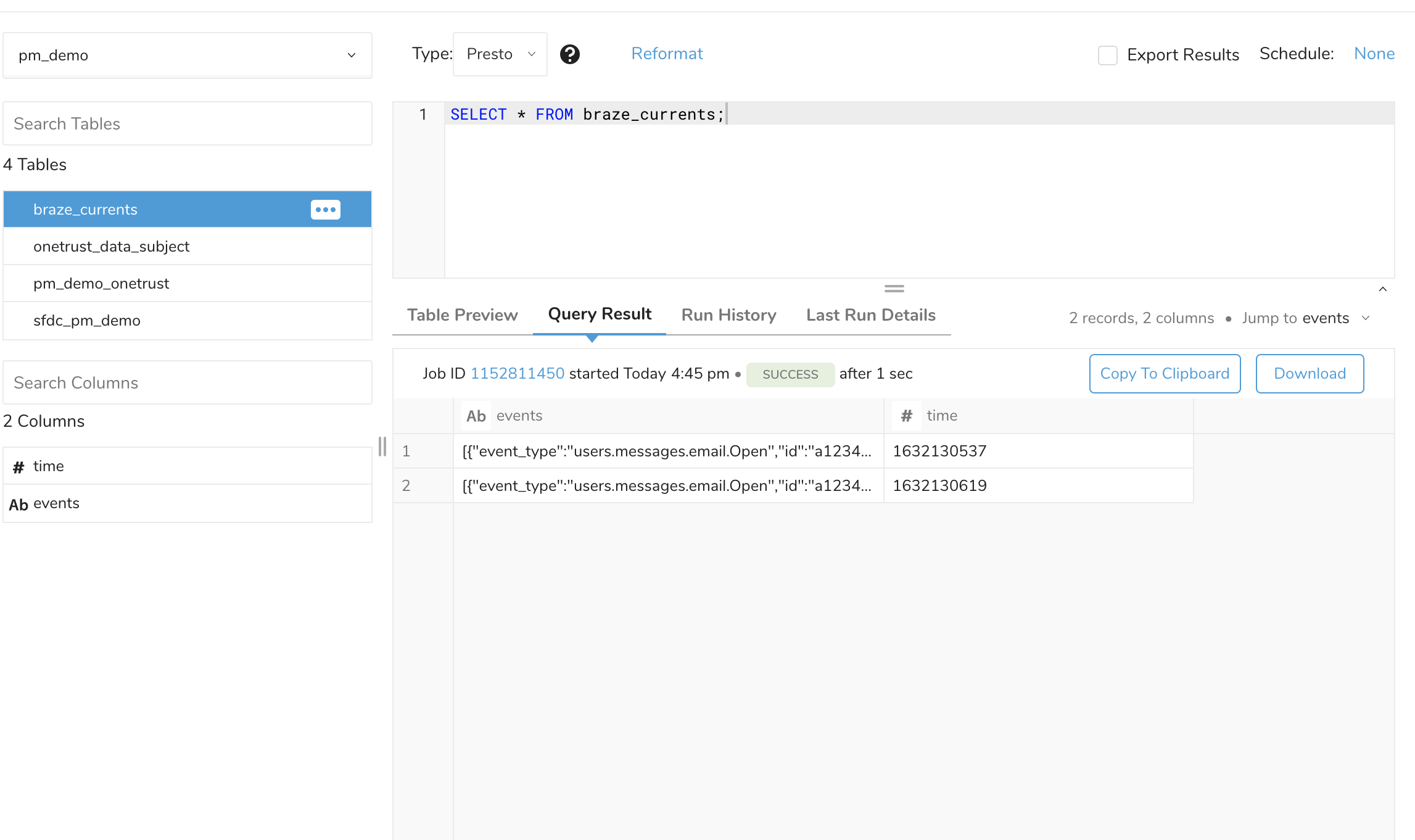
取り込まれたBraze Currents EventsのTreasure Dataコンソールビューの例