# Web Tracking With Javascript Using Cookie Consent
Cookie Consent is a free JavaScript plugin for alerting users about the use of cookies on your website. It is designed to help you comply with data privacy regulations such as the GDPR and still provide a quality user experience.
[https://cookieconsent.insites.com/documentation/about-cookie-consent/](https://cookieconsent.insites.com/documentation/about-cookie-consent/)
Treasure Data recommends that you implement any new features or functionality at your site using the Treasure Data JavaScript SDK version 3. It manages cookies differently. Be aware when referring to most of these articles that you need to define the suggested event collectors and Treasure Data JavaScript SDK version 3 calls in your solutions.
* [Customize Your Layout](/products/customer-data-platform/integration-hub/streaming/td-javascript-sdk/web-tracking-with-javascript-using-cookie-consent#customize-your-layout)
* [User Views](/products/customer-data-platform/integration-hub/streaming/td-javascript-sdk/web-tracking-with-javascript-using-cookie-consent#user-views)
* [Run a sample](/products/customer-data-platform/integration-hub/streaming/td-javascript-sdk/web-tracking-with-javascript-using-cookie-consent#run-a-sample)
# Customize Your Layout
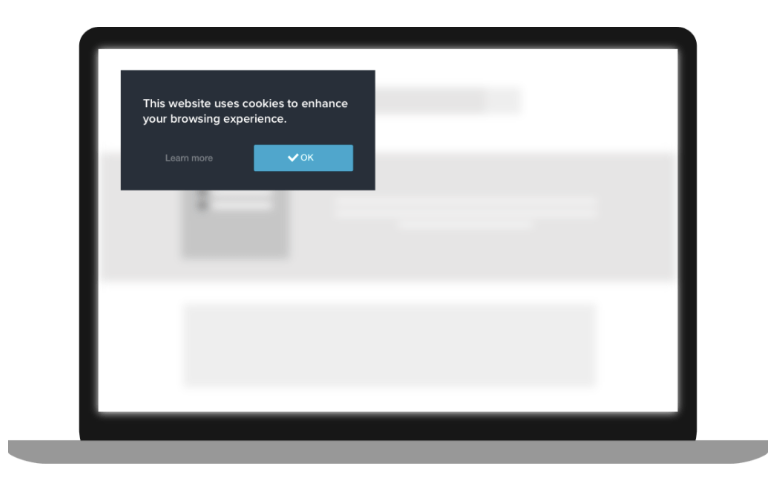
You can choose from a wide range of layouts and color schemes, including the following example:
# User Views
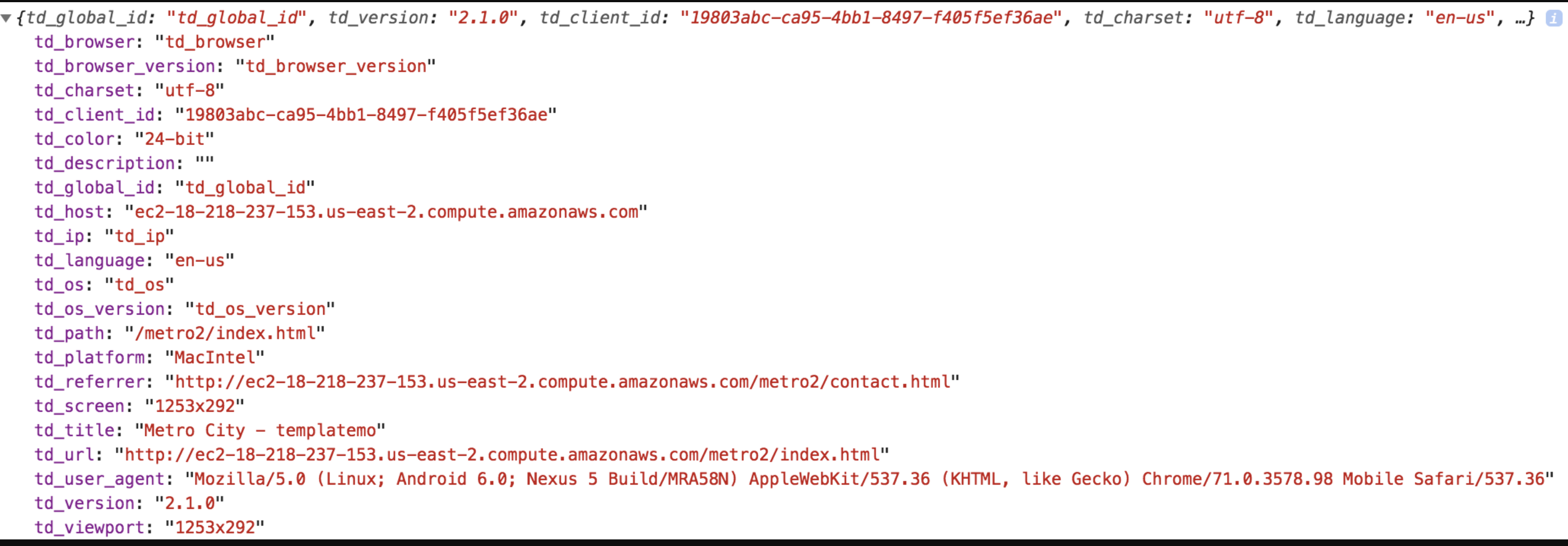
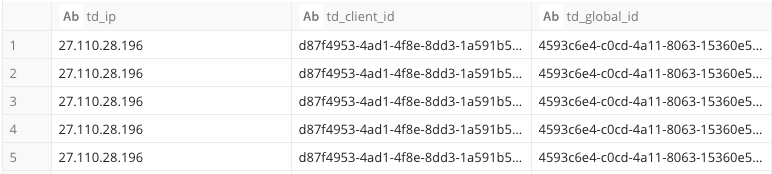
When a user accesses your web page for the first time, the following info is included in the stored cookie by default (td_ip, td_client_id and td_global_id).

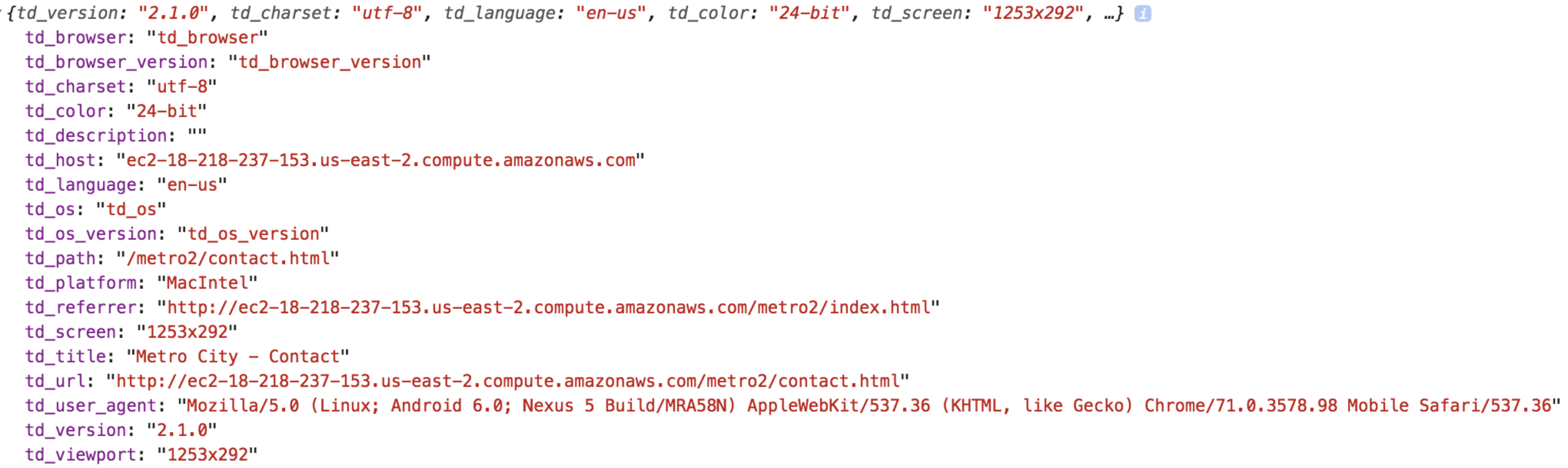
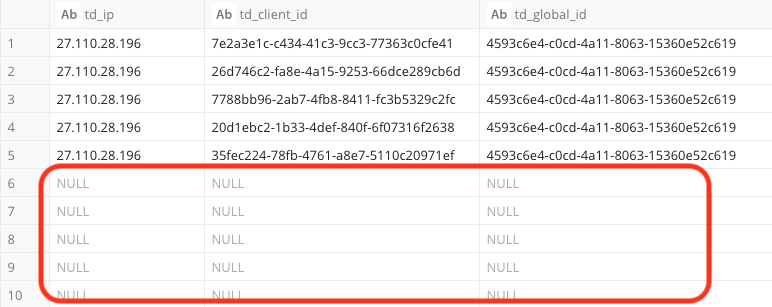
If the user selects "Decline" on the cookie consent prompt, the following fields (td_ip, td_client_id and td_global_id) will **not** be sent on any subsequent page visits by this user.
# Run a sample
1. To run a test, you need to create an HTML using test.md
Replace the following content with your customized details:
a. 'WRITE YOUR WRITE ONLY API KEY'
b. 'WRITE YOUR DB NAME'
c. 'WRITE YOUR TABLE NAME'
```html
```
1. Set up a simple HTTP server.
For example on Mac:
```bash
sudo apachectl start
sudo cp test.md /Library/WebServer/Documents
# setup owner and permission same with other files in copy destination folder above
# sudo chown
# sudo chmod
```
Try to access from a browser at: http://127.0.0.1/test.md
Or, you can refer to this live demo: [https://treasure-data.github.io/js-examples/consensus-management/index.md](https://treasure-data.github.io/js-examples/consensus-management/index.md)
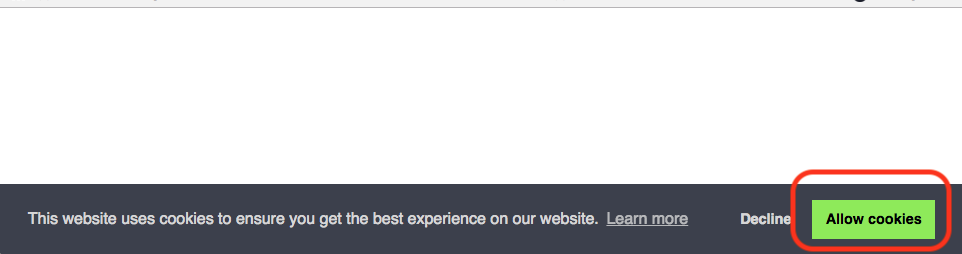
You will see a blank page with a bar on the bottom.
1. Do not select the "Allow cookies" option.
1. Refresh the page several times and check the destination table that the tracking info is being sent to.
After a few minutes at most, you should begin to see the streaming data in the destination table.
2. Confirm the streaming data by running a query similar to the following:
```sql
select td_ip,td_client_id,td_global_id from .
```
6. Select Decline on test.md page.
1. Refresh the page. After the refresh, the consent prompt should no longer appear.

1. Check the destination table of web tracking again.
After a few minutes at most, you should begin to see the new streaming data in the destination table.
2. Confirm by running a query similar to the following:
```sql
select td_ip,td_client_id,td_global_id from .
```
In the following table, you can see the columns td_ip, td_client_id and td_global_id were excluded from the streaming data sent to TD.
1. The files can be cleaned by prompting the HTTP server to stop running on your local PC and delete test.md file.
```bash
sudo apachectl stop
sudo rm -f Library/WebServer/Documents/test.md
```